
 View on Asset Store (opens in new tab)
Package details
- Latest version
- 2.0.0
- Last updated
- First released
- Unity version
- 6000.0.72 or later
- Package size
- 18.3 MB
- Files
- 210
- Favorites
- 192
- Views in the past week
- 17
Price tracking
- Last checked
- Tracked since
- Lowest recorded
- $9.99 on
Keywords
- Search for settings manager
- Search for game options
- Search for Volume Control
- Search for renderer feature
- Search for user options
- Search for Audio control
- Search for project settings
- Search for post processing
- Search for quality settings
- Search for Configuration
- Search for Graphic Options
- Search for quality options

Universal Settings 2
Generate a complete, fully wired settings menu in one click. Display, graphics, effects, sound, key rebinding and localization — one package that works the same on Built-in, URP and HDRP.
Affiliate link · Purchases support this site
Price history
Last 6 months
USDAsset preview
1 / 6
Universal Settings 2 screenshot 1


About this asset
🔥 One click to a working settings menu
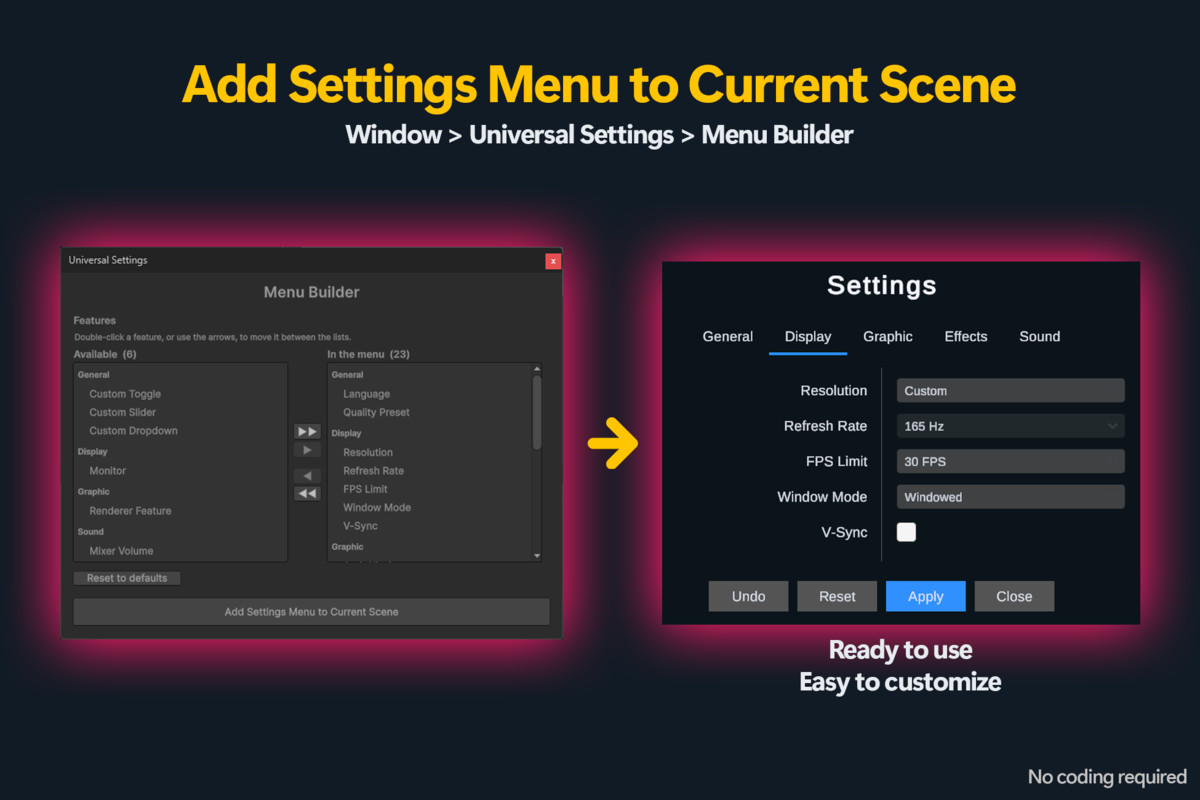
Open the Menu Builder, tick the settings you want, press Add. The config, quality presets, volume wiring, EventSystem, manager and a fully wired full-screen menu all land in your open scene. Press Play and it works. Built-in, URP and HDRP — auto-detected, no separate downloads.
🔥 Key rebinding
Let players remap controls with the Input System. Bindings are saved, duplicate keys are detected and reported, and the "Press a key…" prompt is translated.
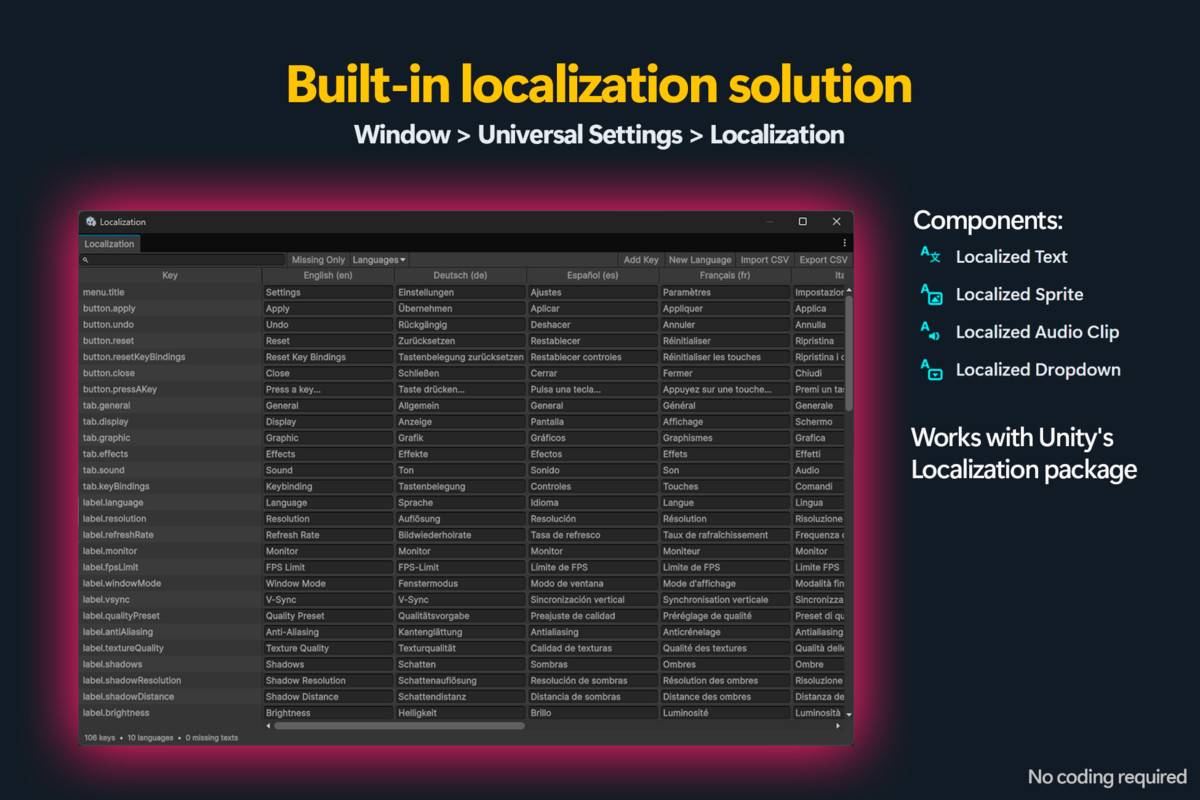
🔥 Localization built in
Ten languages ship translated. Edit every language side by side in the Localization Table, hand CSV to translators, and use the same system for your own game text. With com.unity.localization installed, the language dropdown and Unity's Selected Locale stay in sync both ways.
🔥 Fully customizable UI
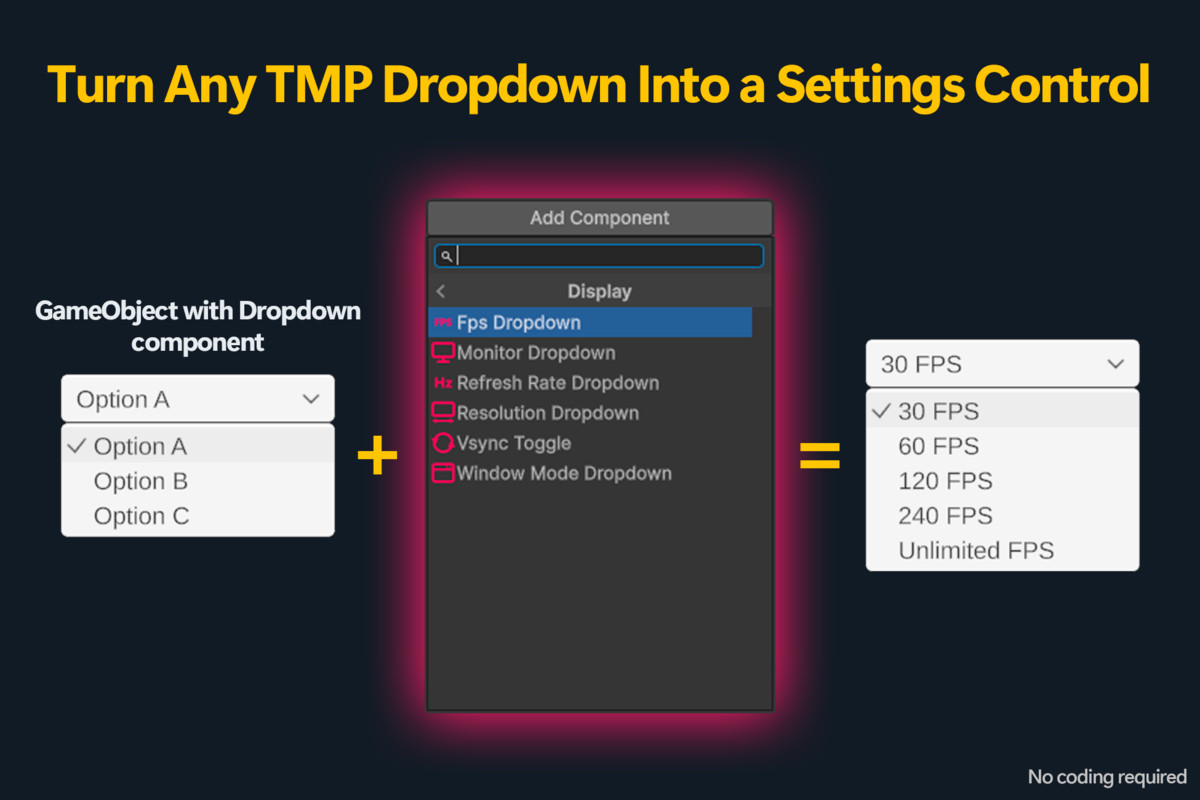
Build the UI however you like. Universal Settings brings life to Unity's Slider, Toggle and Dropdown components.
🔥 Auto save
Settings are saved automatically through Unity's PlayerPrefs. Corrupt saves fall back to defaults instead of breaking the menu.
🔥 Post-processing and renderer features
Toggle post-processing effects and URP renderer features from any Toggle. Works on Built-in too, through Post Processing v2. Profiles are cloned at runtime, so play mode never dirties your assets.
🔥 Quality selector
Create as many Quality Presets as you want, set their defaults, and drop in the Quality Preset Dropdown. It shows "Custom" when the player's choices match no preset.
🔥 Custom configurations
A Toggle that turns blood on/off? A Slider for aim sensitivity? A Dropdown to pick a microphone? Custom Boolean Toggle, Custom Float Slider and Custom Integer Dropdown have no limits.
🔥 Audio Mixer volume
Control any AudioMixer with the Audio Mixer Volume Slider, so players can set music, effects and voice chat separately.
🔥 Validate Setup
One window checks your project and scene and fixes most problems in a click, so a menu that isn't behaving tells you why.
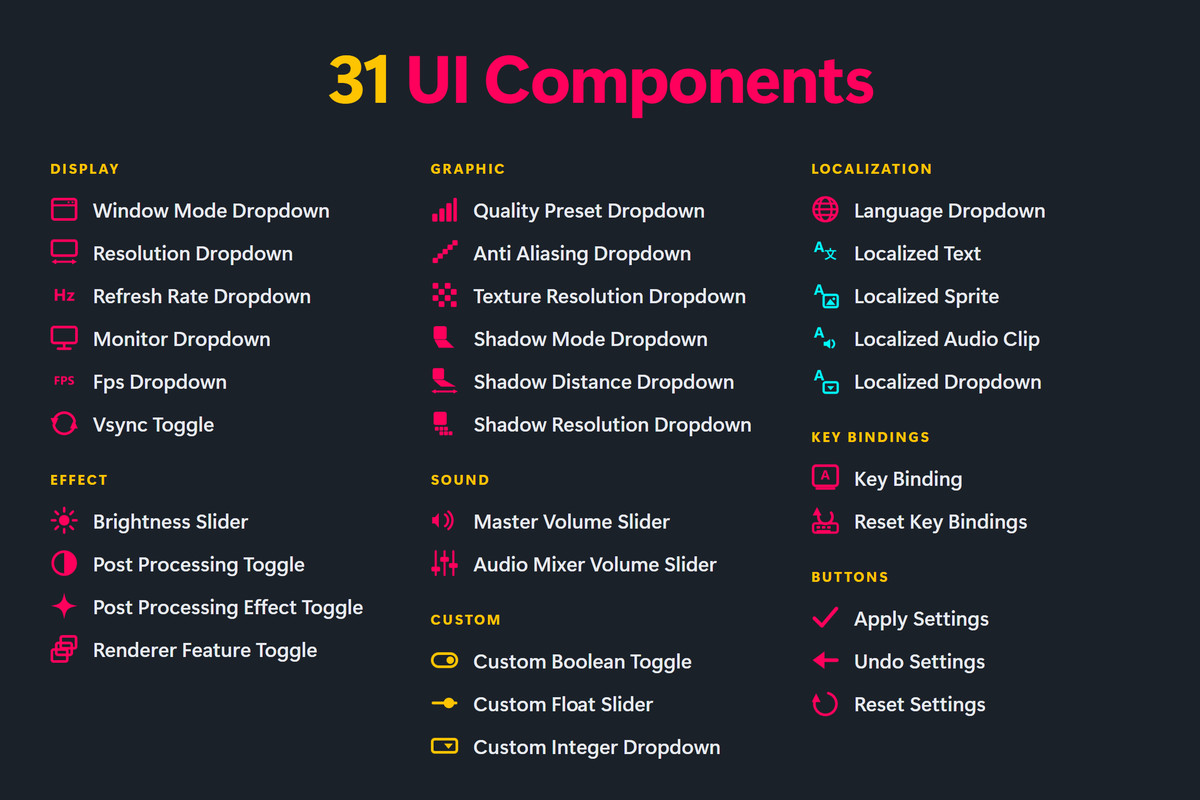
🔥 31 UI Components
- Display
- Window Mode Dropdown
- Resolution Dropdown
- Refresh Rate Dropdown
- Monitor Dropdown
- Fps Dropdown
- Vsync Toggle
- Graphic
- Quality Preset Dropdown
- Anti Aliasing Dropdown
- Texture Resolution Dropdown
- Shadow Mode Dropdown
- Shadow Distance Dropdown
- Shadow Resolution Dropdown
- Effect
- Brightness Slider
- Post Processing Toggle
- Post Processing Effect Toggle
- Renderer Feature Toggle (URP only)
- Sound
- Master Volume Slider
- Audio Mixer Volume Slider
- Localization
- Language Dropdown
- Localized Text
- Localized Sprite
- Localized Audio Clip
- Localized Dropdown
- Key Bindings
- Key Binding
- Reset Key Bindings
- Custom
- Custom Boolean Toggle
- Custom Float Slider
- Custom Integer Dropdown
- Buttons
- Apply Settings
- Undo Settings
- Reset Settings
🐞 Need help?
Join our Discord server: https://discord.gg/UDAHE8KbxY
From the publisher's Asset Store listing.
Compatibility
| Unity version | Built-in | URP | HDRP | Custom |
|---|---|---|---|---|
| 6000.0.72f1 | Compatible | Compatible | Compatible | Compatible |
As listed on the Asset Store.