
 View on Asset Store (opens in new tab)
Package details
- Latest version
- 1.0
- Last updated
- First released
- Unity version
- 2021.3.1 or later
- Package size
- 5.8 MB
- Files
- 18
- Favorites
- 42
- Views in the past week
- 7
Price tracking
- Last checked
- Tracked since
- Lowest recorded
- $14.00 on
Keywords
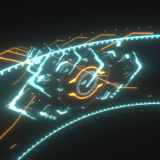
SCI-FI Particle System
This is a "SF-like particle effect" that was configured with the Pavale system. It will be very useful when you want to put sci-fi expression in your project.
Affiliate link · Purchases support this site
Price history
Last 6 months
USDAsset preview
1 / 16

SCI-FI Particle System screenshot 1


About this asset
This is a "sci-fi UI style particle system.
It can be used in the following situations.
When you want to create a sci-fi-like expression easily.
As part of the expression of an original game
As a part of Unity's visual expression
This particle system is composed of the Unity standard "ParticleSystem" and uses only the Unity standard built-in shaders and their mask shaders.
Although the values for the particle system settings are a bit complicated, the system itself is very simple, so it is very easy to use.
Basically, you can use this particle system as long as Unity is running in your environment.
The possibilities for compliance systems are endless! !
Let's particle system!!
(※We recommend importing Unity's official post-processing stack v2.)
From the publisher's Asset Store listing.
Technical details
【How to use】
YORIMIYASTUDIO/ ParticleUI Ver.3/Prefab folder and place each prefab on the scene.
Also, if you open "ParticleUI Ver.3" Scene in YORIMIYASTUDIO/ParticleUI Ver.3/Demo, you can use each Prefab already placed.
If you want to modify particles, you are free to do so. You can modify the values and curves of each component freely by referring to each Prefab to create your original particle system. Please note that we cannot answer questions about the particle system or how to modify it. Please understand that we cannot answer any questions about the particle system or how to modify it.
【Demo Scene】
ParticleUI Ver.3.unity(Scene file)
【fbx folder】
Three fbx for particles
【Prefab folder】
--ParticleUI --[Main].prefab
ParticleUI--[Main][Red&White].prefab
ParticleUI HUD Glass.prefab
ParticleUI HUD Glass[Masked][Red&White].prefab
ParticleUI HUD Glass[Masked].prefab
ParticleUI HUD Glass[Red&White].prefab
(*There are objects divided by Parts in detail in Scene)
【Material folder】
4 materials for particles
【Shader folder】
2 shaders for masks
Compatibility
| Unity version | Built-in | URP | HDRP |
|---|---|---|---|
| 2021.3.1f1 | Compatible | Not listed | Not listed |
As listed on the Asset Store.