
 View on Asset Store (opens in new tab)
Package details
- Latest version
- 1.2
- Last updated
- First released
- Unity version
- 2022.3.9 or later
- Package size
- 915.4 MB
- Files
- 78
- Favorites
- 10
- Views in the past week
- 10
Price tracking
- Last checked
- Tracked since
- Lowest recorded
- $13.99 on
Keywords

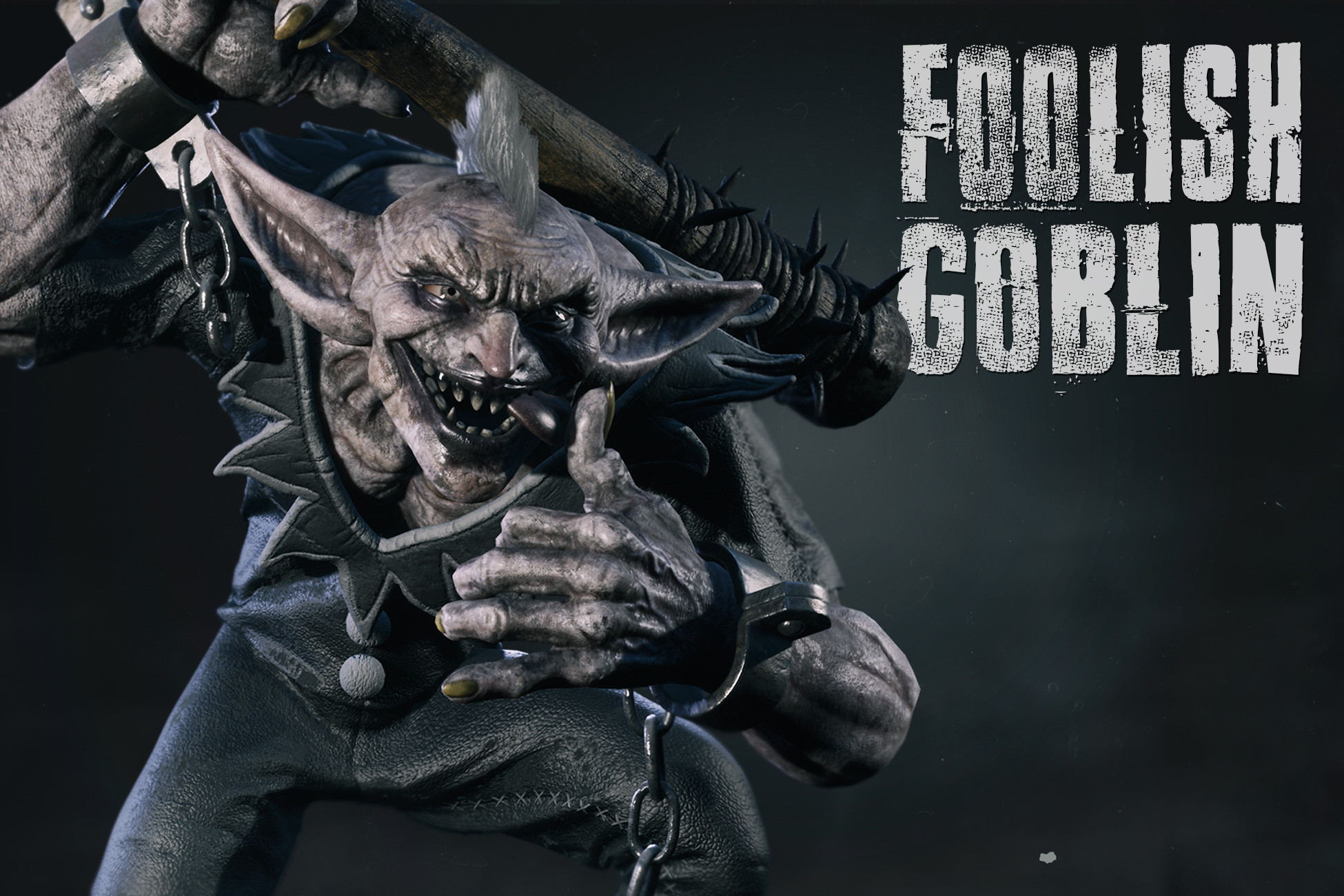
Foolish Goblin
Foolish Goblin is retargetable for Humanoid and includes Animations!
Affiliate link · Purchases support this site
Price history
Last 6 months
USDAsset preview
1 / 12

Foolish Goblin screenshot 1





About this asset
He is rich of details and is also equipped with spiked club as weapon.
Foolish Goblin includes Animations:
- Idle
- Alert
- Look Around
- Walk
- Speed Walk
- Attack 01
- Attack 02
- 4 Hit Direction
You can see all animations in this Animation Overview.
Render Pipeline Available for this Asset:
- Built-in
- HDRP
- URP
The Asset supports:
- Unity 6.5
- Unity 2022.3.9f1
Join our Discord Server and become an Owner for:
- Receive support for the purchased product.
- Updates of New Products.
- Find Connections and Collaborations in a large Community.
From the publisher's Asset Store listing.
Technical details
Foolish Goblin Features:
Number of Character: 1
Animated: Yes
Number of Animations: 11
Collision: Yes
Triangles: 122.585
Vertices: 80.144
LODs: No
Number of Material Instances: 11
Resolution of Textures: 4K
Spiked Club Features:
Number of Assets: 1
Collision: Yes
Triangles: 18.252
Vertices: 10.229
LODs: No
Number of Material Instances: 1
Resolution of Textures: 4K
Compatibility
| Unity version | Built-in | URP | HDRP |
|---|---|---|---|
| 6000.5.5f1 | Not listed | Compatible | Compatible |
| 2022.3.9f1 | Compatible | Compatible | Compatible |
- It's best to keep the Material and Texture folders of unused pipelines. There might be assets referenced in them.
- If you have skin material issues, check the Diffusion profile setting. This texture improves skin effects on HDRP pipelines. If the reference is lost, press the fix button to apply it and make the material work.
As listed on the Asset Store.