
 View on Asset Store (opens in new tab)
Package details
- Latest version
- 1.1.0
- Last updated
- First released
- Unity version
- 2019.4.0 or later
- Package size
- 37 KB
- Files
- 4
- Favorites
- 45
- Views in the past week
- 19
Price tracking
- Last checked
- Tracked since
- Lowest recorded
- Free on
Keywords

OneCommander Connector for Unity
Quickly view and open files and folders in OneCommander from your Unity project.
Affiliate link · Purchases support this site
Price history
Last 6 months
USDAsset preview
1 / 3

OneCommander Connector for Unity screenshot 1

About this asset
OneCommander Connector for Unity is a Unity plugin that allows you to view and open files and folders in OneCommander from your Unity project.
Use quick access buttons and context menu options to quickly and easily view paths in OneCommander, or any other file manager, utilising extensive custom configuration options.
Using this tool, directly bypasses Unity's traditional method of opening the file explorer, which can be slow and cumbersome, as it often displays a 20 second progress bar even when the file explorer is already open.
Documentation and support available on GitHub.
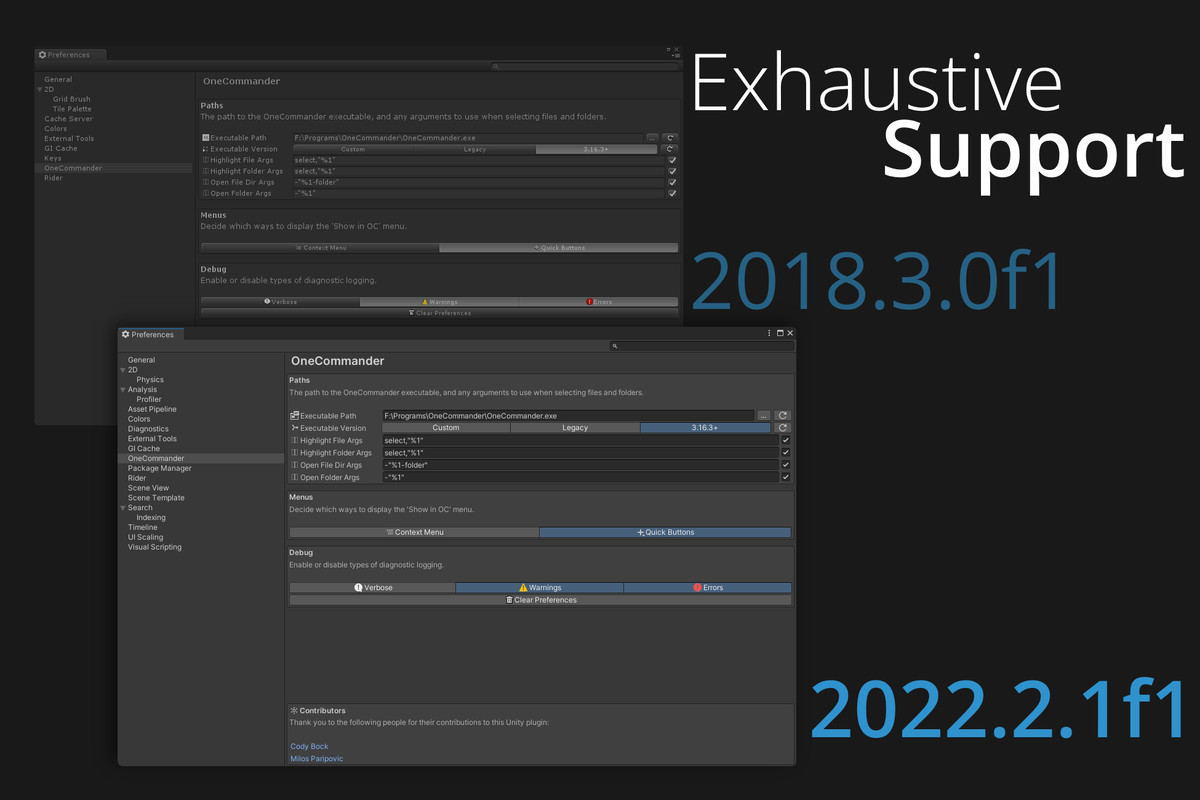
This plugin is compatible with Unity 2018.3 and above.
Unfortunately, the Asset Store Publishing Tools only supports 2019.4 and above, so that's the minimum it can be uploaded as. Regardless, plugin has been tested and works with as early as 2018.3.0f1.
Don't have OneCommander? Download it here: https://onecommander.com
This is a third-party plugin, and is not affiliated with Unity Technologies or OneCommander.
For help and support, please contact the plugin developer, not OneCommander.
Permission was granted by OneCommander to use the OneCommander logo and name in this plugin.
From the publisher's Asset Store listing.
Technical details
- Use quick access buttons and context menus to quickly view paths in OneCommander
- Support any custom file manager with configurable command line arguments
- Fully compatible with Windows, Mac, and Linux.
- Automatic detection of OneCommander installation path is only available on Windows. Manual detection is available on all platforms.