
 View on Asset Store (opens in new tab)
Package details
- Latest version
- 1.2.3
- Last updated
- First released
- Unity version
- 2022.3.14 or later
- Package size
- 6.6 MB
- Files
- 22
- Favorites
- 8
- Views in the past week
- 1
Price tracking
- Last checked
- Tracked since
- Lowest recorded
- $7.50 on
Keywords
Image Tools (for Textures, Sprites etc.)
Image Tools is a lightweight, powerful extension for Unity that brings essential 2D image editing features directly into the Editor - no need to leave Unity.
Affiliate link · Purchases support this site
Price history
Last 6 months
USDAsset preview
1 / 9
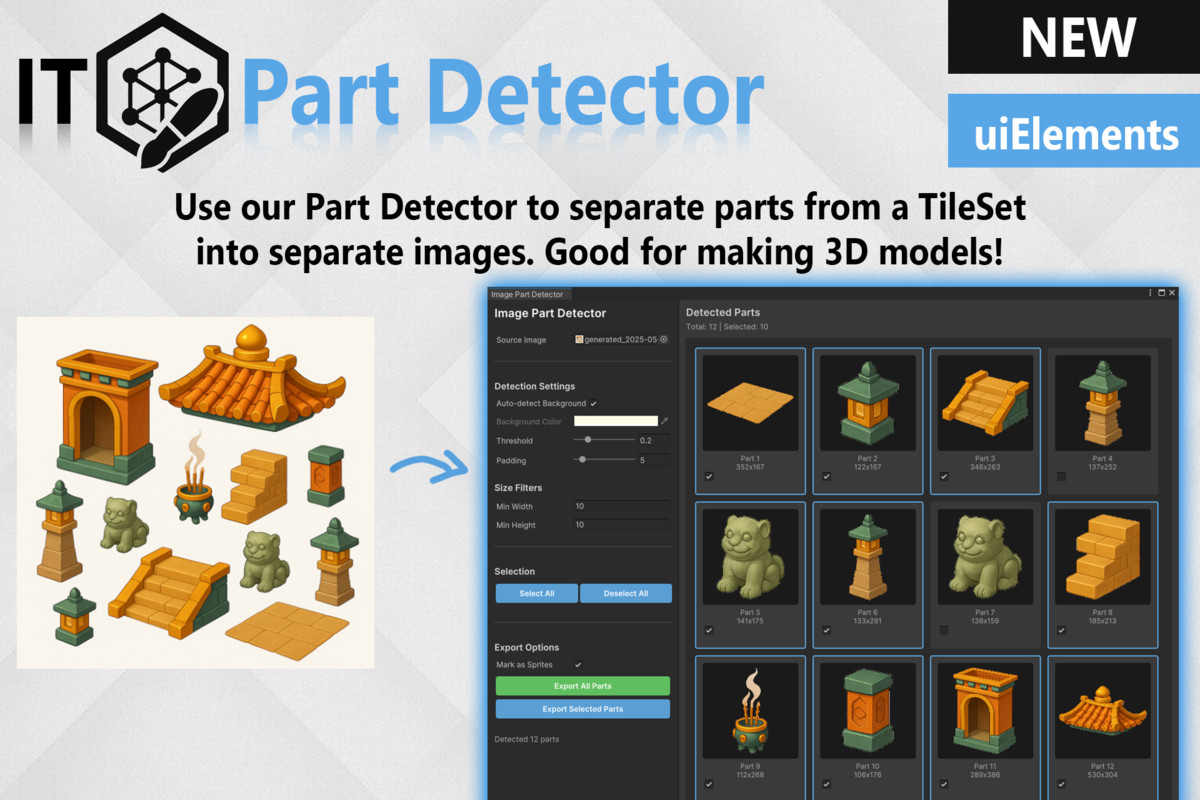
Image Tools (for Textures, Sprites etc.) screenshot 1

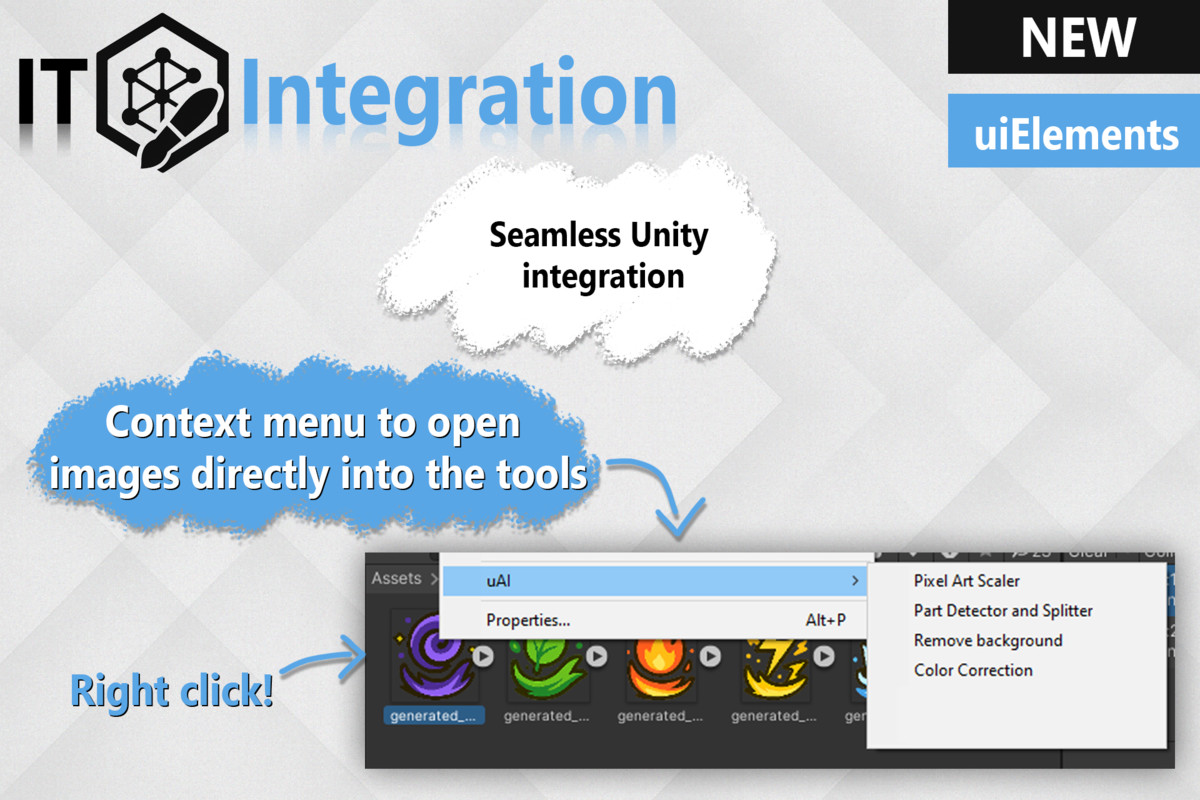
About this asset
Image Tools - Essential Image Editing Inside Unity
Image Tools is a compact yet powerful set of in-Editor utilities designed to simplify and enhance your 2D asset workflow in Unity. Whether you're cleaning up sprites, scaling pixel art, or separating tilesets, these tools save time and keep you focused on building your game - not switching between external programs.
Extracted from the full uAI - Pro Creator suite, these tools are perfect for any developer working with AI-generated art, retro-style assets, or detailed sprite sheets.
🛠️ Included Tools:
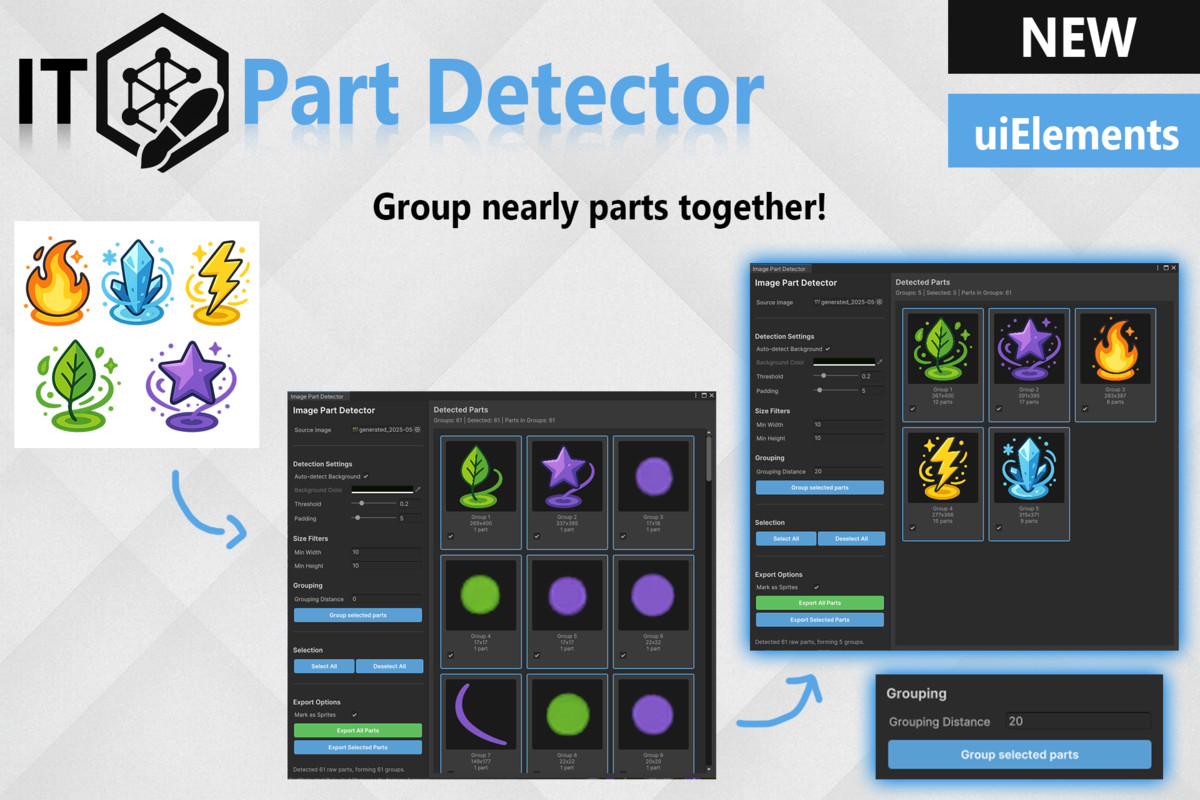
🧩 Image Part Detector and Slicer
Split tilesets, sprite sheets, and composite images into clean, individual parts.
- Auto-detect objects and transparent backgrounds.
- Customize threshold, padding, and minimum part size.
- Export each part as a separate image with a click.
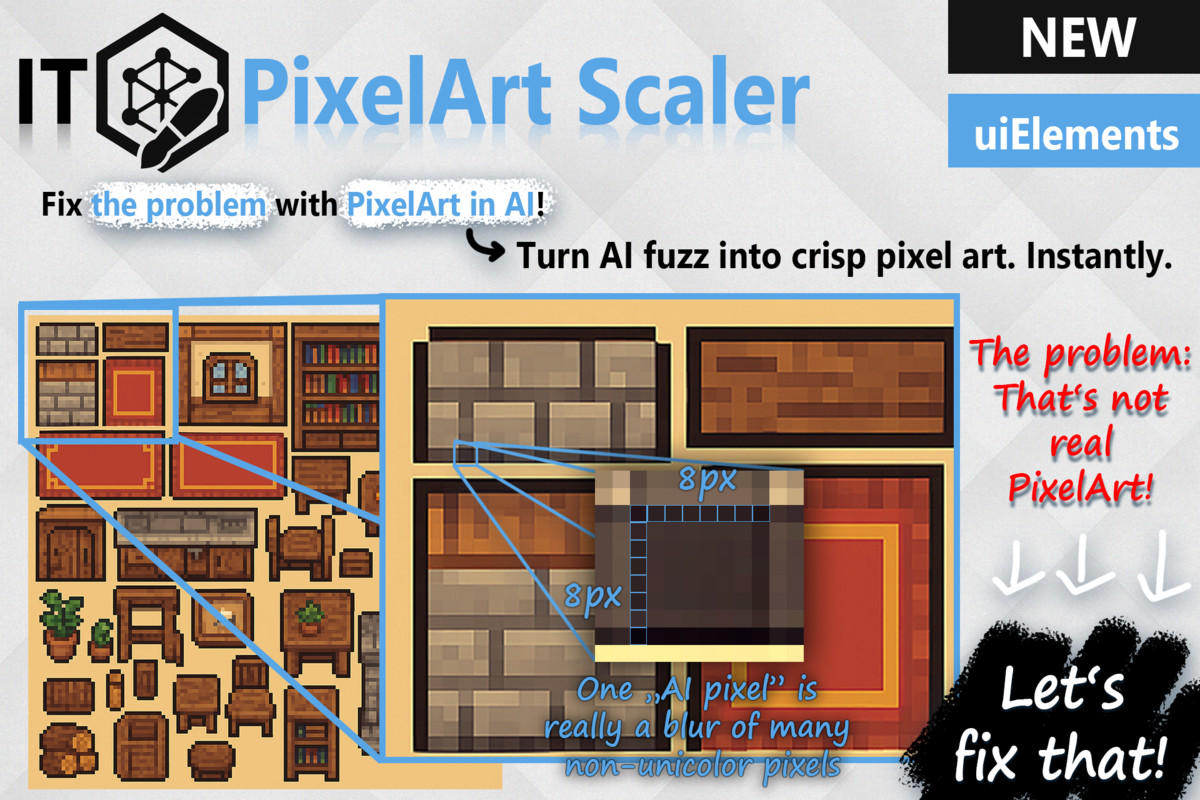
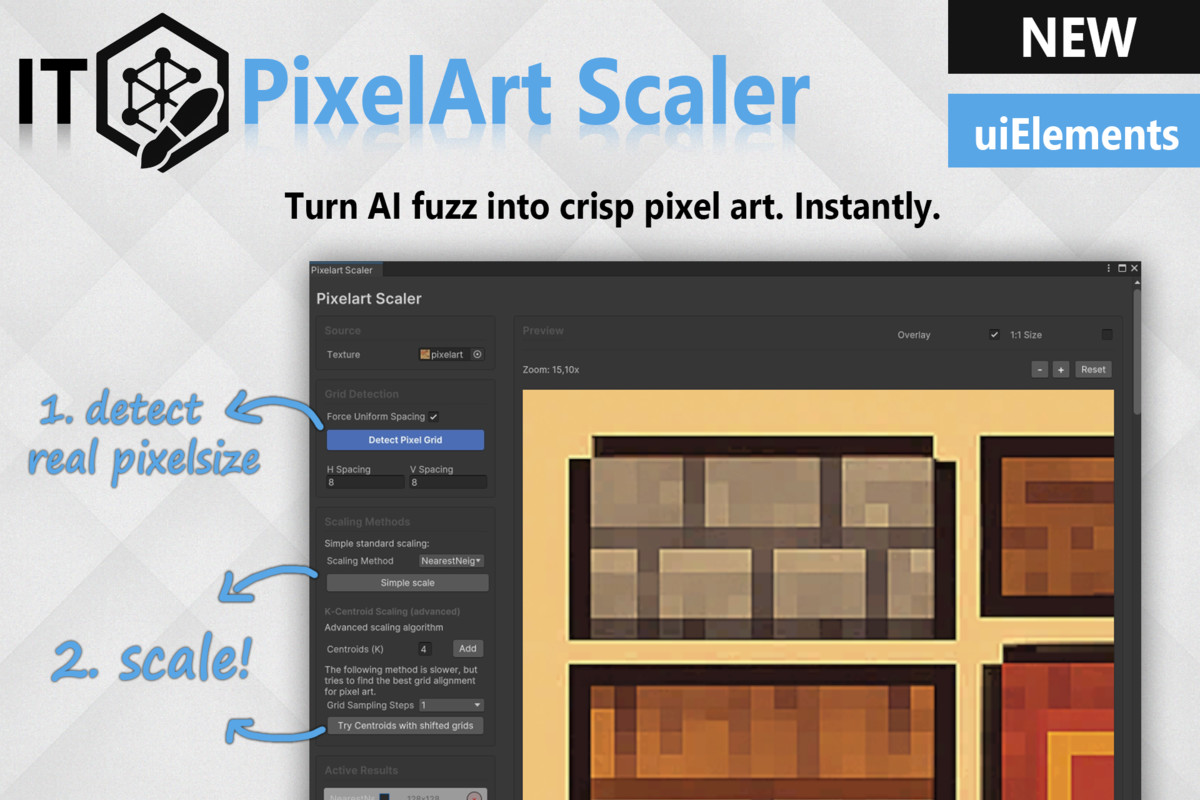
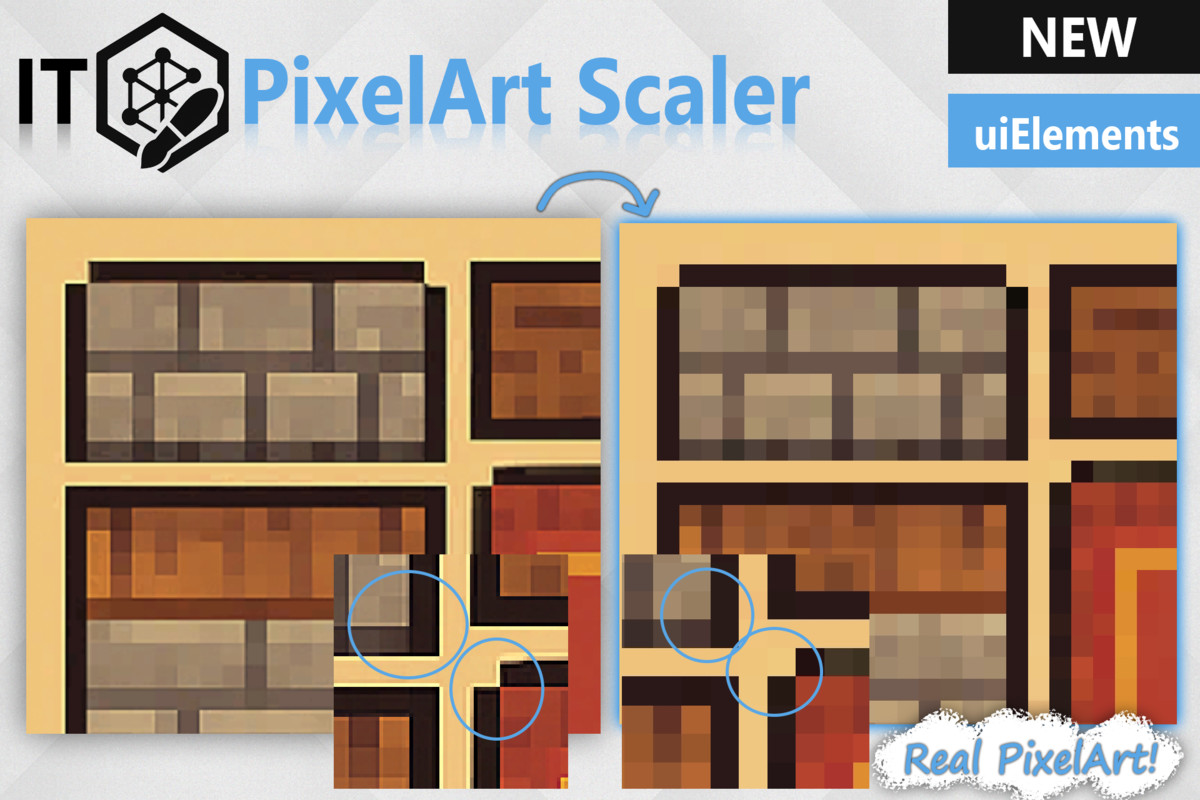
🎯 PixelArt Scaler
Fix blurry pixel art and restore that crisp, retro look.
- Auto-detect or manually set pixel grid size.
- Clean scaling using smart algorithms like Nearest Neighbor and K-Centroid.
- Ideal for turning fuzzy AI outputs into game-ready pixel art.
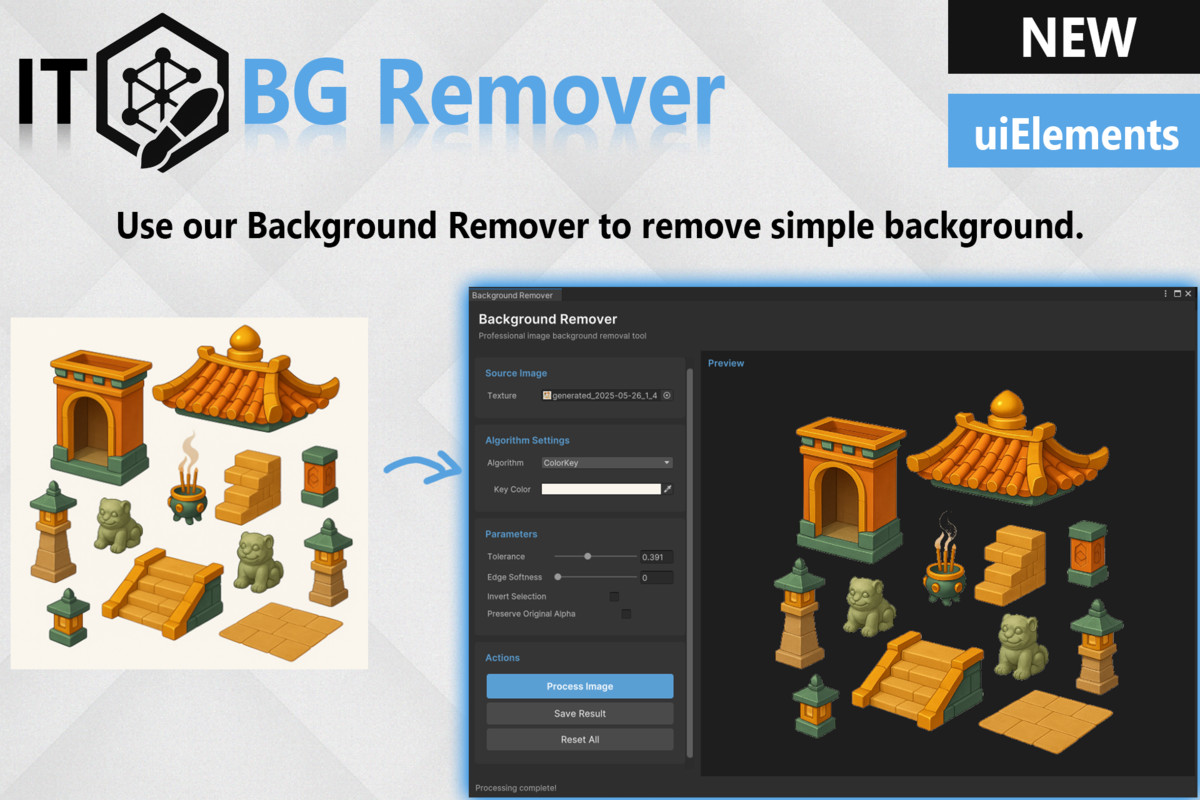
🚫 BackGround Remover
Remove flat-colored backgrounds in seconds.
- Color key remover with adjustable tolerance and edge softness.
- Includes manual eraser tool for fine-tuned edits.
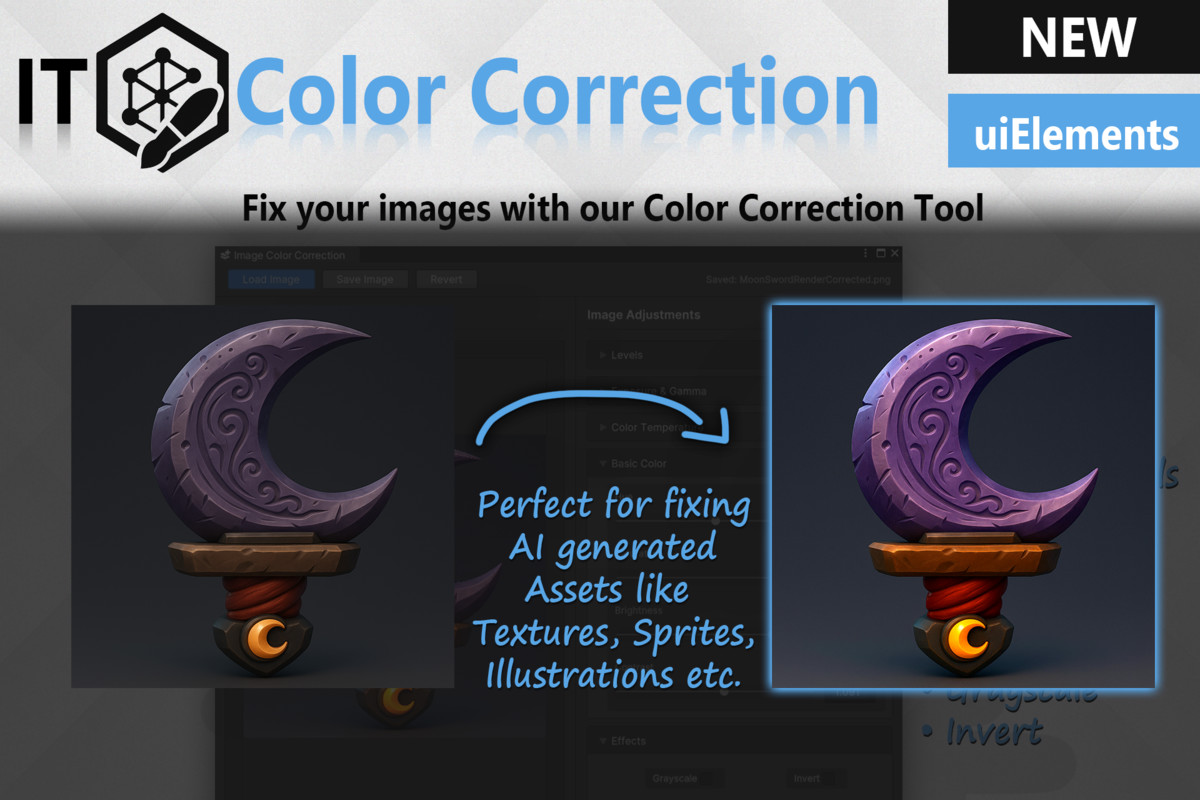
🎨 Image Color Correction
Professional-grade adjustments, right inside Unity.
- Tweak brightness, contrast, saturation, gamma, exposure, and more.
- Advanced tonal controls: black point, white point, midtones.
- One-click effects: grayscale, invert, temperature & tint.
- Safe, non-destructive workflow with load/save/revert options.
Read our documentation for further instructions. Please scroll to the corresponding tools, since this is the full documentation for uAI Pro Creator.
💡 Want More?
This package is part of uAI - Pro Creator.
If you purchase uAI Pro Creator, these image editing tools are already included, along with a full suite of AI-powered tools for scripting, 3D model generation, shader creation, sound design, and much more.
Key Benefits:
- All tools work natively inside the Unity Editor (no external software).
- Built with Unity UI Toolkit for modern performance and UI.
- Lightweight, fast, and easy to use.
Upgrade your Unity workflow with Image Tools - and bring your visuals to life with clarity and precision.
From the publisher's Asset Store listing.
Technical details
UI Framework:
- Built with Unity uiElements (Unity UI Toolkit) for a modern, responsive Editor interface.
Key Features:
- PixelArt Scaler: Convert blurry AI-generated art into clean pixel-perfect assets using smart scaling algorithms.
- Background Remover: Quickly remove solid backgrounds with customizable color key and edge softness.
- Image Part Detector & Separator: Automatically slice spritesheets or tilesets into individual images with threshold, padding, and size filtering options.
- Color Correction Tool: Adjust brightness, contrast, hue, gamma, exposure, and more -plus grayscale, invert, and temperature/tint effects.
- Non-Destructive Editing: Load, revert, and save changes to retain flexibility during asset creation.
- Editor-Only: No external software or cloud tools required - runs entirely inside the Unity Editor.
Performance:
- Lightweight and fast. Optimized for 2D asset pipelines and works well on low-spec development machines.
Compatibility:
- Compatible with URP, HDRP, and Built-in Render Pipeline (image tools are render-agnostic)
Note:
This package is a focused subset of uAI - Pro Creator. If you own that asset, Image Tools is already included.
Compatibility
| Unity version | Built-in | URP | HDRP | Custom |
|---|---|---|---|---|
| 2022.3.14f1 | Compatible | Compatible | Compatible | Compatible |
As listed on the Asset Store.