
 View on Asset Store (opens in new tab)
Package details
- Latest version
- 2.2
- Last updated
- First released
- Unity version
- 2021.3.8 or later
- Package size
- 455 KB
- Files
- 7
- Favorites
- 4
- Views in the past week
- 4
Price tracking
- Last checked
- Tracked since
- Lowest recorded
- $4.99 on
Keywords

Tag & Layer Locator
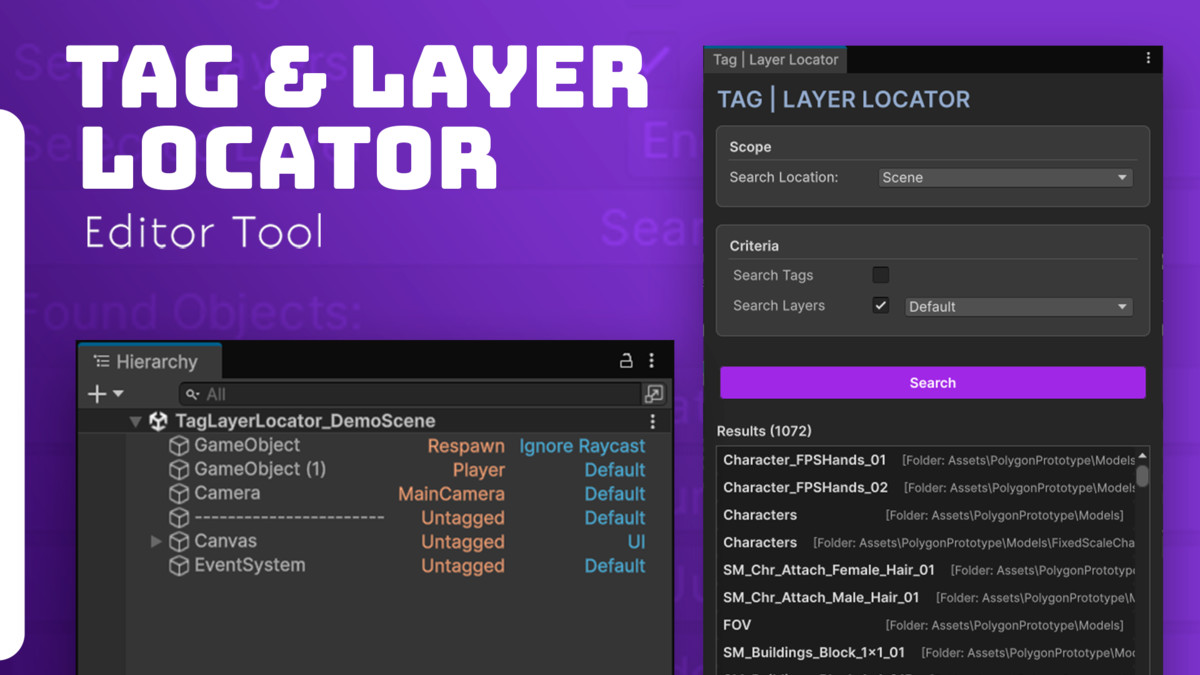
Find and view objects with ease! Search by tag and layer and see names directly in the hierarchy for a super-fast workflow.
Affiliate link · Purchases support this site
Price history
Last 6 months
USDAsset preview
1 / 3
Tag & Layer Locator screenshot 1

About this asset
Say goodbye to endless searches for objects in your scene! With Tag & Layer Locator, you can streamline your development process and find exactly what you need, quickly and intuitively. This asset is the essential tool for any developer seeking efficiency.
Main Features:
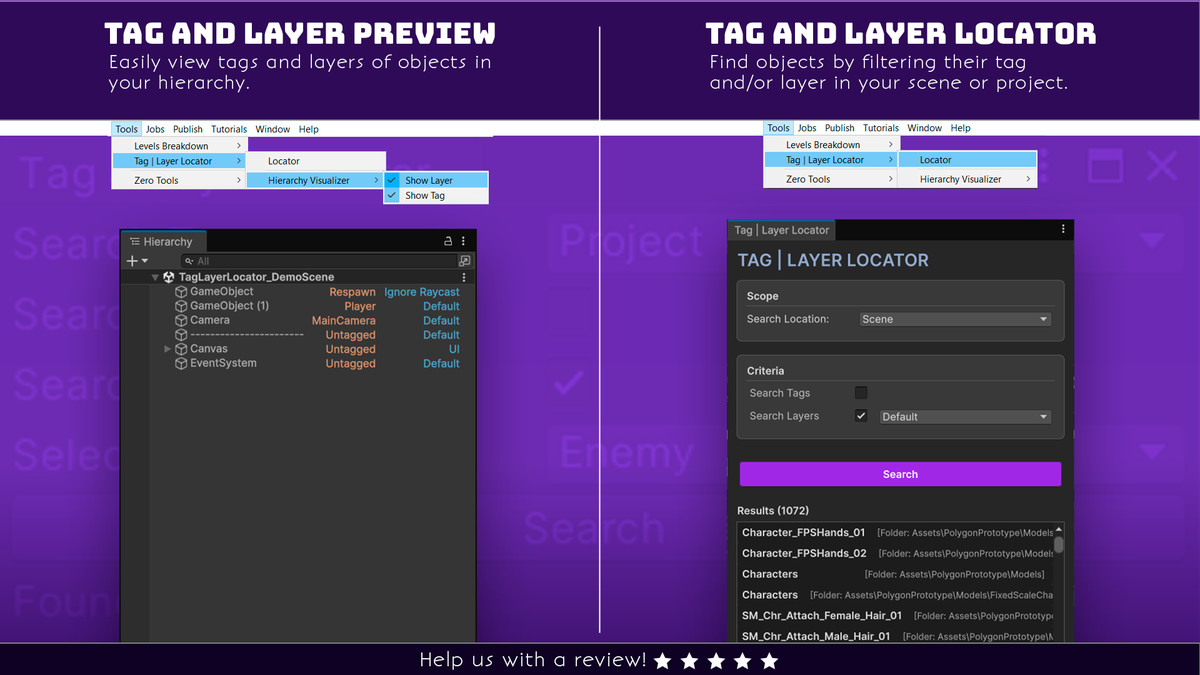
Fast and Accurate Search: Locate objects in your scene or in project folders using tags and/or layers. Whether in complex projects or a prototype, you'll find what you need in seconds.
Hierarchy View: A unique feature that saves you time! Tag & Layer Locator displays tag and layer names directly in the Unity Hierarchy, allowing you to quickly identify the configuration of any object without having to select it.
Organized Results: After searching, the asset displays a clear and organized list of found objects. If searching in project folders, results are separated by directory, making navigation even easier.
Intuitive Interface: With a simple and straightforward design, the tool is easy to use. Select the search type, criteria, and click "Search."
Don't waste time scrolling through the hierarchy. Optimize your workflow with Tag & Layer Locator and focus on what really matters: creating your game!
From the publisher's Asset Store listing.
Technical details
- Flexible Search: Find objects precisely using a combination of tags and layers, allowing for exact or broad searches.
- Search Scope: Search open scenes or project folders, covering all your project's organizational needs.
- Hierarchy View: Display tags and layers directly on the object name in the Hierarchy, eliminating the need to inspect each object individually.
- Optimized Results: Found objects are displayed in a user-friendly, interactive list, with the option to select and locate them instantly in the editor.
- Folder Organization: When searching folders, results are grouped by directory, maintaining your project's structure and facilitating navigation.
- Increased Productivity: Save development time and streamline your workflow, allowing you to focus on creating your game, not searching for objects.
Compatibility
| Unity version | Built-in | URP | HDRP | Custom |
|---|---|---|---|---|
| 6000.3.0b4 | Compatible | Compatible | Compatible | Compatible |
| 2022.3.38f1 | Compatible | Compatible | Compatible | Compatible |
| 2021.3.8f1 | Compatible | Compatible | Compatible | Compatible |
As listed on the Asset Store.