
 View on Asset Store (opens in new tab)
Package details
- Latest version
- 1.1
- Last updated
- First released
- Unity version
- 2021.3.14 or later
- Package size
- 49.7 MB
- Files
- 21
- Favorites
- 4
- Views in the past week
- 1
Price tracking
- Last checked
- Tracked since
- Lowest recorded
- $7.99 on
Keywords
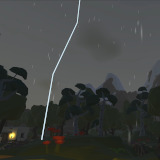
LightningStrikeSystem
Customizable lightning system for Unity with handcrafted editor. Adjust intensity, sound, timing, and more. Create stunning, realistic lightning effects in your game. Try it now!
Affiliate link · Purchases support this site
Price history
Last 6 months
USDAsset preview
1 / 3

LightningStrikeSystem screenshot 1


About this asset
Our lightning system allows you to easily create both realistic and stylized lightning strikes in your Unity game. It comes with a handcrafted editor, making it simple to adjust the time between strikes, intensity, sound and more. We even included some thunder sound files with the package so you can add realistic thunder to your strikes. You can also randomize lightning values for added realism or to create unique stylized lightning effects. With our lightning system, you'll be able to create the perfect storm for your game, whether it's a realistic or stylized style. It's easy to use and compatible with all platforms. Give your game the perfect atmosphere with our lightning system, Try it now!
From the publisher's Asset Store listing.
Technical details
Quick setup
Short tutorial how to get the systems working.
LightningStrikeSystem
Pull the LightningSystem prefab into your scene you want the lightnings to happen. It already contains the script needed and a light source to use for lightning. In its childs, change the radius of the Thunders audio component to match the area where a thunder should be heard. It should cover the whole scene normally. All values are preset from us, but in case you need to change something, look in the explanation of the parameters below.
LightningStrike
A lightning strike is contained in the LightningSystem prefab. In the LightningSystem script, you need to set a reference to the player or camera object under the part “Enable visual lightning strike”. If you don’t want to use a lightning bolt in your scene, just uncheck the “Enable visual lightning strike” option.
- Customizable lightning strike time: Allows you to set the minimum and maximum time between lightning strikes
- Customizable lightning strike intensity: Allows you to set the intensity of the lightning strikes, this will affect the brightness of the strikes.
- Customizable thunder sound level: Allows you to set the level of the thunder sound that is played when a strike happens
- Customizable lightning increase duration: Allows you to set the duration of the lightning strike increase. This is the time it takes for the lightning strike to reach its maximum intensity.
- Customizable lightning keep duration: Allows you to set the duration of the lightning strike to keep its maximum intensity
- Customizable lightning decrease duration: Allows you to set the duration of the lightning strike decrease. This is the time it takes for the lightning strike to reach its minimum intensity.
- Customizable horizontal and vertical angle: Allows you to set the angle of the lightning strike, which affects the direction of the strike
- Customizable lightning color: Allows you to set the color of the lightning strikes
- Disable lightning rotation: Allows you to disable rotation of the lightning strike, so it will always be in the same direction
- Randomized lightning values: Allows you to randomize lightning values for added realism
- Included thunder sound files: Includes thunder sound files that you can use for your strikes
- Compatible with all platforms: Can be used on all Unity compatible platforms
- Handcrafted editor for easy adjustments: Includes a handcrafted editor that allows you to easily adjust all the settings
- Ability to create both realistic and stylized lightning effects: You can use it to create both realistic or stylized lightning effects, depend on your game style.
Compatibility
| Unity version | Built-in | URP | HDRP | Custom |
|---|---|---|---|---|
| 2021.3.14f1 | Compatible | Compatible | Compatible | Compatible |
As listed on the Asset Store.