
 View on Asset Store (opens in new tab)
Package details
- Latest version
- 1.0.1
- Last updated
- First released
- Unity version
- 2021.3.28 or later
- Package size
- 62.9 MB
- Files
- 266
- Favorites
- 16
- Views in the past week
- 7
Price tracking
- Last checked
- Tracked since
- Lowest recorded
- $31.50 on
Keywords

Colorinchis - Recolor at Runtime and Bake Textures Tool
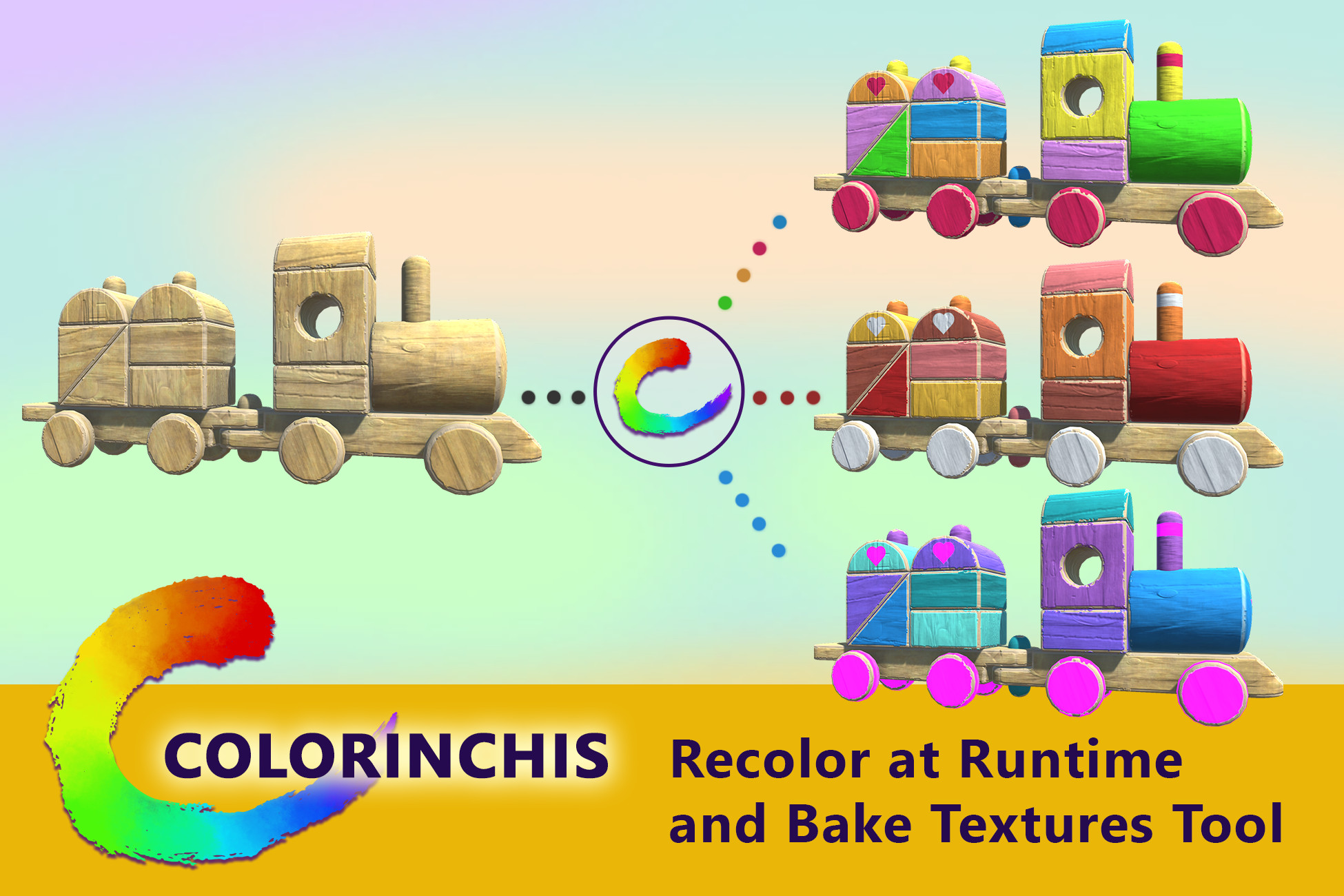
Colorinchis let you recolor meshes, sprites, UI... Create the color mask up to 6 channels and recolor with plane colors or gradients. Works at runtime or bake the result in a new texture/sprite.
Affiliate link · Purchases support this site
Price history
Last 6 months
USDAsset preview
1 / 9

Colorinchis - Recolor at Runtime and Bake Textures Tool screenshot 1


About this asset
Create color variations of your models, sprites or UI elements with some simple steps:
1- Apply the Recolor component to the element you want to recolor.
2- Adjust the mask up to 6 channels.
3- Pick your plain colors or gradients.
🌈 Done! 🌈
4 (Extra)- Bake the result in a new texture to use with your own shaders and materials.
🔥🔥 FEATURES 🔥🔥
- Compatible with built-in pipeline and URP.
- Compatible with the following components:
- UI Images (works with CanvasGroup alpha, Mask and all image types (simple, sliced, tiled, filled))
- UI Raw Images (works with CanvasGroup alpha, Mask and all image types (simple, sliced, tiled, filled))
- SpriteRenderer (works with Mask)
- MeshRenderer
- SkinnedMeshRenderer
- Included shaders:
- Standard Opaque
- Standard Transparent
- Standard Transparent Cutout
- Unlit Opaque
- Unlit Transparent
- Unlit Transparent Cutout
- Sprite
- Default UI
- Works in runtime (you can change colors or show the original).
- Bake the new textures or sprites to use with your shaders or materials.
- Ideal to recolor pixel art sprites and meshes textures.
- 4 Sample Scenes to show several use cases.
- Overview: shows a lot of cases like UI elements, sprites, meshes, etc.
- Playground: a full 3D scene to play with it.
- Pixel art: a small platform pixel art example.
- Tutorial: a small guided tutorial to apply the element and bake in a new texture.
- Helper components to make it easy to change palettes.
- Full source code.
Note: the plugin is not a screen post-process so you can change individual elements for your desired effects and results (The pixel art example shows well this use case).
✨✨✨✨===================================✨✨✨✨
Complete your project with these stylized KEKOS assets:
👦👧👦👧 Kekos - Customizable 3D Character Cartoon Kids.
🐎 KEKOS Horses, Unicorns and Pegasus
Develop faster, better and smarter with these tools:
💻 Venn Console - Runtime Console, Command Input and Hotkeys Dashboard
✨✨✨✨===================================✨✨✨✨
❓ - Have any questions or bug reports?
✉️ Contact us through our forum thread, email, Twitter or Discord.
* Provide the following information if needed: Unity version, Pipeline (built-in or URP), Package version, Description of the problem, screenshots, and invoice number.
From the publisher's Asset Store listing.
Technical details
=> Pipelines compatibility:
- Built-in
- URP
=> Components compatibility:
- UI Images (works with CanvasGroup alpha, Mask and all image types (simple, sliced, tiled, filled))
- UI Raw Images (works with CanvasGroup alpha, Mask and all image types (simple, sliced, tiled, filled))
- SpriteRenderer (works with Mask)
- MeshRenderer
- SkinnedMeshRenderer
* you can recolor Render Textures also or use them as masks.
=> Shaders:
- Standard Opaque
- Standard Transparent
- Standard Transparent Cutout
- Unlit Opaque
- Unlit Transparent
- Unlit Transparent Cutout
- Sprite
- Default UI
"Asset uses Bloom Effect under MIT-0; see Notices.txt file in the package for details."
Compatibility
| Unity version | Built-in | URP | HDRP |
|---|---|---|---|
| 2022.3.38f1 | Compatible | Compatible | Not listed |
| 2021.3.28f1 | Compatible | Compatible | Not listed |
As listed on the Asset Store.