
 View on Asset Store (opens in new tab)
Package details
- Latest version
- 1.1.0
- Last updated
- First released
- Unity version
- 2020.3.37 or later
- Package size
- 223 KB
- Files
- 9
- Favorites
- 10
- Views in the past week
- 12
Price tracking
- Last checked
- Tracked since
- Lowest recorded
- Free on
Keywords

zFPS - Measure Fps And Ticks
Drag-and-drop frames-per-second and ticks-per-frame display with a configurable sampling interval. Auto-scaling 4K canvas. Free.
Affiliate link · Purchases support this site
Price history
Last 6 months
USDAsset preview
1 / 2
zFPS - Measure Fps And Ticks screenshot 1

About this asset
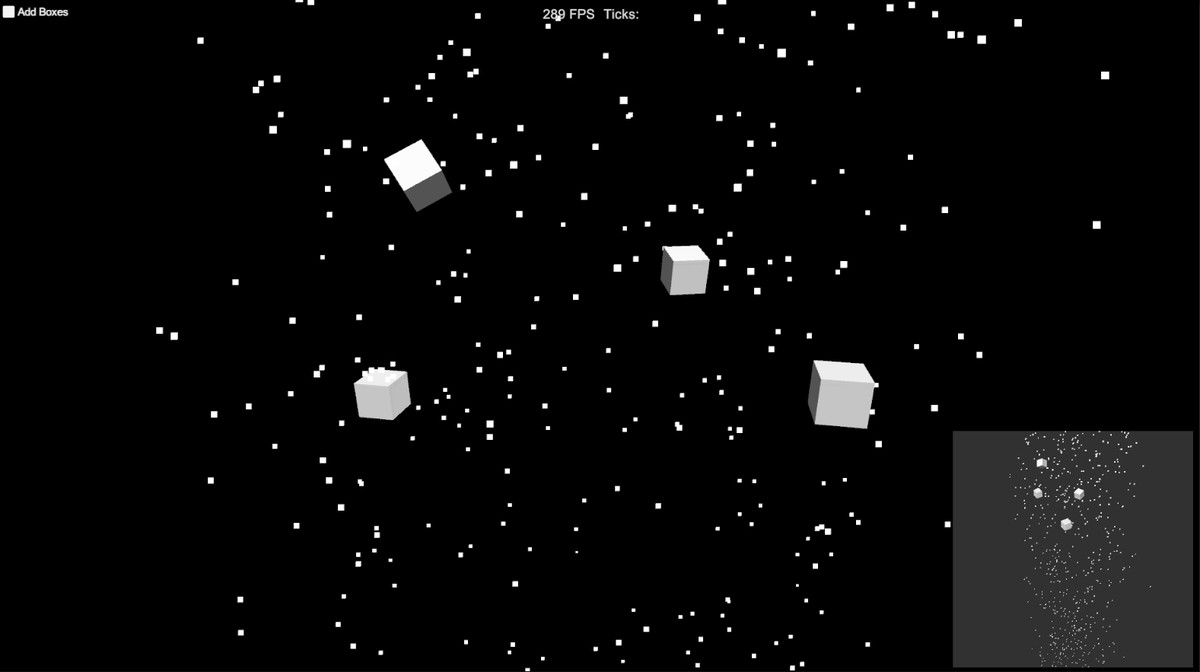
Drop the zFPS_MeasureFpsAndTicks prefab into a scene or a prefab and you have a live FPS readout plus the number of fixed-update ticks between frames, which is the number that tells you whether your physics is keeping up.
One setting: the sampling interval. Short for an instant view of frame drops, longer for a stable average; the default of 0.25 seconds updates four times a second. The canvas is authored for 4K and scales to keep its aspect at 1080p and other resolutions.
The demo scene spawns boxes until performance drops, so you can see the readout react.
Need history, min/max/average and a graph? Upgrade to the PRO version.
Key features
- FPS and ticks per frame, live
- Configurable sampling interval
- Auto-scaling canvas (4K authored)
- One prefab, no code required
- Built-in, URP and HDRP compatible
Support and questions: https://community.digitalsoftware.se/
Discord: https://discord.gg/fyqtxZt
Publisher: Digital Software Publishing, https://digitalsoftware.se, [email protected]
From the publisher's Asset Store listing.
Technical details
C# and uGUI, one prefab, source included. Unity 6.3 LTS (6000.3) and newer. No dependencies.
Compatibility
| Unity version | Built-in | URP | HDRP |
|---|---|---|---|
| 6000.3.10f1 | Compatible | Compatible | Compatible |
| 2020.3.37f1 | Compatible | Compatible | Compatible |
As listed on the Asset Store.