
 View on Asset Store (opens in new tab)
Package details
- Latest version
- 1.4.4
- Last updated
- First released
- Unity version
- 2021.3.12 or later
- Package size
- 1.0 MB
- Files
- 19
- Favorites
- 7
- Views in the past week
- 10
Price tracking
- Last checked
- Tracked since
- Lowest recorded
- $4.99 on
Keywords
- Search for 3d cursor
- Search for Level Design
- Search for level design tool
- Search for duplication
- Search for Duplicate
- Search for quick rotation
- Search for Level
- Search for Object Placement
- Search for quick duplication
- Search for hierarchy quick access
- Search for Scene design
- Search for rotation pivot

3D Cursor
- Quickly Duplicate objects with offsets. - Quickly Replace multiple objects. - Rotate objects around a custom pivot. - Quick Select History. - Place objects precisely where you want to. - Autosave.
Affiliate link · Purchases support this site
Price history
Last 6 months
USDAsset preview
1 / 10

3D Cursor screenshot 1



About this asset
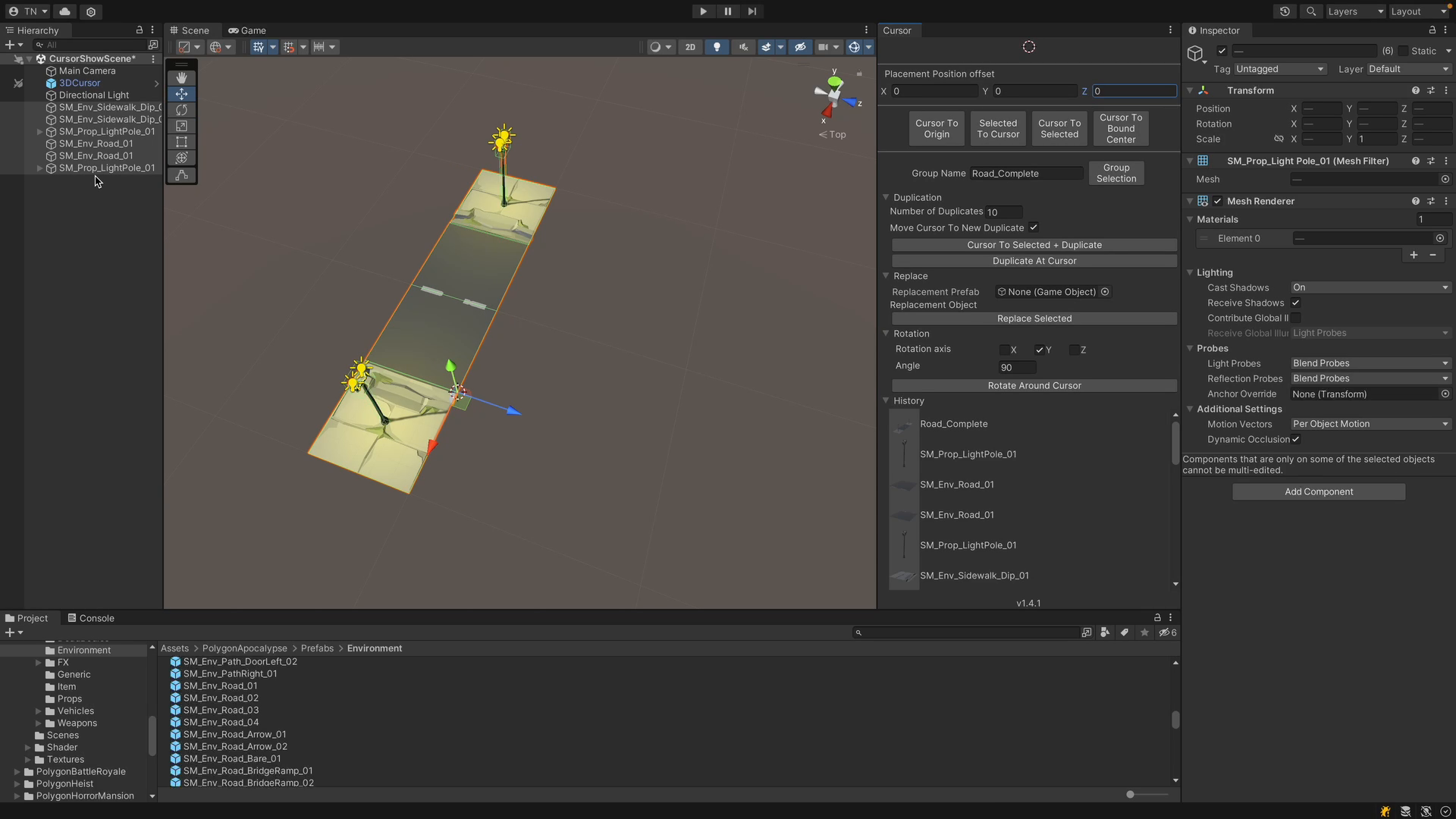
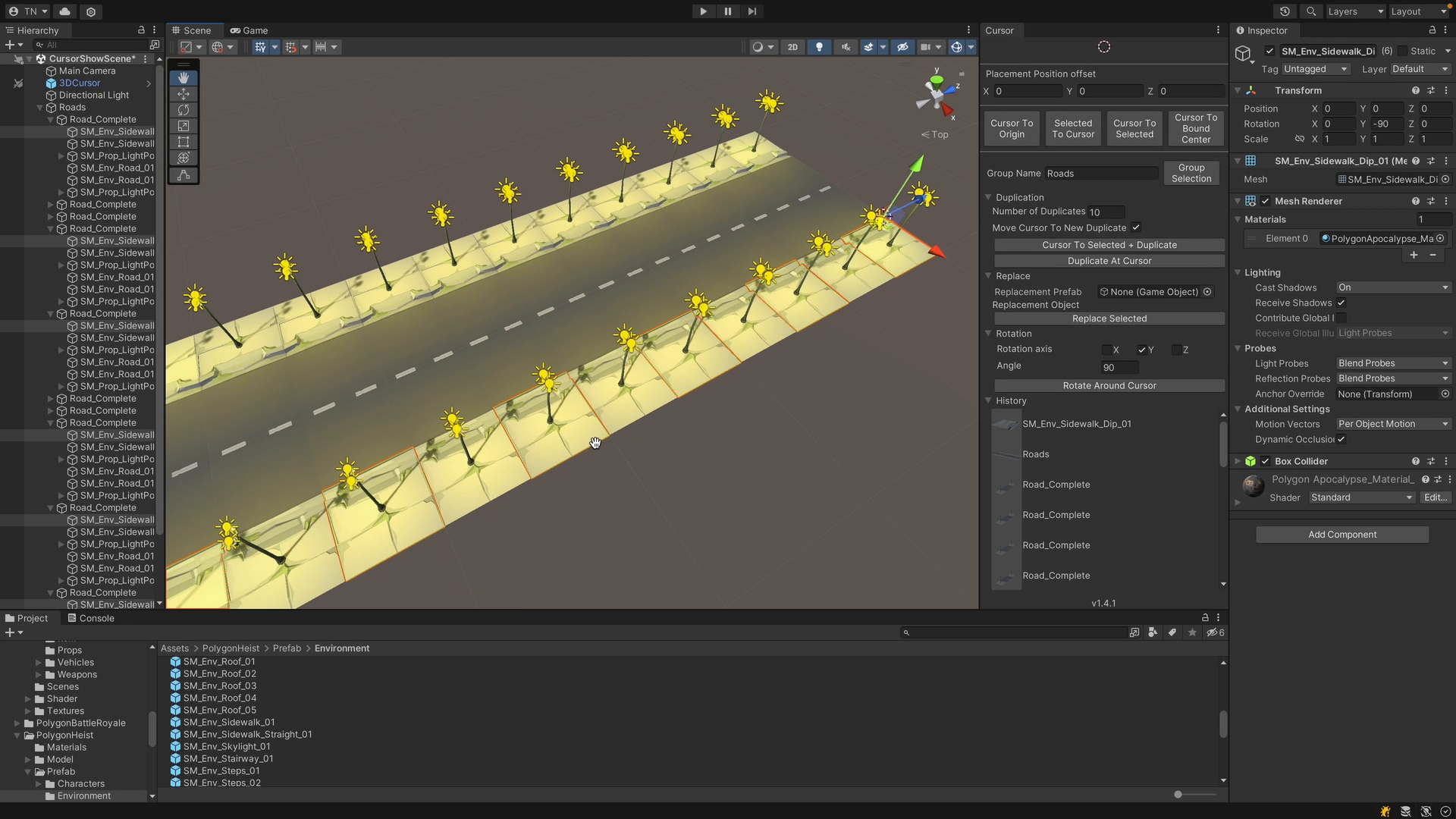
The 3D cursor can be used to quickly place, duplicate and rotate objects exactly where you want to in your scene. Have a look at the technical details to see all the currently supported operations. The list grows continuously as I use this asset in my own projects and come up with useful operations.
No Gamobject setup required, works with basic gameobjects and prefabs. Works with multiple scenes.
No setup processes required, simply open the tool and manipulate your objects as much as required.
The inspiration for this comes from blender. You can move the 3d cursor to any selected objects in the scene, and then move any objects to the position of the 3d cursor.
Join our discord server for support and feature requests.
Note - No models or textures are included in this project.
From the publisher's Asset Store listing.
Technical details
- No setup required - no changes to your gameobjects.
- Selected to cursor
- Moves the selected objects to the position of the cursor
- Applies the defined offset to the objects on placement
- Option to move the cursor to the last placed object to allow easy snapping of newly placed objects
- Duplicate to cursor
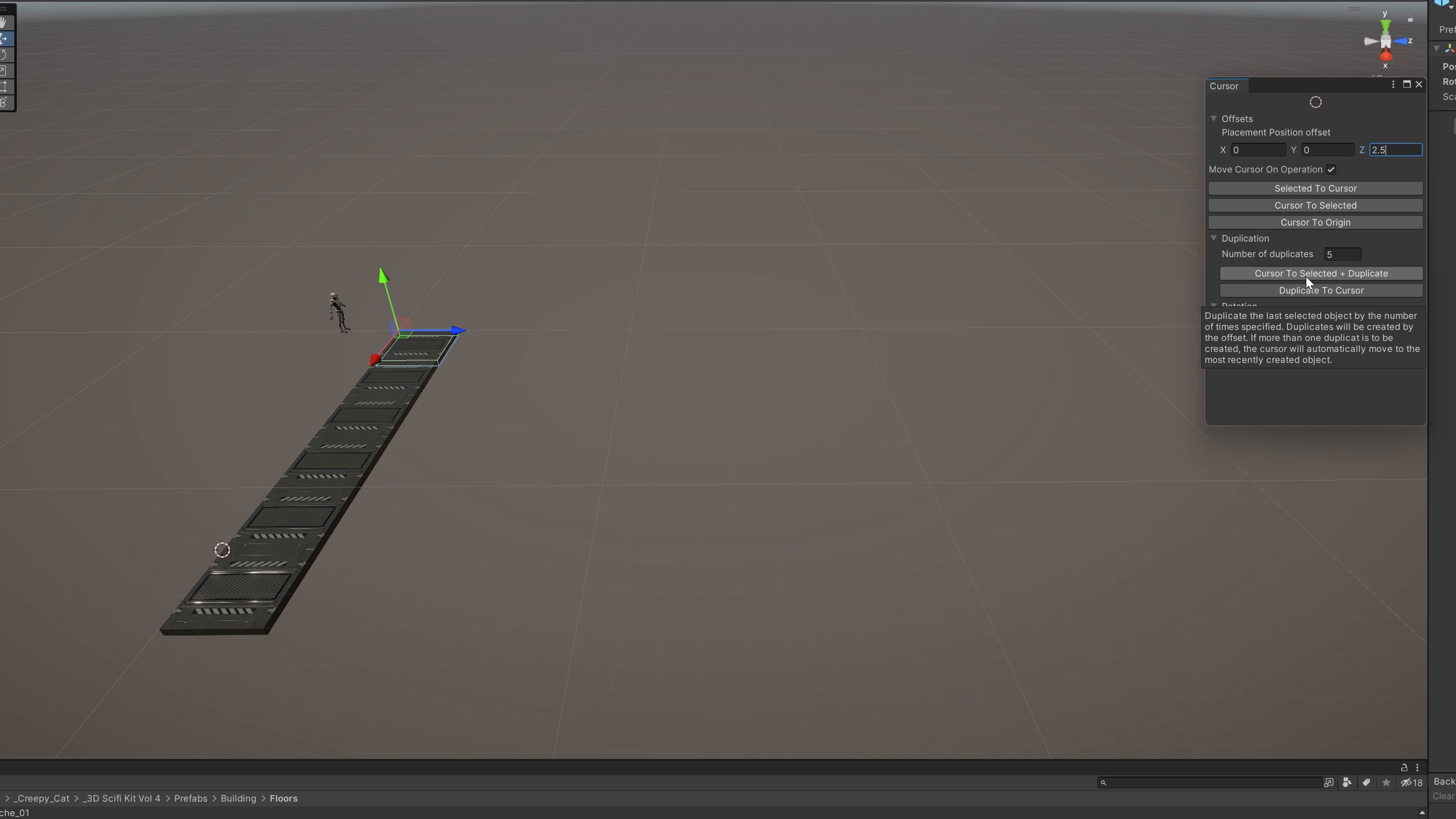
- Duplicate the selected object as many times as you need from the cursor position whilst applying an offset. This will let you places many objects quickly.
- Duplicated objects will match the prefab type of the selected object.
- Cursor to selected
- Moves the cursor to the selected object(s)
- If multiple objects are selected, the cursor will move to the average position of the selected objects, making it easy, for example, to place an object between two other obejcts.
- Cursor to bound center
- Moves the cursor to the first found mesh bound center.
- Cursor to selected + duplicate
- Moves the cursor to the selected object, and duplicates by the number of times specified and applies the offset.
- Cursor to origin
- Moves the cursor to the origin of the scene
- Rotate around cursor
- Rotates the selected object around the cursor, by the selected angle on the selected axis.
- Group Selected
- Groups the selected object into a empty parent with the origin at the cursor.
- Replace Selected
- Replaces the selected objects with a defined prefab.
- History
- A view of all the objects that have been interacted with recently, clicking items in the history list selects them in the hierarchy.
- Autosave
- Autosave your scenes at a desired interval.
Compatibility
| Unity version | Built-in | URP | HDRP | Custom |
|---|---|---|---|---|
| 6000.4.10f1 | Compatible | Compatible | Compatible | Compatible |
| 2021.3.27f1 | Compatible | Compatible | Compatible | Compatible |
| 2021.3.12f1 | Compatible | Compatible | Compatible | Compatible |
- This package does work in Unity 2020 versions, you will however, need to reset your layout after importing the asset.
As listed on the Asset Store.