
 View on Asset Store (opens in new tab)
Package details
- Latest version
- 1.20
- Last updated
- First released
- Unity version
- 2020.3.40 or later
- Package size
- 273 KB
- Files
- 19
- Favorites
- 12
- Views in the past week
- 5
Price tracking
- Last checked
- Tracked since
- Lowest recorded
- $7.99 on
Keywords

Notes Manager
Save your notes with free moving and amazing GUI design.
Affiliate link · Purchases support this site
Price history
Last 6 months
USDAsset preview
1 / 5

Notes Manager screenshot 1


About this asset
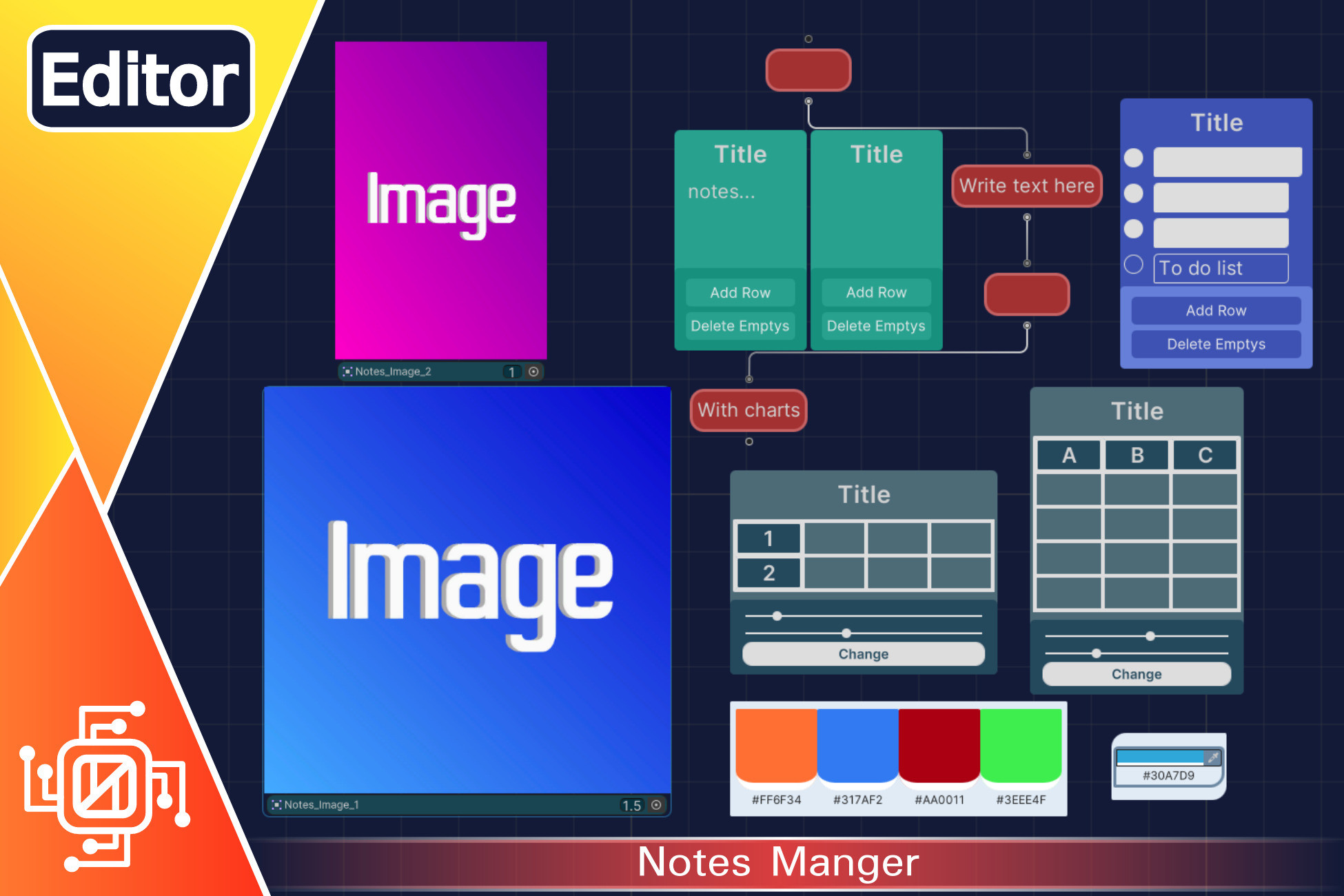
Notes Manager: Has many tools like sticky notes, tables, to-do lists, charts, color palettes and color pickers. And allow to insert and arrange your images.
Notes Manger Include:
1-Sticky Note
Simplicity in writing notes with Sticky Notes included with Notes Manager. Which provides the necessary speed for writing and scanning.
2-Charts
Charts are often required. In the notes manager you can find vertical charts. It has freedom of movement and flexibility of writing. And it is easy to connect with the multiplicity.
3-To-Do List
You can write in it the tasks to be done. And when row is completed you can mark it. You can add a lot of rows. With the ease of removing empty rows
4-Tables
You can arrange writing with this table. And whose size can be customized. The minimum size is 1 * 1, the maximum size is 8 * 8. With horizontal and vertical borders.
5-Color Palettes
With this tool you can save groub of colors which consist of four colors. Then copy it as needed. It is possible to add another group and make several lines. This will provide ease in saving and copying consistent colors
6-Color Pickers
When using this tool, you can manually take the colors from the images that you have inserted into the notes manager. And then save those colors with the color palettes.
7-insert Images
Insert images from your project into the notes manager. Do rearrange and resize easily. Or take the colors from images by using color pickers.
From the publisher's Asset Store listing.
Technical details
Notes Manager use UnityEditor.Experimental.GraphView
Work on editor only.
How to use
1-Import “Notes Manager” from pacakge manager.
2-On project winodw press right click and go to “Create then Note”.
3-Give file name.
4-Double click to open it.
Compatibility
| Unity version | Built-in | URP | HDRP | Custom |
|---|---|---|---|---|
| 2020.3.40f1 | Compatible | Compatible | Compatible | Compatible |
As listed on the Asset Store.