
 View on Asset Store (opens in new tab)
Package details
- Latest version
- 1.0.1
- Last updated
- First released
- Unity version
- 2020.3.16 or later
- Package size
- 3.3 MB
- Files
- 29
- Favorites
- 31
- Views in the past week
- 15
Price tracking
- Last checked
- Tracked since
- Lowest recorded
- $25.00 on
Keywords
- Search for skilltree
- Search for skill tree maker
- Search for level up
- Search for strategy games
- Search for technology tree system
- Search for upgrades
- Search for skill tree system
- Search for tier system
- Search for research tree
- Search for skills tree system
- Search for strategy game tools
- Search for ability tree system
Techtree / Skilltree Creator
Aoiti’s Techtree / Skilltree Creator Tool provides an easy way to build a hierarchical networks of nodes unidirectionally connected according to their prerequisites, and manage them at Runtime.
Affiliate link · Purchases support this site
Price history
Last 6 months
USDAsset preview
1 / 4

Techtree / Skilltree Creator screenshot 1


About this asset
A technology or skill tree is the visual representation of the such network and the possible sequences of upgrades a player can take, usually through the act of research or experience points.
Using this tool, you will be able to,
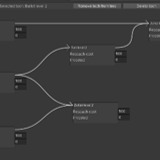
- create your own trees in the Techtree Editor Window by creating nodes and dragging connections,
- assign UnityEvents to particular technologies/skills that will be invoked when research is complete,
- access, track and update the upgrades in an individual techtree at Runtime.
Usage;
- Use "Tools" menu -> "TechTrees" -> "Create TechTree..." to create a TechTree item in the current scene.
- Select the TechTree item. -> Click "Open TechTree Editor Window..." button in the inspector to start the TechTree Editor.
- Click "Create a Tech" button in the TechTree Editor to create new Techs and place in the TechTree.
- Click a Tech to select.
- Right click another Tech to create a requirement between the Techs. Repeat to remove the requirement.
- Drag Techs to move it in the tree view.
- You may drag the TechTree into Project folder to create prefab to use in other scenes.
- You can have multiple TechTrees in the same scene by repeating the first step. They can use same Techs if desired by dragging Techs into other TechTrees.
- You can invest on the TechTree using Research() method and track the progress using isResearched property.
- You may set up methods to be called upon a Tech is reseached by selecting a Tech and using the "+" button under "On Research Complete" UnityAction in the inspector.
Features;
- Tech trees are non-cyclic unidirectional graphes. The editor checks the unidirectionality continously to prevent users from creating requirement cycles by mistakes.
- The tech tree editor continously checks for redundant requirements, making editing the tree a breeze.
- The tech trees may be stored as prefab to store. Editor doesnt allow changes in prefab TechTrees to avoid losing your trees.
- You can use the UIposition vector of each TechNode to visualize the techtree in the game.
From the publisher's Asset Store listing.
Technical details
A) Create Tech trees
The asset is designed to create a unidirectional and acyclic graph, as most techtrees or skill trees are. For that reason, every modification on the tree is checked dynamically to avoid breaking the acyclic and unidirectional nature of the graph.
B) Manage at Runtime
The tool also provides means to perform following at the Runtime,
1. Iterate through nodes of the graph (TechNode),
2. Check whether a TechNode is researched,
3. Check whether a TechNode has all its requirements met,
4. Invest research points to a Tech,
5. Detect if a Tech is researched.