
 View on Asset Store (opens in new tab)
Package details
- Latest version
- 1.0
- Last updated
- First released
- Unity version
- 2021.2.7 or later
- Package size
- 12.2 MB
- Files
- 456
- Favorites
- 20
- Views in the past week
- 11
Price tracking
- Last checked
- Tracked since
- Lowest recorded
- $10.00 on
Keywords

Flappy Fish UI
Make arcade-style 2D games with ease, and have a unique flat design for it, containing static and animated sprites in PNG format. Choose your own game scenery and create fun games.
Affiliate link · Purchases support this site
Price history
Last 6 months
USDAsset preview
1 / 7

Flappy Fish UI screenshot 1


About this asset
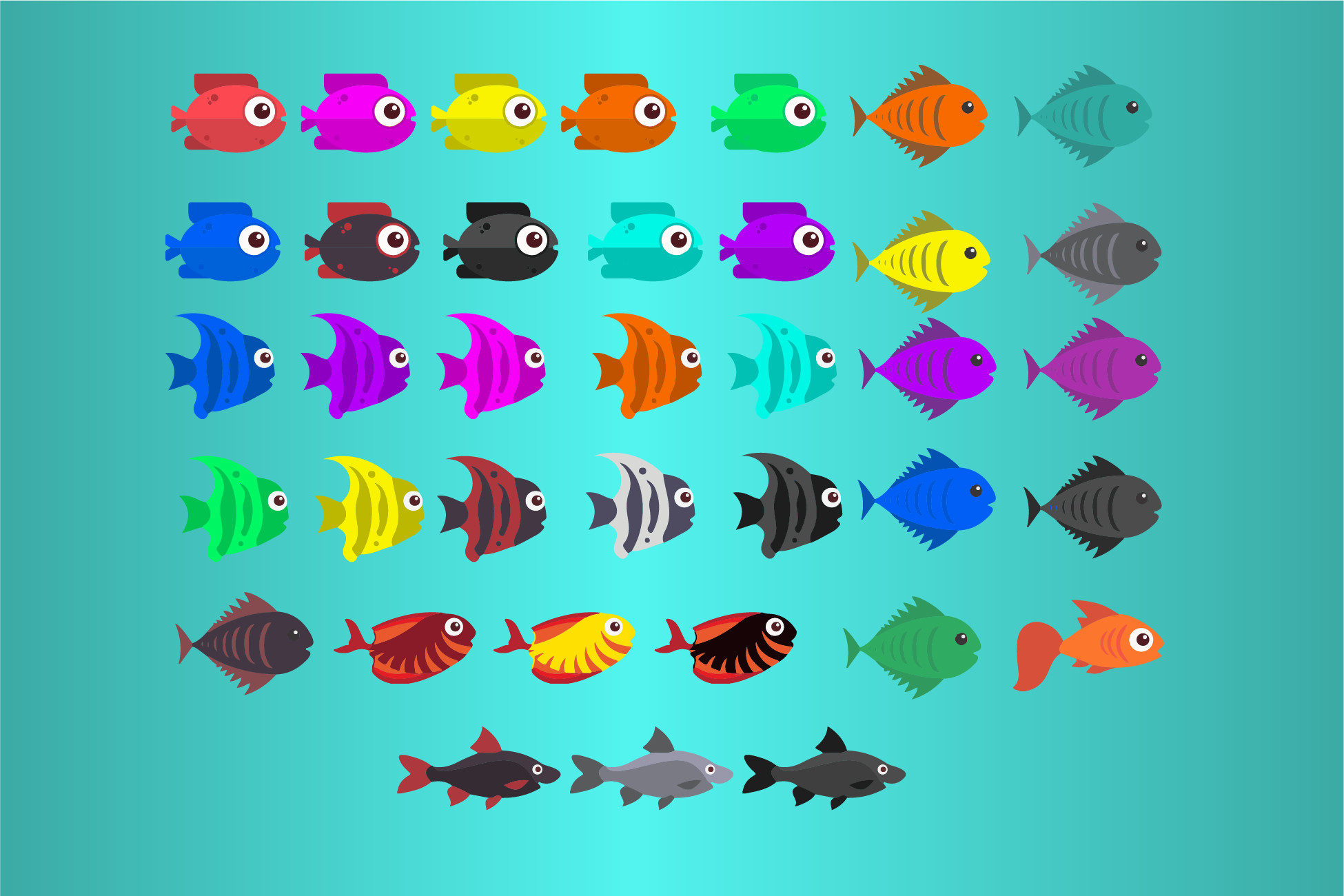
Flappy Fish UI asset is a beneficial Unity asset for the ones, who’re new to it and can’t afford a 2D graphic for their games. It contains sprites in PNG format. Lots of them are animated. Here is the full description of what we have:
- 6 fishes in different colors (a totally of 37 fish elements)
- Animated fish sprites with different colors
- Location sprites (8 elements)
- An Adobe Illustrator file, where you may change anything you want
- An example shop, menu, and game scene, where you can try to pass the columns and stay alive as long as you can
All the sprites are in PNG format and occupy a rather small space in memory. Using this asset developers can create “Flappy Bird” like games, or even try to accomplish their ideas by making a different scenario game. The asset contains 6 types of fish sprites and 8 types of locations. UI elements for menu and shop scenes.
From the publisher's Asset Store listing.
Technical details
You may use sprites, with their animations, as they are contained in the asset (sprites location “Flappy Fish UI” --> ”PNG”). You may also use ready game objects with or without their locations. To use them, you’ll need to have a game controller, which you can add from the panel bar.
Note: “Game UI” menu element will automatically be added to the "Components" panel bar menu when you import an asset into your project.
“Game controller” game object has 3 scripts attached to it:
- “Game controller” script controls events during the game, you may change scroll speed from there.
- “Column Pool” script creates random heightened columns during the game. You may change it to get the difficulty level of your game.
- “Coin Pool” script randomly creates recourses during your game, using prefabs.
To use fish animations just access the Fish script, which is attached to the fish game object, and use flip() or die() animations. Select FIsh holder clone element’s child and you can see “FishScript.cs” and you can access fish animations from there, as the functions that are playing them are public.
Compatibility
| Unity version | Built-in | URP | HDRP | Custom |
|---|---|---|---|---|
| 2021.2.7f1 | Compatible | Compatible | Compatible | Compatible |
As listed on the Asset Store.