
 View on Asset Store (opens in new tab)
Package details
- Latest version
- 1.2.0
- Last updated
- First released
- Unity version
- 2019.4.31 or later
- Package size
- 15.3 MB
- Files
- 11
- Favorites
- 114
- Views in the past week
- 27
Price tracking
- Last checked
- Tracked since
- Lowest recorded
- $7.50 on
Keywords
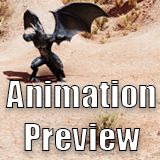
Animation Preview
With Animation Preview for Unity you can preview how your favorite character animations look like in your scene, directly inside the Unity Editor without having to enter play mode.
Affiliate link · Purchases support this site
Price history
Last 6 months
USDAsset preview
1 / 7

Animation Preview screenshot 1


About this asset
Preface
Please note that Animation Preview Pro got released.
Overview
Animation Preview for Unity allows you to get an idea about how a character looks like in your scene in different poses. You get an overview of all the animations available for a character or you could just mix a specific character with animations of another asset.
The Idea
Top quality assets like the ones from Malbers Animations have a 100+ animations. A demo scene can’t possibly cover them all. So in order to get an overview of what’s available this asset was developed. But it turned out to become more over time.
Once the preview was in I wanted to see how characters look in different environments. For example I created a desert racing scene in which I wanted to have a giant worm rise when the hover bike was driving by. Repeating hitting play, see how it looks, adjust transform (position, rotation scale), start the whole process again was getting time consuming. I rather spend the time on working on a tool to reduce time and effort to get to my desired results. So it suggested itself to extend Animation Preview. It allows you to adjust a model’s transform in the scene and play a clip of your preference to get an idea how it looks. Directly inside the Unity Editor without having to enter play mode.
And at some point I purchased the most awesome Kubold animations. I wanted to see how it is to have e. g. a humanoid dragon combined with fighting animations. In a desert scene. Without much time consuming effort on my own, just a quick and easy preview setup. This is what you can do with Animation Preview.
Animation Preview vs Animation Preview Pro
The very positive feedback Animation Preview had was an impact which I honestly didn't expect. Thank you so very much for your support! After the release you guys had comments and feedback which was really good. So I listend and implemented more features.
The Pro version has these additional requested popular features:
- Frame Step: navigate the animation clips frame by frame
- Editor Window: the interaction is done via dialog instead of a monobehaviour
- Auto Assignment: optionally the current selection is used if it has an animator; it's all about saving clicks, getting comfort in using the asset, being quick and saving time
Animation Preview Pro is different in the technical implementation, so I had to make a dedicated asset of it instead of an update.
Features
What Animation Preview is
The core features of Animation Preview
- Play animations in the Unity Editor scene without having to hit play
- Show a list of animations of the controller
- Step through each animation and visualize them
- Quickly open a clip in the project hierarchy, i. e. jump to the animation source
- Log the clips in the console to get a list of available animations
- …
What this is not
Animation Preview works on models and the animations that come with them or with animations of other assets. Playing animations that contain eg blends and logic isn’t in the scope of Animation Preview.
Showcase Videos and Screenshots
The videos and screenshots are examples of previews put into scene. In case you are interested the descriptions of the videos contain information about which assets were used.
Links
Media
The Logos were created using Animation Preview and these highly recommended assets:
From the publisher's Asset Store listing.
Technical details
Animation Preview is designed to quickly and conveniently allow you to get previews of your favorite animations and characters diretly inside the Unity Editor without having to enter play mode.
Compatibility
| Unity version | Built-in | URP | HDRP | Custom |
|---|---|---|---|---|
| 2021.3.10f1 | Compatible | Compatible | Compatible | Compatible |
| 2019.4.31f1 | Compatible | Compatible | Compatible | Compatible |
Compatible with Unity 6.
Animation Preview can be used in all render pipelines.
As listed on the Asset Store.