
 View on Asset Store (opens in new tab)
Package details
- Latest version
- 1.0.4
- Last updated
- First released
- Unity version
- 2022.3.62 or later
- Package size
- 622 KB
- Files
- 15
- Favorites
- 178
- Views in the past week
- 37
Price tracking
- Last checked
- Tracked since
- Lowest recorded
- Free on
Keywords
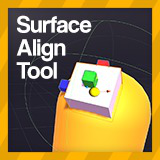
Surface Align Tool
Surface Align Tool is an editor tool that allows you to snap an object to any surface with a 3D collider while aligning it with its normal.
Affiliate link · Purchases support this site
Price history
Last 6 months
USDAsset preview
1 / 3

Surface Align Tool screenshot 1


About this asset
With this tool you can snap and align an object on any 3D collider including convex and non-convex Mesh Colliders. Howerver those will not be as smooth and work best at scale 1.
Easy to use with quick access to settings.
Simply use the position handles or drag your mouse to snap to a surface.
If you need a couple more features or want to support me check out Surface Align Tool +
This has not been tested in 2D.
Currently tested on:
- Unity 2019.4
- Unity 2020.3
- Unity 2021.3
- Unity 2022.1
Note!
Due to a bug in Unity 2019.4, dragging with the mouse will not work unless you have entered play mode first.
From the publisher's Asset Store listing.
Technical details
All scripts are written in C# (no dll's) so you can access or modify code to suit your needs.
Compatibility
| Unity version | Built-in | URP | HDRP | Custom |
|---|---|---|---|---|
| 2022.3.62f2 | Compatible | Compatible | Compatible | Compatible |
As listed on the Asset Store.