
 View on Asset Store (opens in new tab)
Package details
- Latest version
- 1.0.2
- Last updated
- First released
- Unity version
- 2019.4.40 or later
- Package size
- 245 KB
- Files
- 16
- Favorites
- 83
- Views in the past week
- 22
Price tracking
- Last checked
- Tracked since
- Lowest recorded
- Free on
Keywords
NavMesh Link Placer
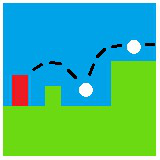
This package provides a script that allows you to quickly and precisely place NavMesh links into your scene, with each NavMesh link requiring only two mouse clicks in the Scene View to be placed.
Affiliate link · Purchases support this site
Price history
Last 6 months
USDAsset preview
1 / 2

NavMesh Link Placer video 1

About this asset
The NavMesh link-placer tool this package offers is lightweight and can be used alongside other tools that generate and edit NavMeshes and NavMesh links. This tool is particularly handy because unlike Unity's NavMesh-link autogenerator, which creates NavMesh links for a few select movements (NavMesh agents jumping down from objects or jumping from one object to another on the same y-position), with this package you can easily create NavMesh links for just about any type of movement you need in just a couple of clicks.
From the publisher's Asset Store listing.
Technical details
Navmesh Link Placer
- Place the "NM_Link_Placer.cs" script as a component on an empty gameobject (named "NM_Links" for example) that will store the NavMesh links as its children.
- Placing the NavMesh links is then as simple as selecting the NM_Links gameobject in the scene hierarchy, toggling 'CreateLinkMode' either by pressing the 'CreateLinkMode' button in the inspector or using the 'Ctrl+L' hotkey, and then left-mouse clicking in the scene the start and end positions of the desired navmesh link.
- Once 'CreateLinkMode' is turned on, you can place many NavMesh links in quick succession.
Compatibility
| Unity version | Built-in | URP | HDRP |
|---|---|---|---|
| 2022.3.17f1 | Compatible | Compatible | Not listed |
| 2021.3.3f1 | Compatible | Compatible | Not listed |
| 2019.4.40f1 | Compatible | Not listed | Not listed |
May require you to import Unity's experimental AI Navigation package for this package to work:
https://docs.unity3d.com/Packages/[email protected]/manual/index.html .
As listed on the Asset Store.