
 View on Asset Store (opens in new tab)
Package details
- Latest version
- 1.0.1
- Last updated
- First released
- Unity version
- 2021.3.18 or later
- Package size
- 241 KB
- Files
- 13
- Favorites
- 58
- Views in the past week
- 12
Price tracking
- Last checked
- Tracked since
- Lowest recorded
- Free on
Keywords

Target Scanner
Target Scanner is a versatile tool that allows Player/AI in Unity games to detect other in-game objects in real time, improving gameplay functionality and enhancing the player experience.
Affiliate link · Purchases support this site
Price history
Last 6 months
USDAsset preview
1 / 5

Target Scanner screenshot 1
About this asset
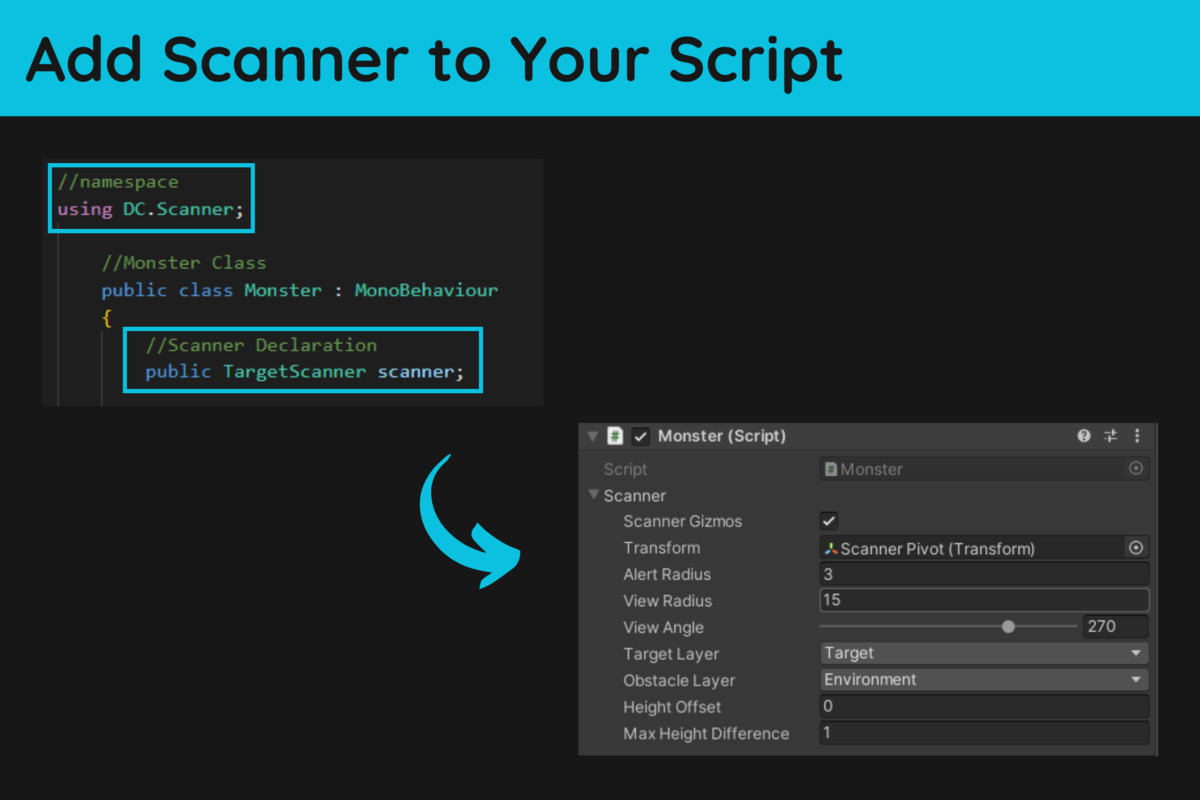
Target Scanner is a customizable package for Unity game developers that allows AI to detect and track in-game objects, such as enemies, bots, and other targets. With customizable target types, detection ranges, and information displays, developers can create more immersive and dynamic gameplay experiences. Target Scanner is an essential tool for game developers looking to take advantage of AI technology in their games.
You can also download the script from my Github repo
From the publisher's Asset Store listing.
Technical details
FEATURES:
- Field of view: define the area in which the AI can detect targets.
- Alert area: specify the distance at which the AI will become aware of a target's presence.
- Height difference: adjust the AI's ability to detect targets at different elevations.
- View obstacle: customize how the AI will react to obstacles blocking its line of sight to a target.
- Give the nearest target: enables the AI to prioritize the closest target.
- Customizable detection parameters: allow developers to fine-tune target detection to their game's specific needs.
METHODS:
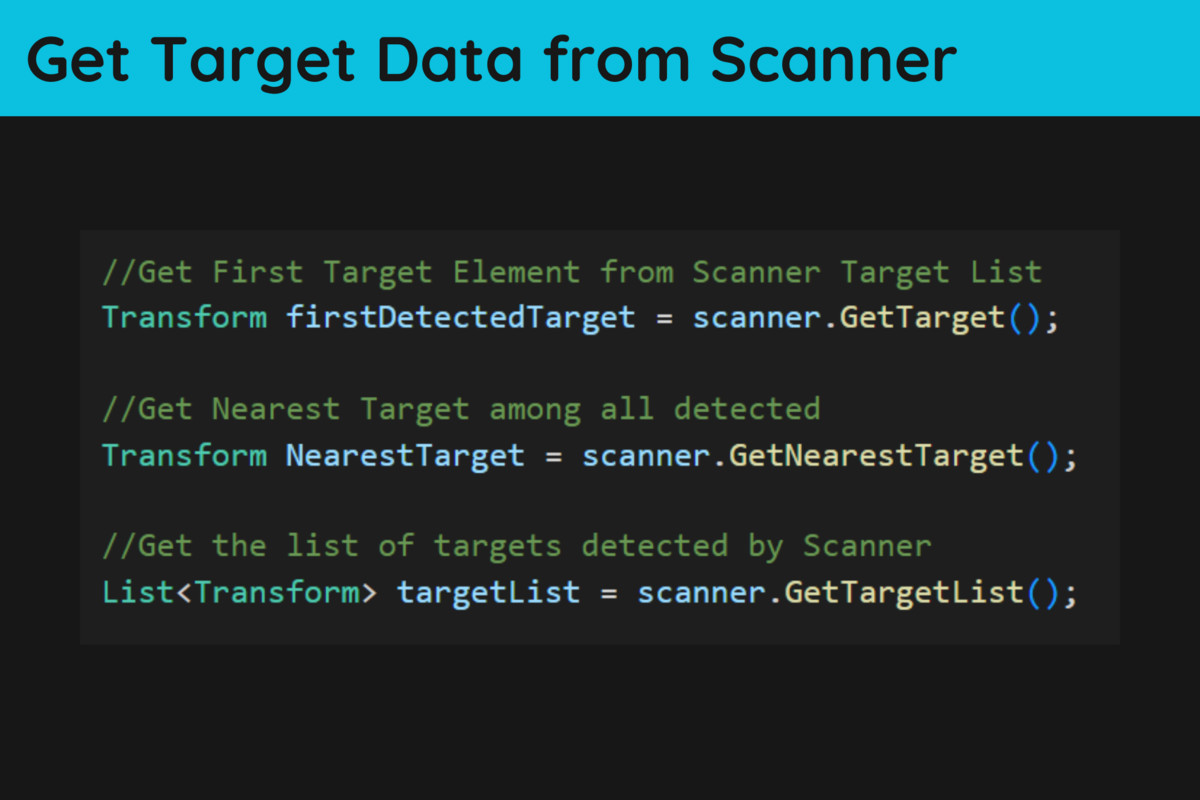
Return methods (Transform): provide developers with the location and orientation of detected targets.
- GetTarget(): retrieve the target that the AI is currently tracking.
- GetNearestTarget(): retrieve the closest target to the AI's position.
- GetTargetList(): retrieve a list of all detected targets.
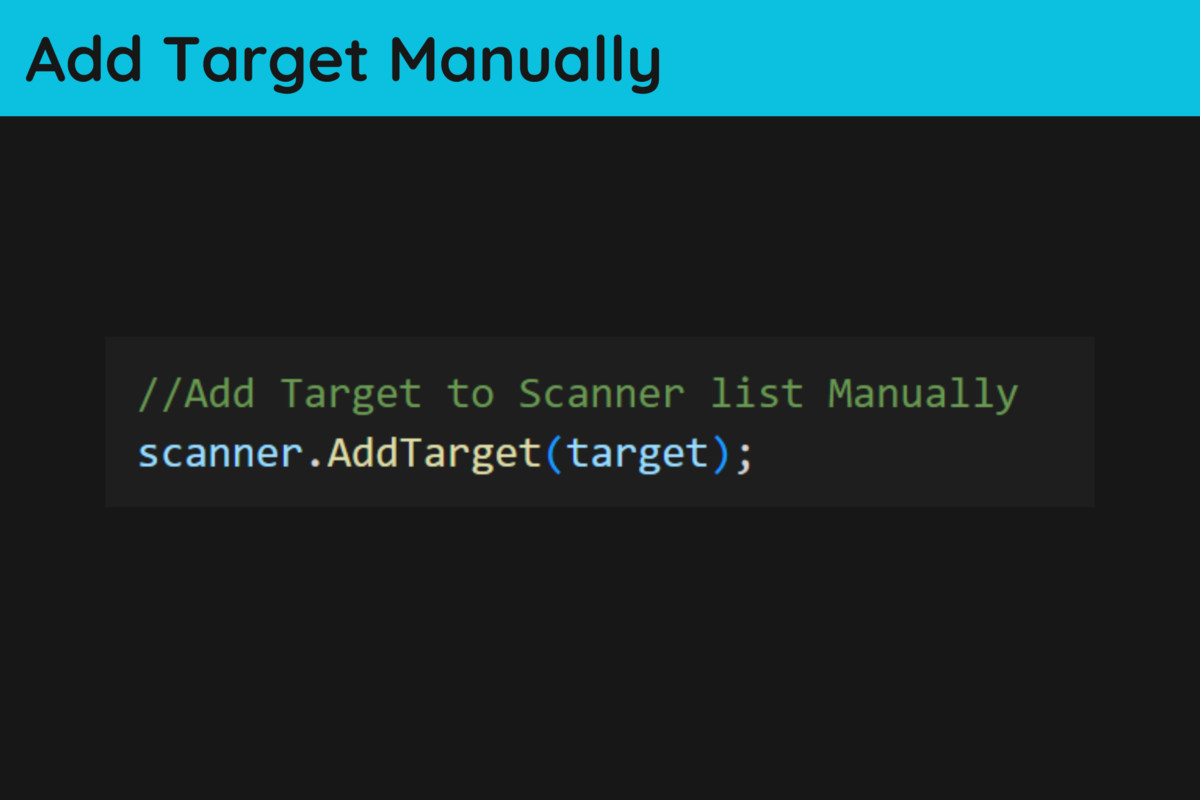
OTHER METHODS:
- AddTarget(Transform): enables developers to add pre-existing targets to the detection list.
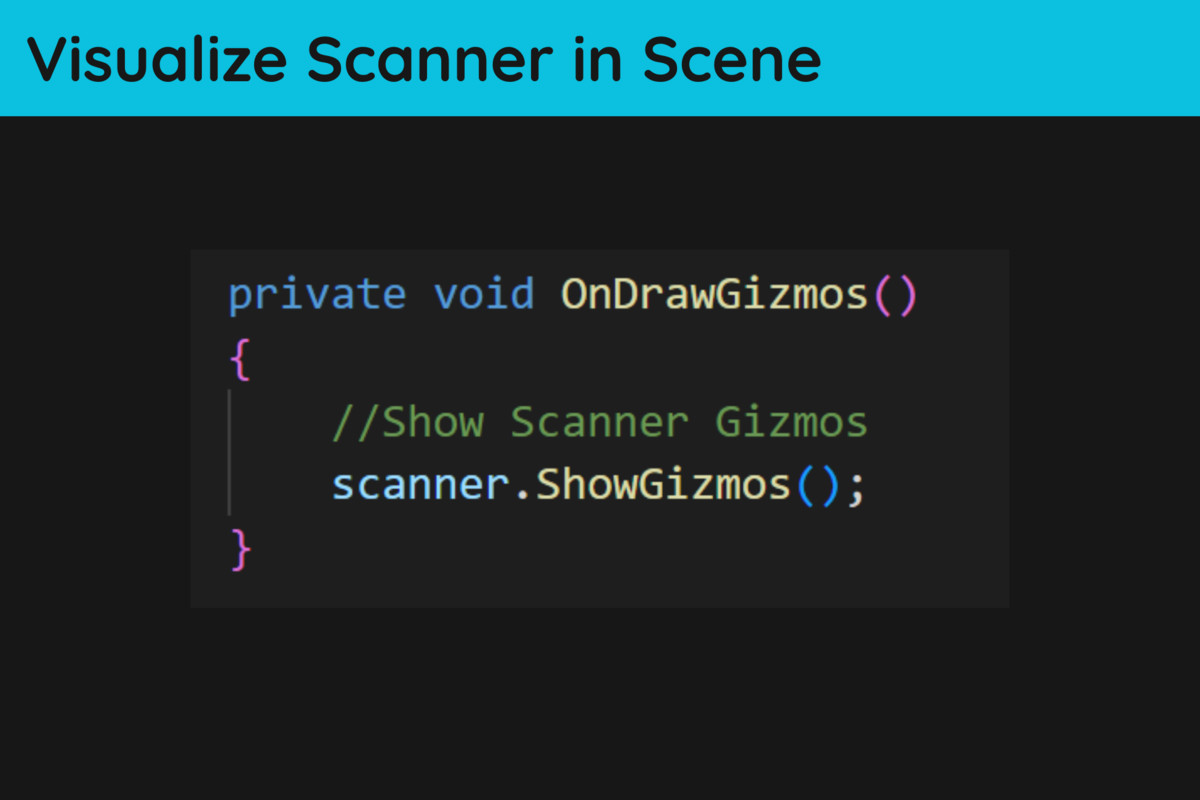
- ShowGizmos(): display the detection area in the Unity editor scene view for easier visualization and debugging.
Compatibility
| Unity version | Built-in | URP | HDRP | Custom |
|---|---|---|---|---|
| 2021.3.21f1 | Compatible | Compatible | Compatible | Compatible |
| 2021.3.18f1 | Compatible | Compatible | Compatible | Compatible |
As listed on the Asset Store.