
 View on Asset Store (opens in new tab)
Package details
- Latest version
- 1.2
- Last updated
- First released
- Unity version
- 2021.3.45 or later
- Package size
- 3.8 MB
- Files
- 10
- Favorites
- 8
- Views in the past week
- 12
Price tracking
- Last checked
- Tracked since
- Lowest recorded
- Free on
Keywords
- Search for Developer Tools
- Search for Unity Editor Tools
- Search for unity tools
- Search for Easy Scene Switcher Pro
- Search for Tools
- Search for Scene Management
- Search for Scene Loader
- Search for Scene Switcher
- Search for Editor Tools
- Search for scenes
- Search for Level Switcher
- Search for Productivity Tools

Easy Scene Switcher Pro
Boost Unity scene management with instant scene switching from Toolbar and Window.
Affiliate link · Purchases support this site
Price history
Last 6 months
USDAsset preview
1 / 6
Easy Scene Switcher Pro screenshot 1

About this asset
Easy Scene Switcher Pro – Instant Scene Switching from the Unity Toolbar and Editor Window
🚀 Switch Scenes Instantly - Right Next to the Play Button!
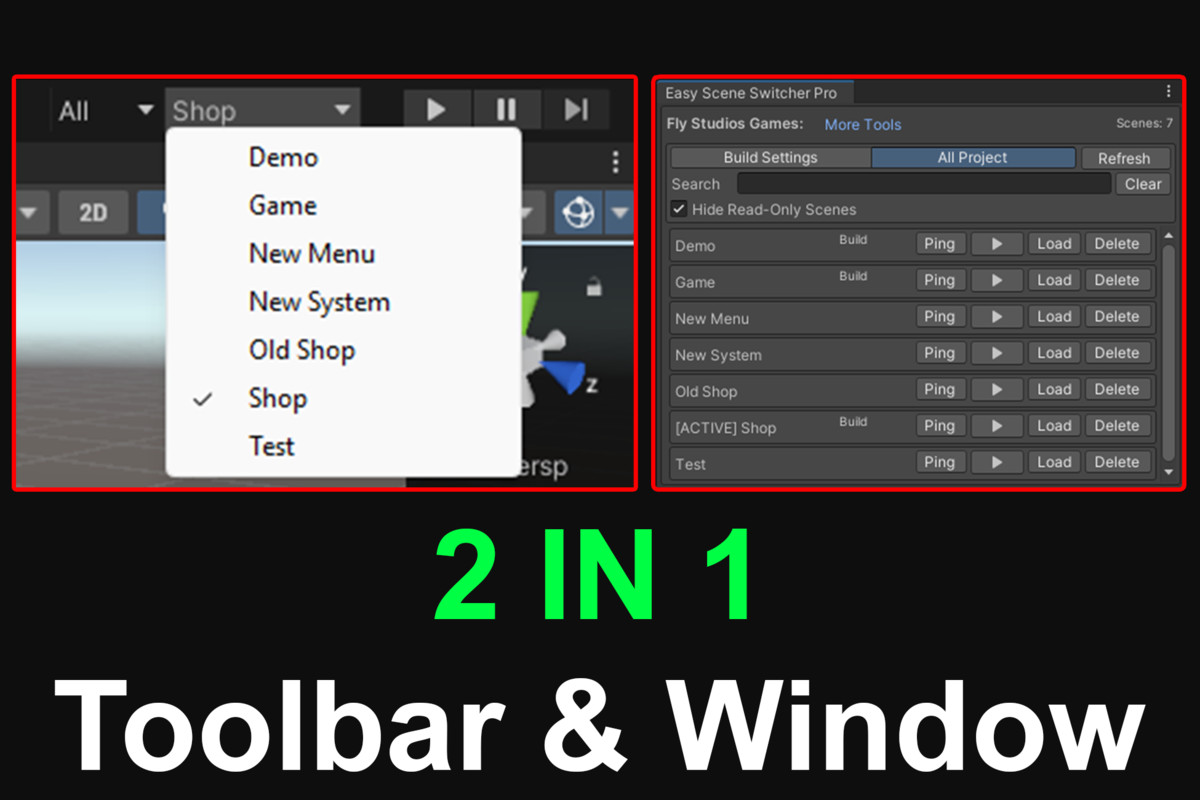
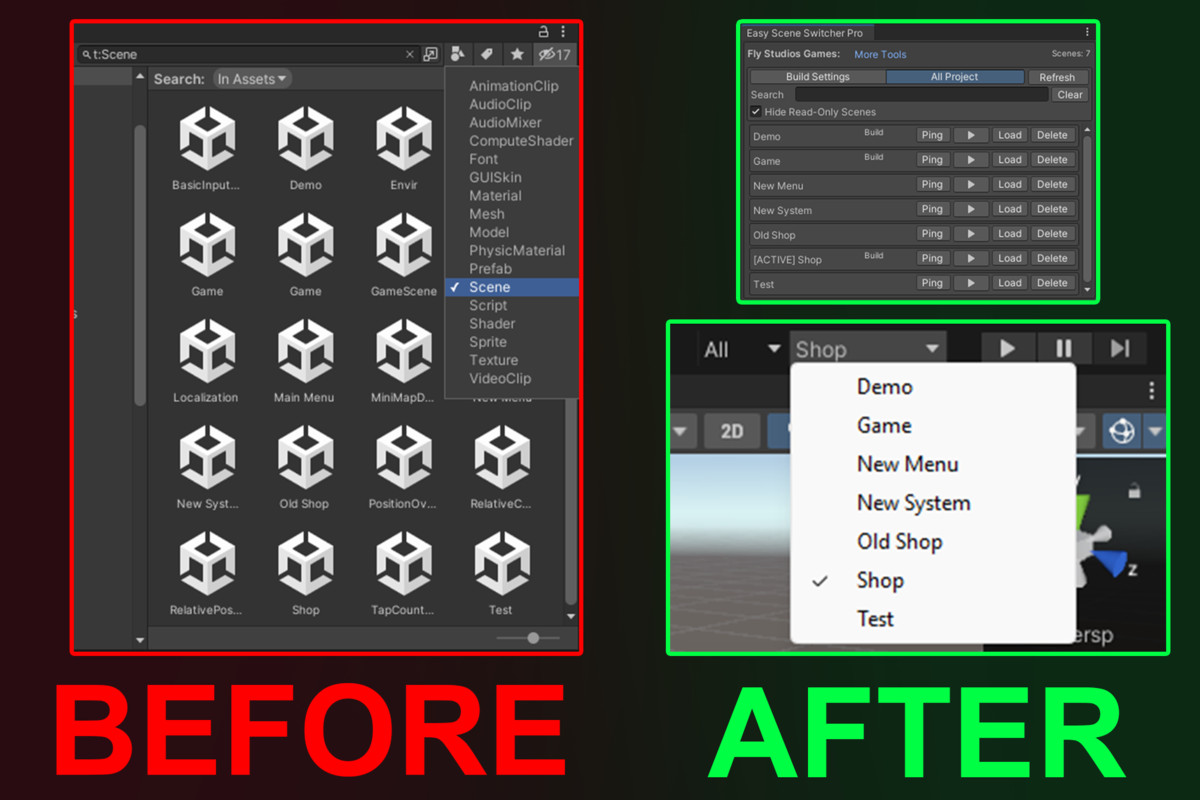
Easy Scene Switcher Pro is a lightweight and powerful Unity Editor extension that lets you switch scenes directly from the toolbar (next to Play) or from a dedicated dockable window. No more searching through folders or Build Settings every time you test.
✨ Key Features
- One-Click Switching: Jump between scenes directly from the Unity Toolbar (next to the Play button).
- All Project Mode: List every scene found in your project.Dual View Modes: * Build Settings Mode: Show only scenes included in your build.
- Advanced Organization: Search, filter, and "Ping" assets to locate them instantly in the Project view.
- Live Status Indicators: See at a glance which scenes are currently Active or Loaded.
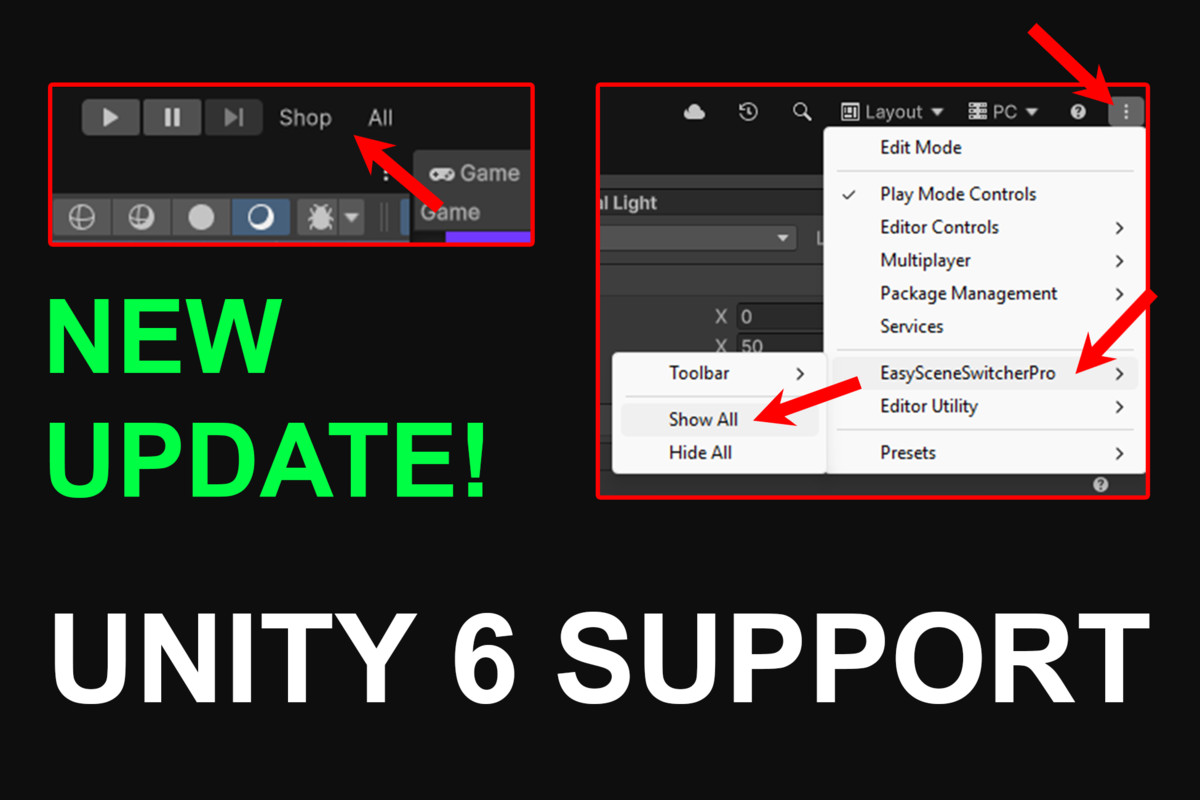
- Legacy Support: Compact overlay for versions older than Unity 6.Smart Integration: * Unity 6+ Ready: Native MainToolbarElement integration.
- Scene Awareness: Detects read-only or missing/deleted scenes to keep your project clean.Workflow Safety: * Play Mode Lock: Prevents accidental switching while the game is running.
- Auto-Refresh: Automatically stays in sync with your Project folders and Build Settings.
🎯 Why Choose Easy Scene Switcher Pro?
- Efficiency: Eliminates repetitive navigation through deep folder structures.
- Speed: Drastically shortens iteration loops for developers, designers, and QA teams.
- Scale: Perfect for large-scale projects with dozens of scenes.
📥 Getting Started
- Install the package.
- Open Window: Go to Tools > Easy Scene Switcher Pro > Open Window.
- Enable Toolbar: Go to Settings > Toolbar Scene Switcher > On.
- Unity 6 Users: Click the 3-dots icon in the Toolbar, then select Easy Scene Switcher Pro > Show All.
⚠️ Compatibility Note
If you encounter any issues or the tool does not behave as expected on your specific Unity version, please contact us via Discord or Telegram. We investigate all reports and release fixes as quickly as possible!
From the publisher's Asset Store listing.
Technical details
🛠️ Technical Details
Easy Scene Switcher Pro is an editor-only utility designed for high performance and seamless workflow integration. It has zero runtime overhead, as all scripts are strictly confined to the Unity Editor.
🔧 Core Systems
- Performance-First UI: Built with optimized Editor GUI logic to ensure no lag, even in projects with hundreds of scenes.
- Dual-Source Indexing: * Build Settings Provider: Direct sync with your project's build manifest.
Project-Wide Scanner: Deep-scans the Assets/ folder to find any .unity file instantly. - State Monitoring: Real-time tracking of SceneManager states to identify Active and Loaded (Additive) scenes.
- Safety Layer: * Implements EditorSceneManager.SaveCurrentModifiedScenesIfUserWantsTo() to prevent data loss.
Play Mode Guard: Disables switching and deletion logic during runtime to prevent assembly crashes. - Stale Reference Cleanup: Advanced logic to detect "Missing" entries in Build Settings and offer one-click fixes.
📌 Integration & Accessibility
- Unity 6+ Support: Fully utilizes the new MainToolbarElement API for native-feeling UI placement.
- Legacy Compatibility: Custom toolbar injection for pre-Unity 6 versions.
- Namespace Isolation: All scripts are contained within a dedicated namespace to prevent naming conflicts with your project's code.
⚙️ Setup & Paths
- Editor Window: Tools > Easy Scene Switcher Pro > Open Window
- Toolbar Settings: Tools > Easy Scene Switcher Pro > Settings > Toolbar Scene Switcher > On/Off
- Unity 6 Compact Access: Toolbar > 3-dots Menu > Easy Scene Switcher Pro > Show All
Compatibility
| Unity version | Built-in | URP | HDRP | Custom |
|---|---|---|---|---|
| 6000.4.0f1 | Compatible | Compatible | Compatible | Compatible |
| 2021.3.45f1 | Compatible | Compatible | Compatible | Compatible |
As listed on the Asset Store.