
 View on Asset Store (opens in new tab)
Package details
- Latest version
- 0.1.6
- Last updated
- First released
- Unity version
- 2020.3.33 or later
- Package size
- 1.7 MB
- Files
- 34
- Favorites
- 13
- Views in the past week
- 7
Price tracking
- Last checked
- Tracked since
- Lowest recorded
- Free on
Keywords
sonification-accessibility
Have you ever wondered if a blind person can play your game? The Sonification Mode can help you to improve your game's accessibility for visually impaired, translating graphical objects into sound.
Affiliate link · Purchases support this site
Price history
Last 6 months
USDAsset preview
1 / 3

sonification-accessibility video 1 (plays on the Asset Store)


About this asset
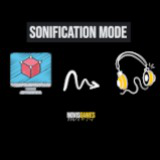
The Sonification Mode is an accessibility feature helping people with low or no vision to enjoy the game, transforming every graphical object that is useful to the gameplay into sound clues.
How it works: the plugin provides a component to assign a sound chosen between proposals to every game object that is useful to the gameplay.
The player can activate the sonification mode, pressing a combination of keys: from now on, every sonified object will be hearable.
Disclaimer: This is a beta version, tested for now into 2D platform games and small 3D games.
The package includes:
- Sonification Master Object: a master script to control the entire mode and its attributes, like volume and scene's listener. It also provides the methods for enabling and disabling the mode.
- Sonified Object: the main component to attach to every game object or prefab that you want to sonify. You can set the label value to try it with a default parameter list, or play around, changing the attributes to get the best experience. Once the Sonification Mode is activated, every object that was sonified will be notified to the player.
- Sonification Menu (dev side): GUI providing an overview of all already sonified objects and their attributes. It also selects all prefabs in the scene to make them sonified in a unique place.
- Sonification mode menu (player side): inside the package there is an example of menu mapping each sound to its label, for better understanding.
For more technical details about each object and mode's global activation example, please refer to the package's README.md.
From the publisher's Asset Store listing.
Technical details
- Control panel for manual object sonification: add sound to your gameobjects one by one and customize parameters to get the best experience
- Sonification Master class: attach sonification to your Input System and control on/off switch and master volume from your game scripts
- Sonification menu: organize your game objects and prefabs in one place