
 View on Asset Store (opens in new tab)
Package details
- Latest version
- 2.0
- Last updated
- First released
- Unity version
- 6000.5.4 or later
- Package size
- 137.0 MB
- Files
- 180
- Favorites
- 5
- Views in the past week
- 16
Price tracking
- Last checked
- Tracked since
- Lowest recorded
- $10.00 on
Keywords

Catch the fish - Complete Game Tutorial
- Price drop
Complete 2D arcade game for Unity 6: hold the cats, catch the fish, dodge the bombs. Data-driven template with portrait + landscape, shop, achievements, ads/IAP hooks and full C# source.
Affiliate link · Purchases support this site
Price history
Last 6 months
USDAsset preview
1 / 2

Catch the fish - Complete Game Tutorial screenshot 1
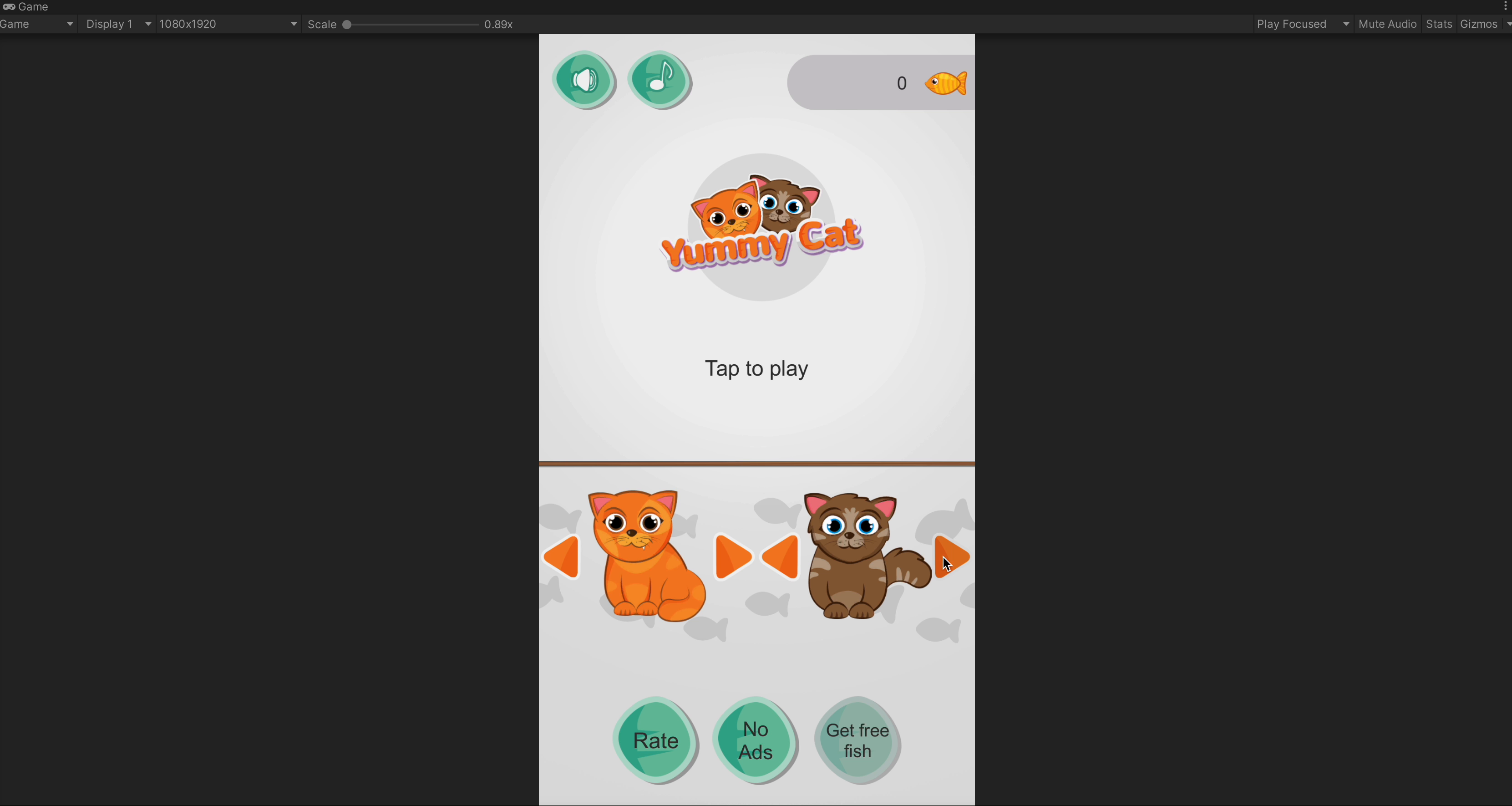
About this asset
Yummy Cats is a complete, ready-to-ship 2D arcade game – and a clean template for building your own.
Hold a cat to open its mouth and catch the fish flying in from the sides of the screen. Two cats, one pair of hands: keep both of them fed, spit out the apples, stay away from the bombs and grab the rare golden fish to unlock new cats in the shop. One-touch rules, endless runs, pure "just one more try" gameplay.
A template, not just a game
Every cat, projectile, sound, achievement and balance value is a ScriptableObject. Add a new cat or a new kind of pickup, reskin the whole game or rebalance the difficulty straight from the Inspector – no code changes needed. A single GameConfig asset holds the entire setup and validates it for you.
Made for real devices
Designed for both portrait and landscape. The layout adapts to any aspect ratio, from tall phones to tablets and wide monitors, keeps the controls clear of notches and system bars, and the gameplay feels exactly the same on every screen. Play with touch, mouse or keyboard.
Monetization and extension points built in
Connect your ads and in-app purchases through two small interfaces (debug providers included for testing). Hook analytics, quests or tutorials into global game events without touching the core systems. Keep the default PlayerPrefs saves, switch to JSON files or plug in your own backend.
Great for learning
Clean, modular C# split into Runtime, Editor, Tests and Samples assemblies, 85+ automated tests and a detailed manual covering the architecture and every extension point.
What's inside
• Splash screen and game scene: main menu, cat shop, gameplay, pause and game over
• 4 cats, 4 projectile types (fish, golden fish, apple, bomb) and 5 achievements
• Sprites, animations, music and sound effects
• Full C# source code and documentation
-- -- --
University of Games small research center for indie game developers. This place has always beed dedicated for everyone to share passion, knowledge and adventures in game industry. I wish it would become home to in-depth explanations and ready to use solutions which help you solve problems and growth. Thanks to your donations we can create even more content and support developers, students and teachers all over the world.
From the publisher's Asset Store listing.
Technical details
• Unity 6 (6000.5 or newer), Input System package
• Sprites and uGUI only – no custom shaders
• Data-driven: GameConfig, Cat, Projectile, Achievement, Difficulty and Audio ScriptableObjects
• Custom GameConfig inspector with setup validation and spawn-chance preview
• Portrait and landscape with runtime orientation switching and safe area support
• Flight-time based throws: the same reaction time on every aspect ratio
• Touch, mouse and keyboard input with configurable keys
• Score, combos, premium currency, cat shop, player statistics and achievements
• Ads and IAP interfaces with debug samples, interstitial pacing and rewarded ads
• Global game events for analytics, quests and tutorials
• Save system: PlayerPrefs (default), JSON file or your own ISaveService
• Projectile object pooling
• Compatible with Enter Play Mode Options (domain reload disabled)
• 4 assembly definitions, EditMode and PlayMode tests
• Full C# source code, English documentation
Compatibility
| Unity version | Built-in | URP | HDRP | Custom |
|---|---|---|---|---|
| 6000.5.4f1 | Compatible | Compatible | Compatible | Compatible |
Ready to use solution for: Windows, Mac OS X, Android, iOS and WebGL.
As listed on the Asset Store.