
 View on Asset Store (opens in new tab)
Package details
- Latest version
- 2.0
- Last updated
- First released
- Unity version
- 6000.5.4 or later
- Package size
- 3.9 MB
- Files
- 182
- Favorites
- 9
- Views in the past week
- 6
Price tracking
- Last checked
- Tracked since
- Lowest recorded
- $4.99 on
Keywords

Endless Catch Game - Complete Game Tutorial
- Price drop
Complete, release-ready casual catch game: swipe baskets, catch falling flowers.
Affiliate link · Purchases support this site
Price history
Last 6 months
USDAsset preview
1 / 2

Endless Catch Game - Complete Game Tutorial screenshot 1
About this asset
Bloom Boom is a complete, release-ready mobile game template - a one-touch casual arcade game you can publish as it is or use as a solid foundation for your own title.
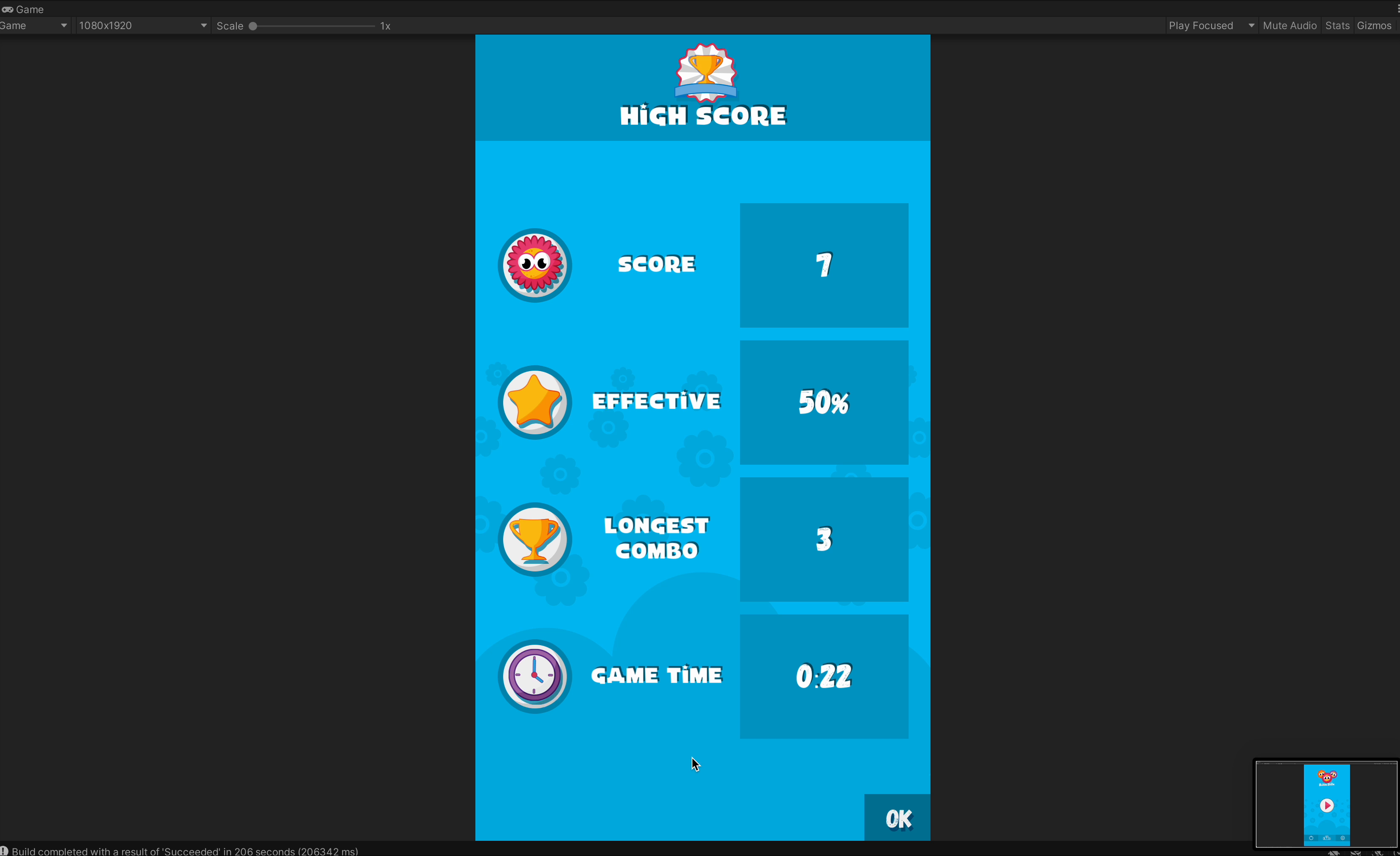
Flowers keep falling from the sky and the player swipes a belt of baskets to catch each one in the basket of the matching color. Every wrong catch shrinks the baskets, and after too many mistakes the run is over. The game is endless: the goal is the highest score, and it gets harder the longer you survive thanks to a configurable difficulty ramp. Power-ups such as Double Points, Slow Motion and Basket Repair keep every run fresh.
Everything is built to be customized without touching code:
- Difficulty, spawn timing and power-ups are ScriptableObject assets - duplicate them to create your own tuning sets.
- Add a new flower color with a tag, a prefab and one enum entry.
- Swipe feel (drag gain, fling deceleration, max speed) and basket sizing are exposed in the Inspector.
- Replace the sprites to reskin the whole game in an afternoon.
For programmers, the code is clean, layered and documented: small plain C# classes for the game rules, scoring, spawning, layout and input, orchestrated by a single GameManager and covered by 64 unit tests. The project follows Asset Store conventions with assemblies, namespaces and full XML docs, and ships with a complete manual, so it also works as a learning resource for anyone getting into Unity game development.
Bloom Boom fits any casual, arcade or kids game and is a great starting point for hyper-casual prototypes.
-- -- --
University of Games small research center for indie game developers. This place has always beed dedicated for everyone to share passion, knowledge and adventures in game industry. I wish it would become home to in-depth explanations and ready to use solutions which help you solve problems and growth. Thanks to your donations we can create even more content and support developers, students and teachers all over the world.
From the publisher's Asset Store listing.
Technical details
Complete game with full source code, ready to build for any platform.
Gameplay
- One-touch swipe gameplay, perfect for a subway ride
- Portrait and landscape support with live re-layout when the device rotates
- Precise swipe input: the basket belt sticks to the finger 1:1 and flings naturally; identical feel at every resolution and frame rate
- Endless mode with a configurable difficulty ramp (spawn rate and fall speed)
- Three power-ups included: Double Points, Slow Motion, Basket Repair - fully data-driven, add your own without code
- Score, combo and accuracy tracking, best-run records and a local history of the last 10 runs
- Pause support, camera shake feedback, sound and music toggles, Twitter/Facebook share links
Code and content
- Layered architecture: Core, Gameplay, UI, Audio and Persistence assemblies with namespaces and full XML documentation
- Data-driven configuration through ScriptableObjects (GameConfig, DifficultyProfile, PowerUpSettings)
- Object pooling for spawned objects
- Works in Built-in, URP and HDRP - all visuals are sprites and uGUI, no custom shaders
- Enter Play Mode Options / Fast Enter Play mode supported - no mutable static state
- 64 EditMode unit tests covering game rules, difficulty math, layout, swipe feel, pooling and persistence
- Editor tools under Tools -> Bloom Boom: scene setup validator, default-config generator, asset reserializers, documentation shortcuts
- Complete manual with architecture overview, configuration reference, extension recipes and FAQ
Compatibility
- Unity 6 (built and tested with 6000.x); uses uGUI and the legacy Input Manager
- Ready to build for Windows, macOS, Android, iOS and WebGL
Compatibility
| Unity version | Built-in | URP | HDRP | Custom |
|---|---|---|---|---|
| 6000.5.4f1 | Compatible | Compatible | Compatible | Compatible |
Ready to use solution for: Windows, Mac OS X, Android, iOS and WebGL.
As listed on the Asset Store.