
 View on Asset Store (opens in new tab)
Package details
- Latest version
- 2.0
- Last updated
- First released
- Unity version
- 6000.5.4 or later
- Package size
- 5.7 MB
- Files
- 151
- Favorites
- 9
- Views in the past week
- 8
Price tracking
- Last checked
- Tracked since
- Lowest recorded
- $10.00 on
Keywords

Cannon Crunch - Complete Game Tutorial
A complete, fully documented one-touch arcade game: cannon shop with 16 skins, six-stage difficulty curve, lives, medals and saved progress. Reskin it and ship, or lift out just the systems you need
Affiliate link · Purchases support this site
Price history
Last 6 months
USDAsset preview
1 / 2

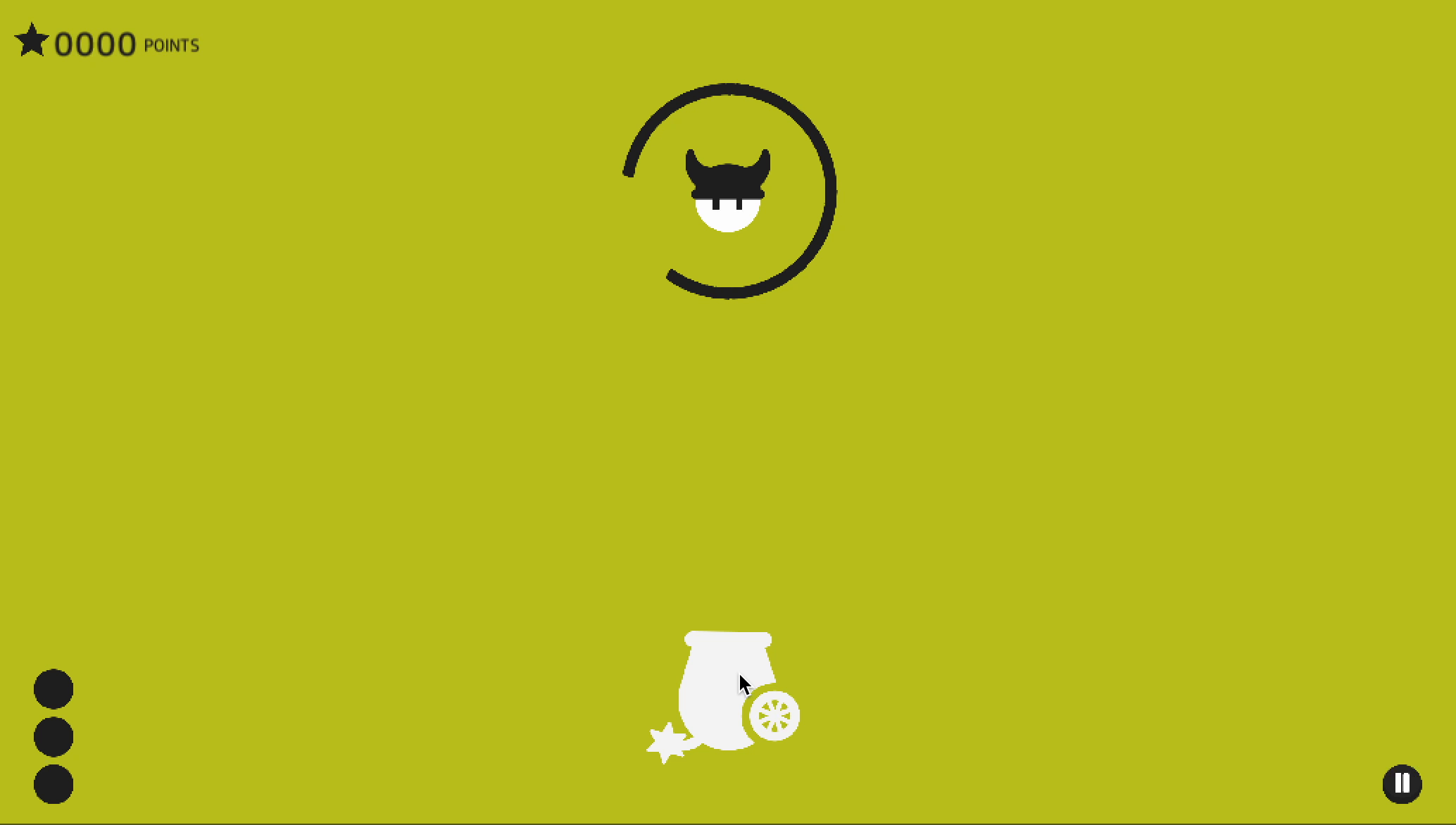
Cannon Crunch - Complete Game Tutorial screenshot 1
About this asset
Cannon Crunch is a finished game, not a snippet. Tap to fire, hit the target,
dodge the rotating block — and everything a released game needs around that
loop is already built and wired: main menu, pause, settings, a working shop,
game over, persistence, a progression curve and monetization hooks.
If you want to ship a casual game, this is a complete product you can put
your own art and audio into. The whole screen flow works, purchases and high
scores already persist, and the difficulty is tuned through an asset rather
than buried in code. Replace the sprites, retune one profile, publish.
If you want to learn or borrow the structure, the codebase is the reason to
buy. Gameplay logic lives in plain C# services with no MonoBehaviour coupling —
score, audio, skin catalog, rewards, difficulty — each reachable through one
property and each replaceable on its own. Saving sits behind a single interface,
so moving progress from PlayerPrefs to a file or a cloud backend is one line.
Every public member carries XML documentation and every inspector field has a
tooltip. Two assembly definitions keep the package out of your global compile
scope, so it cannot collide with your own code.
Genre fit: It is built for casual and hyper-casual mobile: portrait,
one-touch, endless, session-length runs, with the reward and interstitial hooks
already marked. The pieces generalize well beyond that — the shop, the
persistence layer, the score and medal system and the difficulty director all
work in any 2D game, and the difficulty director and Mathfx helpers have no UI
dependency at all.
How customizable is it?
The things you will actually want to change are data,
not code:
- Cannon skins are entries in one asset — sprite, muzzle position and price per skin. Adding one is a list row, and the shop picks up the new count itself.
- The whole difficulty curve is a second asset: six named stages, each setting rotation speed, reversal timing, speed waver and reversal cadence. Values interpolate between stages, so retuning the pacing never means editing code.
- Audio, colour palette, lives, fire rate, medal thresholds, reward cooldowns and the bullet's speed and layering are all inspector fields or named constants, documented in the manual with defaults and locations.
- Want to plug in your own HUD, effects or sounds? Subscribe to the events the services raise — score changed, medal changed, skin equipped, difficulty stage reached — instead of editing the package. Your changes then survive every update.
The package ships with an 800-line manual covering the architecture, the round
lifecycle, a full API reference, extension recipes with code, a tuning table, a
troubleshooting section and instructions for stripping it down to only the parts
you want.
All artwork comes from the Cannon Pack asset package.
-- -- --
University of Games small research center for indie game developers. This place has always beed dedicated for everyone to share passion, knowledge and adventures in game industry. I wish it would become home to in-depth explanations and ready to use solutions which help you solve problems and growth. Thanks to your donations we can create even more content and support developers, students and teachers all over the world.
From the publisher's Asset Store listing.
Technical details
The project includes well-developed technical documentation. Therefore, it is also an ideal form of learning for novice game developers!
Contents
- 2 scenes: splash screen and the complete game
- 38 documented C# scripts across 7 namespaces
- 2 assembly definitions (runtime and editor-only)
- 2 configuration assets: cannon skin library, difficulty profile
- 16 cannon skins, 25 UI sprites, 15 HUD sprites, 4 medals, 15 app icons
- 4 audio clips (music, cannon shot, game over, button click)
- 3 animation clips and controllers
- 1 prefab (the projectile)
- README (22 sections)
Gameplay systems
- One-touch firing with a frame-rate-independent fire-rate cooldown
- Six-stage progressive difficulty driven by an editable asset; speed, reversal interval, speed waver and reversal cadence, interpolated between stages
- Difficulty stage-up feedback: immediate obstacle reversal plus a score pulse
- Lives with bonus-life slots, and a 12-hour free-lives reward that survives app restarts and tolerates a device clock moved backwards
- Score, all-time best score and a spendable lifetime total
- Four medal ranks awarded by score threshold
- Double-points bonus, ready to attach to a rewarded ad
- Shop with a sliding carousel, purchase and equip flow, fully persisted
- Animated cross-fading background palette
Architecture
- Composition root pattern: one component builds the services and presents them
- Six logic services with no MonoBehaviour dependency, so they are readable and unit-testable: score, audio, cannon skins, bonus lives, background, difficulty
- Persistence behind `IProgressRepository` — swap PlayerPrefs for your own backend in one line
- Skin catalog behind `ICannonSkinCatalog` — feed skins from an asset, a remote catalog or an IAP product list
- `IBulletHittable` for anything shootable; both the trigger callback and the swept check route through one guarded handler
- C# events for score, medal, equipped skin and difficulty stage, so you extend the game without editing it
- Generic `SceneSingleton<T>` base for the per-scene instances
- Enums and named constants throughout — no magic numbers or stringly-typed screen names
- Full XML documentation on every public member; tooltips on every serialized field
Correctness and platform notes
- Swept projectile hit detection, so hits are never lost to the physics sampling rate — trigger overlap alone misses fast projectiles against fast-moving obstacles, and 2D continuous collision detection does not cover triggers
- Projectile speed expressed per second, so changing Fixed Timestep does not rescale the game
- Projectiles despawn against the canvas rect rather than a fixed pixel height, so nothing is cut off mid-flight on tall displays
- Saves flushed explicitly after every purchase, reward and completed round
- Audio import tuned for mobile: the music track streams from disk instead of decompressing into memory; short effects stay decompress-on-load for latency
- Camera cached rather than resolved every frame; timed UI labels refresh once per second, not per frame
Editor tooling
- `Tools > Cannon Pack > Sync Skin Library From Scene` — builds the skin library from what the scene actually uses and wires it up
- `Tools > Cannon Pack > Verify Skin Library Against Scene` — reports drift without changing anything
- Create menu entries for both configuration assets
- Both live in an editor-only assembly, so nothing editor-related ships in your build
Ready to use solution for: Windows, Mac OS X, Android, iOS, Windows Phone and WebGL.
Compatibility
| Unity version | Built-in | URP | HDRP | Custom |
|---|---|---|---|---|
| 6000.5.4f1 | Compatible | Compatible | Compatible | Compatible |
Ready to use solution for: Windows, Mac OS X, Android, iOS, Windows Phone and WebGL.
As listed on the Asset Store.