
 View on Asset Store (opens in new tab)
Package details
- Latest version
- 1.1.0
- Last updated
- First released
- Unity version
- 2021.1.17 or later
- Package size
- 54.6 MB
- Files
- 19
- Favorites
- 84
- Views in the past week
- 17
Price tracking
- Last checked
- Tracked since
- Lowest recorded
- Free on
Keywords
EZ Hover
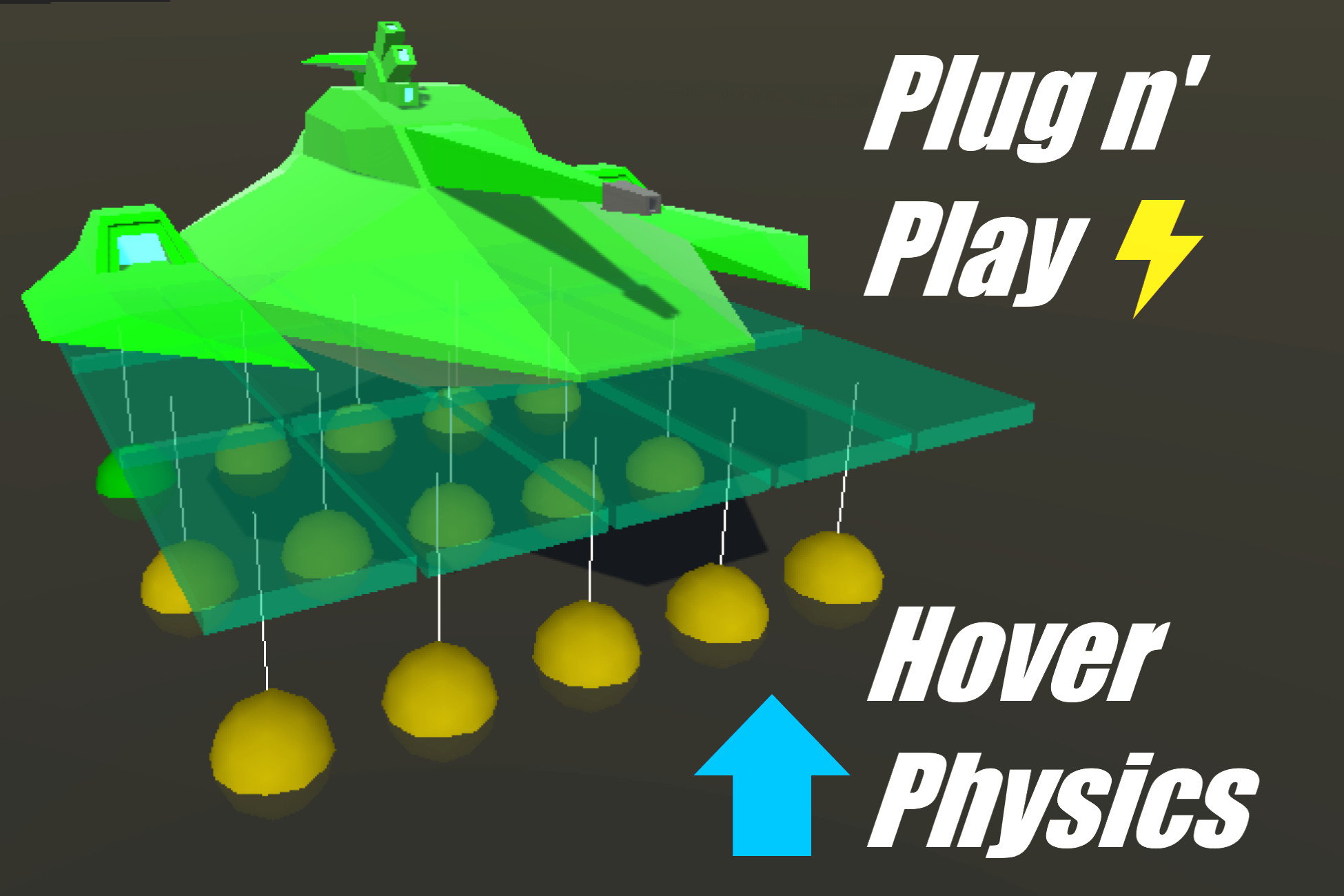
The package delivers quick and easy hover physics that can be applied to any Rigidbody object with first/third person controller support.
Price Free
Get it free on Asset Store (opens in new tab)
Affiliate link · Purchases support this site
Price history
Last 6 months
USDAsset preview
1 / 6

EZ Hover screenshot 1


About this asset
Ever wanted to add hover physics easily to your games?
Introducing: EZ HOVER
Key Features
- Add hover physics to any gameobject that has a rigidbody.
- Very fast to set-up, get results in minutes!
- Tons of customizable settings to fine tune hover interactions with the surrounding environment.
- First/third person controller support with horizontal movement controls and ability to look up/down/left/right while hovering.
- Added stability means hover objects can remain flat with the ground below.
- Automatically adjusts movement speed and hover height to avoid collisions with obstacles or terrain.
- Hover objects can easily recover after being flipped
From the publisher's Asset Store listing.
Technical details
Hover Grid Component
- Hover physics are implemented using a hover grid system.
- The hover grid can be resized to cover the span of any gameobject.
- Configurable settings: desired hover distance above the ground, upward acceleration, number of hover points to detect ground below.
- The hover grid is resistant to being flipped with the ability to stabalize itself on separate axes.
Movement Component
- The movement component enables horizontal movement for hovering gameobjects using WASD input.
- Ability to avoid collisions with incoming obstacles by adjusting the horizontal speed and increasing the upward hover force.
Look Component
- The look component enables hovering gameobjects to rotate in all directions by moving the mouse cursor.
- This is perfect for characters that need to hover but also freely look up/down/left/right in a first or third person perspective.
Basic Controller
- Handles user input and passes it to Hover Movement and Hover Look components to move and turn the hover object.
Compatibility
| Unity version | Built-in | URP | HDRP | Custom |
|---|---|---|---|---|
| 2021.1.17f1 | Compatible | Compatible | Compatible | Compatible |
As listed on the Asset Store.