
 View on Asset Store (opens in new tab)
Package details
- Latest version
- 2.0
- Last updated
- First released
- Unity version
- 6000.5.4 or later
- Package size
- 435 KB
- Files
- 71
- Favorites
- 20
- Views in the past week
- 11
Price tracking
- Last checked
- Tracked since
- Lowest recorded
- Free on
Keywords
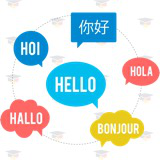
Localization Toolkit - lightweight solution
Complete localization for Unity 6: one-click AI translation (Claude/GPT), CLDR plurals, localized sprites, fonts and audio, Google Sheets sync and a full in-editor workflow.
Affiliate link · Purchases support this site
Price history
Last 6 months
USDAsset preview
1 / 1

Localization Toolkit - lightweight solution screenshot 1
About this asset
Ship your game in 10 languages, not 1. Localization Toolkit is a complete, lightweight localization system with the fastest workflow on the store: drop a language file (JSON, XML or CSV) on the Localization Manager, add Localized Text to your UI and press Play. The player's system language is detected automatically and their choice is remembered between sessions.
Translate everything with AI. Connect your own Anthropic (Claude) or OpenAI (GPT) API key and translate every language with one click. A project profile feeds the AI your game's description, tone of voice and a do-not-translate glossary — so "Mana" stays "Mana" and the tone fits your game. Only missing entries are translated, every result lands in a review table before you save, and your key never leaves your machine.
Grammar done right. CLDR plural rules give every language its correct forms — 1 apple / 2 apples, 1 jabłko / 2 jabłka / 5 jabłek — with a one-line API: GetPlural("apples", count). Numbers, dates and currency format themselves in the active language's culture: {price:C}, {date:d}.
Localize more than text. Swap sprites (logos, flags), fonts (CJK, Cyrillic), audio clips (voice-overs) and whole GameObjects per language — each with its own drag-and-drop component and live edit-mode preview. TextMeshPro and legacy UI Text are both supported, including right-to-left flipping for Arabic and Hebrew.
Stay in control. The Localization Editor window shows per-language completion bars, audits which keys your scenes actually use, collects keys from your whole project with one click, generates a pseudo-locale that catches UI overflow before your players do, and syncs with a published Google Sheet.
Works with any genre and any render pipeline — it is pure UI and C#. Five sample scenes, a full user guide and the complete, XML-documented source code are included.
University of Games small research center for indie game developers. This place has always beed dedicated for everyone to share passion, knowledge and adventures in game industry. I wish it would become home to in-depth explanations and ready to use solutions which help you solve problems and growth. Thanks to your donations we can create even more content and support developers, students and teachers all over the world.
From the publisher's Asset Store listing.
Technical details
- Three file formats: JSON, XML and CSV, with automatic format detection
- AI translation (editor-only): Claude (Anthropic) and GPT (OpenAI), batch mode over all languages, glossary and tone control via profile assets; API keys stay in EditorPrefs, never in assets or builds
- CLDR plural rules: English-like, Polish, Russian/Ukrainian, Czech/Slovak, French, Romanian, Arabic (all six forms) and CJK
- Culture-aware {token:format} formatting: numbers, currency and dates per language
- Components: Localized Text, Localized Image, Localized Font, Localized Audio, Localized Object, Language Dropdown — all with custom inspectors and live edit-mode preview
- TextMeshPro and legacy UI Text support, including RTL direction and mirrored alignment
- Automatic system-language detection plus remembered player choice (PlayerPrefs)
- Localization Editor: completion statistics, key-usage audit, project-wide key collection, pseudo-localization generator, search and empty-value filters
- Google Sheets sync: publish a sheet as CSV and update your data with one click
- Remote loading: blocking or coroutine-based async (WebGL friendly)
- Loads from TextAsset (recommended), StreamingAssets or any URL; runtime data injection via LoadData
- Five sample scenes: overview, plurals, formatting, per-language objects and audio
- 119 edit mode tests, fully XML-documented public API, single-folder package
- Requires Unity 6000.5+; dependencies: com.unity.ugui, com.unity.nuget.newtonsoft-json (default in Unity 6)
Compatibility
| Unity version | Built-in | URP | HDRP | Custom |
|---|---|---|---|---|
| 6000.5.4f1 | Compatible | Compatible | Compatible | Compatible |
As listed on the Asset Store.