
 View on Asset Store (opens in new tab)
Package details
- Latest version
- 1.0
- Last updated
- First released
- Unity version
- 2020.3.48 or later
- Package size
- 43 KB
- Files
- 7
- Favorites
- 15
- Views in the past week
- 12
Price tracking
- Last checked
- Tracked since
- Lowest recorded
- Free on
Keywords

Selection Gizmo
- Price drop
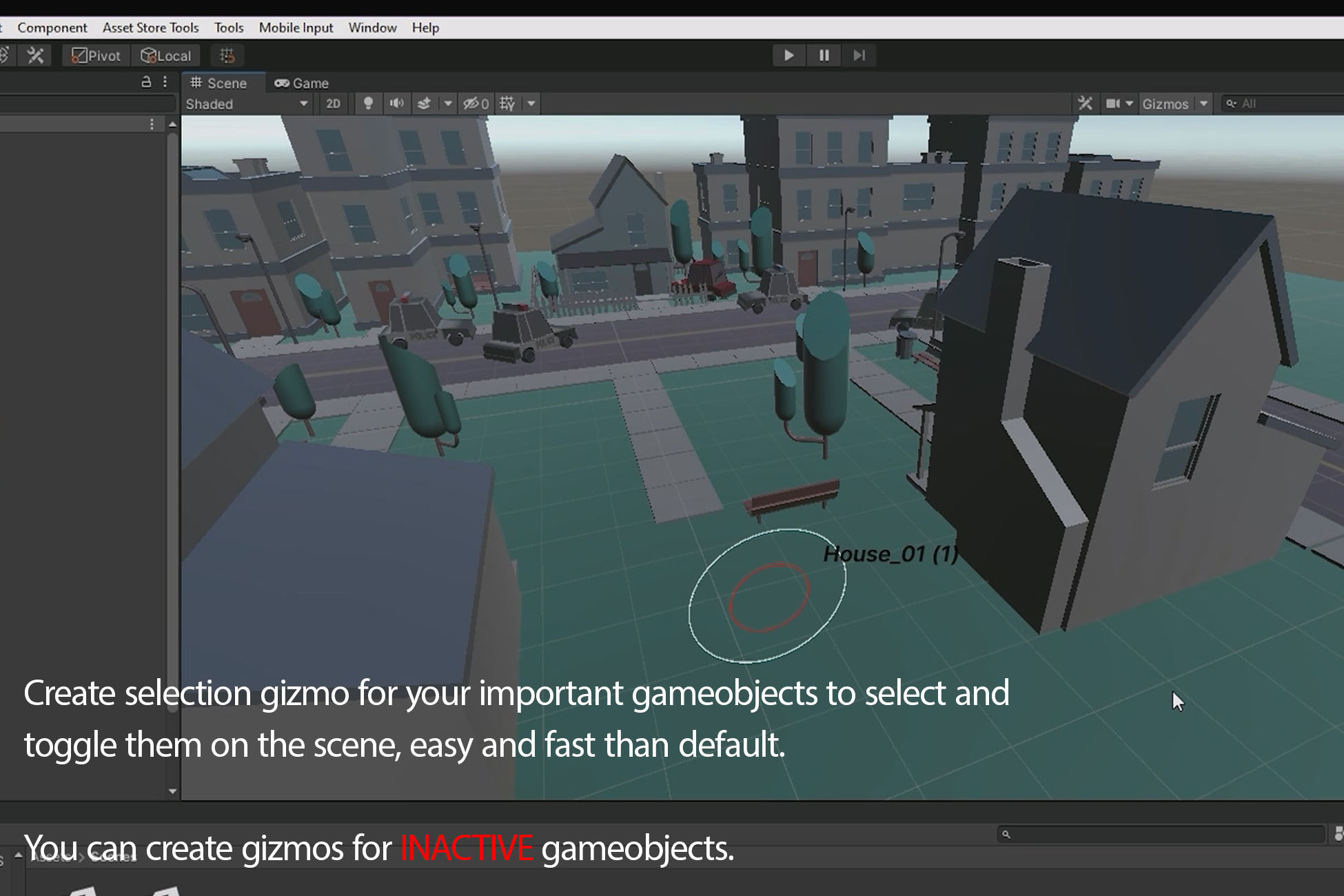
Create a selection gizmo for both inactive and active scene gameobjects so find them easy, select and toggle them faster than default. Increase your work speed to find important gameobjects.
Affiliate link · Purchases support this site
Price history
Last 6 months
USDAsset preview
1 / 4

Selection Gizmo screenshot 1


About this asset
Whats Selection Gizmo ?
When you're working on your game, one of the main important issues is a fast selection of your favorite gameobjects. It would be harder especially if you are working on crowded scene projects.
Selection Gizmo is here to give you a great feature, gizmo making for your favorite scene gameobjects, So you can see them in the scene, select or toggle them faster than before. Selection Gizmo has an especially great feature. You can create gizmo for INACTIVE scene gameobjects, So you can find them fast when they are inactive in the scene, you can toggle them when they are inactive.
This feature isn't supported in Unity by default but with Selection Gizmo you can have it.
Whats Selection Gizmo Features?
- Simple and Easily
Click on your favorite scene active/inactive gameobjects and create Gizmo for them by shortcut keys. Your gameobject has a selection gizmo now and it's added to the selection list. Now you can select or toggle them easily by its scene gizmo or list buttons. Also, you can remove your gizmos every time that you want.
- GameObjects Gizmo List
The list shows you all of gameobjects that you've created gizmo for them. Generally, you can access all of them by list and you can see active or inactive states by Red or Green graphical icon. create, remove gizmos and select gameobject are available by the list buttons.
- Autosave for Each Scene !!
Don't worry to miss your list. This tools saves your list automatically in every different scene, so you can create different gameobjects lists in every scene and keep them always.
- Customized Gizmo Options
There are some customized gizmo options to make gizmo selections better for yourself. You can change select range, toggle range, caption font size, and even caption vector offset to have better scene view gizmos.
Whats Selection Gizmo Benefits?
We all know that we can create some graphical gizmo tag for active gameobjects in unity by default that helps us to select and find them fast, but what about inactive gameobjects? Unity doesn't support and it's really important, especially in huge projects. Because you have to spend much time to find inactive gameobject in the main hierarchy every time and it would make you boring.
Selection Gizmo is a great solution to be closer to inactive gameobjects than before.
This tools is working great with both Inactive and Active gameobjects.
From the publisher's Asset Store listing.