
 View on Asset Store (opens in new tab)
Package details
- Latest version
- 5.0.0
- Last updated
- First released
- Unity version
- 2021.3.0 or later
- Package size
- 503 KB
- Files
- 15
- Favorites
- 10
- Views in the past week
- 7
Price tracking
- Last checked
- Tracked since
- Lowest recorded
- $4.99 on
Keywords
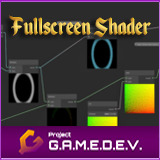
Fullscreen Pulse Shader
A fullscreen pulse shader, constructed in Shader Graph. The pack also contains everything necessary for you to create your custom fullscreen shaders.
Affiliate link · Purchases support this site
Price history
Last 6 months
USDAsset preview
1 / 5

Fullscreen Pulse Shader screenshot 1


About this asset
NOTE: This asset is also part of the Essential Shaders Bundle – https://assetstore.unity.com/packages/slug/201882
A fullscreen pulse-wave effect with customizable center point (i.e. pulse origin on the screen), speed, colour and wave edge thickness. There is an additional (optional) distortion effect, whose strength is also fully customizable. Finally, if desired by the user, a second controller value can be used to smoothly fade out/fade in the screen during the pulse.
This asset can also be used as a stepping stone for creating your own fullscreen shader effects in Shader Graph (a script allowing custom renderer features and a fully set up URP Renderer Asset – both necessary for fullscreen shaders – are provided in the pack). The required setup is documented step-by-step in the included PDF-file and on our website: https://docs.project-gamedev.com/fullscreen-pulse-shader/setup.html.
For further information, visit the shader's page on our website: https://www.project-gamedev.com/fullscreen-pulse-shader.html
For further technical details, visit the shader's documentation page: https://docs.project-gamedev.com/fullscreen-pulse-shader/fullscreen-pulse-shader.html
NOTE: In case you are using the Built-In Renderer, use folder "Built-In Renderer". In case you are using URP, use folder "Universal Renderer".
From the publisher's Asset Store listing.
Technical details
- One Shader Graph asset;
- 3 C#-Scripts - one enables full screen shaders in your Unity project, one is used to control the full screen pulse effect, and the last script contains methods used by the other two;
- One material for the full screen shader and its settings;
- Fully set up example Renderer asset that demonstrates the necessary setup for a fullscreen shader (in this case, the fullscreen pulse shader);
- One PDF-document containing step-by-step instructions on how to set up the shader, as well as a documentation for the shader's options;
- A post-processing profile for the demo scene.
Compatibility
| Unity version | Built-in | URP | HDRP | Custom |
|---|---|---|---|---|
| 6000.0.23f1 | Compatible | Compatible | Not listed | Compatible |
| 2023.1.0f1 | Compatible | Compatible | Not listed | Compatible |
| 2022.2.0f1 | Compatible | Compatible | Not listed | Compatible |
| 2022.1.0f1 | Compatible | Compatible | Not listed | Compatible |
| 2021.3.0f1 | Compatible | Compatible | Not listed | Compatible |
In case you are using the Built-In Renderer, use folder "Built-In Renderer". In case you are using URP, use folder "Universal Renderer".
As listed on the Asset Store.