
 View on Asset Store (opens in new tab)
Package details
- Latest version
- 3.2.0
- Last updated
- First released
- Unity version
- 2021.3.0 or later
- Package size
- 3.5 MB
- Files
- 35
- Favorites
- 19
- Views in the past week
- 3
Price tracking
- Last checked
- Tracked since
- Lowest recorded
- $4.99 on
Keywords
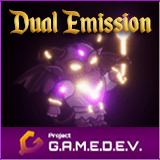
Dual Emission Shader (Legacy)
Add a second emission to your sprites, while preserving all shader options!
Affiliate link · Purchases support this site
Price history
Last 6 months
USDAsset preview
1 / 4

Dual Emission Shader (Legacy) screenshot 1


About this asset
PLEASE NOTE! This is our legacy dual emission shader for versions below Unity 6.0. For Unity 6.0 and above, please see our improved Dual Emission Shader.
IMPORTANT! This asset requires the Shader Graph package for the shaders to work.
The Shader Graph package already comes bundled with most Unity versions and rendering pipelines, but it can also be imported into your project from the Package Manager window inside the Unity Editor.
NOTE: This asset is also part of the Essential 2D Shaders Bundle – https://assetstore.unity.com/packages/slug/201882
A reconstructed Lit shader that supports dual emission, allowing you to have two different emission maps with two different emission colors and intensities.
Additonally, a "extra intensity" controller is added to each of the emissions, enabling you to indefinitely increase each emission's strength, whereas the regular HDR color input only allows intensities between -10 and +10.
Shader options:
- Albedo Texture
- Albedo Color
- Alpha Cutoff
- Metallic Map
- Metallic
- Normal Map
- Normal Strength
- Primary Emission Map
- Primary Emission Color
- Primary Emission Extra Intensity
- Secondary Emission Map
- Secondary Emission Color
- Secondary Emission Extra Intensity
- Ambient Occlusion
BONUS: The Shader Graph Subgraph asset included in this pack is a reconstructed standard lit shader. As such, it can be imported into your custom Shader Graph shaders, allowing you to both create custom shader effects and keep the standard shader options such as normal maps, emission, etc.
For further information, visit the shader's page on our website: https://www.project-gamedev.com/dual-emission-shader.html
For further technical details, visit the shader's documentation page: https://docs.project-gamedev.com/dual-emission-shader/dual-emission-shader.html
NOTE: In case you are using the Built-In Renderer, use folder "Built-In Renderer". In case you are using URP, there are 2 options - folder "2D Renderer" for URP's 2D Renderer (default renderer when creating a project using the URP 2D Template), and folder "Universal Renderer" for URP's Universal Renderer (default renderer when creating a project using the URP 3D Template).
Please note that metallic, metallic map, and ambient occlusion are not supported in the 2D Renderer version of the shader, as these properties are not supported by the 2D Renderer.
From the publisher's Asset Store listing.
Technical details
- One Shader Graph asset;
- One Shader Graph Sub-Graph asset;
- 4 materials with different shader settings demonstrating several possible dual emission setups;
- Custom circular figure (including normal, specular/metallic and 2 emission maps) used for demonstrating the effects in the demo scene;
- A post-processing profile for the demo scene;
- A pdf-file containing setup instructions and shader options documentation.
Compatibility
| Unity version | Built-in | URP | HDRP | Custom |
|---|---|---|---|---|
| 2021.3.0f1 | Compatible | Compatible | Not listed | Compatible |
In case you are using the Built-In Renderer, use folder "Built-In Renderer". In case you are using URP, there are 2 options - folder "2D Renderer" for URP's 2D Renderer (default renderer when creating a project using the URP 2D Template), and folder "Universal Renderer" for URP's Universal Renderer (default renderer when creating a project using the URP 3D Template).
As listed on the Asset Store.