
 View on Asset Store (opens in new tab)
Package details
- Latest version
- 1.089
- Last updated
- First released
- Unity version
- 2020.3.26 or later
- Package size
- 8.0 MB
- Files
- 56
- Favorites
- 57
- Views in the past week
- 22
Price tracking
- Last checked
- Tracked since
- Lowest recorded
- $4.99 on
Keywords
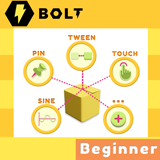
Bolt Beginner Pack
- Price drop
The must package for all Beginner of Unity. . Just copy and paste a simple Custom Event. Done ! . Save you months or years to make these events.
Affiliate link · Purchases support this site
Price history
Last 6 months
USDAsset preview
1 / 9

Bolt Beginner Pack video 1


About this asset
- Easy install , easy use in a few seconds and work on all version of Unity with Bolt Plugin.
- You can download free full of Macro-Pin to see how it works in my Youtube chanel.
- Live update in next update ( update every hours , and daily ) : https://github.com/leo69n/Bolt-Beginner-Pack/blob/main/Whats-New-In-Update.md
The must package for all Beginner of Unity.
- In this package ( Detail of every macro will be upload into github ) :
. Macro-Url : get data from website database (*NEW )
. Macro-Bound : Return closest position if the giving position is out of the collider of Object. ( Example : To make moving touch control on FPS game ). Or set moving Object not outside of an collider area.
. Macro - Character ( Beta - will add more events) : can move 3D character easily in a single call, and play animator without set up parameters, automatically find animator control on Character object or its child to run .
. Macro - System ( New )
. Macro - Touch3D ( Touch & Pick 3D Object in 3D World in 1 simple call )
. Macro - Tween - Tweening ( with all Tween animation types )
. Macro - Array ( Create , set and pick value at (x,y,z) of Array )
. Macro - Object ( Create , Delete Object , Pick Object by Variables ...)
. Macro - Sine ( Position, scale , Opacity , ValueOnly ... )
. Macro - Touch ( support Multi Touch on phones ...)
. Macro - Pin ( 3d Object to 2D UI screen , 2D UI objects to 3D world )
. Macro - Invisible ( make all type of objects invisible in 1 click )
. Macro - ShowFPS ( just a simple code to show FPS )
. Macro - Rotate ( Rotate object in 1 click )
. Many more ....
. Tutorial - Install & Use . PDF
[ Tested and work with Bolt in Unity 2019 LTS and 2020 LTS . Recommend to use Unity 2020 LTS for this Bolt macro ]
* Love making games with NO CODE. Start it now !
* You can leave me message for support at discord : https://discord.gg/MsmQ64rX9y fast reply from me here ( tag @Leo69 ).
* Or my email : [email protected]
--------More detail events of Macro----
Bolt Beginner Pack
In this package :
.Macro - Touch3D : ( Touch & Pick 3D Object in 3D World in 1 simple call )
+ on Touch Begin On 3D Object
+ on Touch End On 3D Object
+ Position XYZ of Colliding hit point ( help move Character correctly to touch point in 3D world )
+ on Tap 3D Object
+ on Double Tap 3D Object
+ on Triple Tap 3D Object
*** Work with all Camera position or angles, Top Down ... Perpective or Orthographic
. Macro - Tween - Tweening : ( Position, scale , Opacity , ValueOnly ... with all tween animation types )
+ Tween Start
+ Tween Stop
+ On Tween End
+ Edit Variables & Start Tween.
+ Variables of Tween to get and set.
. Macro - Object ( Create , Delete Object , Pick Object by Variables ...)
+ Create Object
+ Create Object & Set Parent
+ Count Objects With Tag
+ Destroy An Object
+ Delete All Object With Name
+ Pick A Object By Variable
+ Get List Objects By Variable
+ Pick A Object By 2 Varriables
+ Get List Objects By 2 Varriables
+ Pick A Object By 3 Varriables
+ Get List Objects By 3 Varriables
+ Destroy An Object After Time
+ Object In Screen or Not In Screen
. Macro - Array ( Create , set and pick value at (x,y,z) of Array )
+ Create Array
+ Set Value At XYZ
+ Get Value At XYZ
+ Fix size of Array
+ Get Width
+ Get Height
+ Get Depth
+ Print Array
+ Reset Array
. Macro - Sine ( Position, scale , Opacity , ValueOnly ... )
+ Sine Start
+ Sine Stop
+ Edit Variables & Start Sine.
+ Variables of Sine to get and set.
. Macro - Touch ( support Multi Touch on phones ...)
+ Get Touch.X , Touch.Y …. Many more
+ on Tap On This Object
+ on Double Tap On This Object
+ on Triple Tap On This Object
+ on Tap
+ on Double Tap
+ on Hold
+ on Hold Over Object
+ on Touch Begin On This Object
+ on Touch End On This Object
+ is In Touch This Object
+ is In Touch
+ on Touch2 Begin On This Object
+ on Touch2 End On This Object
+ is In Touch2
+ is In Touch2 This Object
+ on Any Touch Begin
+ on Any Touch End
+ On Nth Touch Begin
+ On Nth Touch End
. Macro - Pin ( 3d Object to 2D UI screen , 2D UI objects to 3D world )
+ Pin Start
+ Pin Stop
. Macro - Invisible ( make all type of objects invisible in 1 click )
+ Invisible
+ Visible
. Macro - ShowFPS ( just a simple code to show FPS )
. Macro - Rotate ( Rotate object in 1 click )
+ Rotate Start
+ Rotate Stop
. Tutorial - Install & Use . PDF
More macro are coming ...
From the publisher's Asset Store listing.
Technical details
- Bolt
- Unity no code
- Visual Scripting
- Less work with Macro and templates Bolt code.
- Easy install , easy use.
Compatibility
| Unity version | Built-in | URP | HDRP | Custom |
|---|---|---|---|---|
| 2020.3.26f1 | Compatible | Compatible | Compatible | Compatible |
Compatible with :
- Unity 2019 LTS
- Unity 2020 LTS ( recommend )
- Or any Unity versions with Bolt Plugin.
- Unity 2021 LTS or 2022 or newer : Please purchase Visual Scripting Plus.
As listed on the Asset Store.