
 View on Asset Store (opens in new tab)
Package details
- Latest version
- 1.0
- Last updated
- First released
- Unity version
- 2020.3.26 or later
- Package size
- 473 KB
- Files
- 36
- Favorites
- 11
- Views in the past week
- 4
Price tracking
- Last checked
- Tracked since
- Lowest recorded
- $6.99 on
Keywords
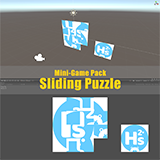
Mini-Game Pack - Sliding Puzzle
This mini-game pack contains an intellectual puzzle game named sliding puzzle.
Affiliate link · Purchases support this site
Price history
Last 6 months
USDAsset preview
1 / 3

Mini-Game Pack - Sliding Puzzle screenshot 1


About this asset
This mini-game pack contains an intellectual puzzle game named sliding puzzle, it is really simple and funny to play. Player will start with a messy puzzle, the last piece of the puzzle will be removed, then player will move only one piece near the empty place, the final goal of this game is to restore the pattern. With this pack, you can quickly build a sliding puzzle game, almost all fundamental core scripts are in place, it will save your valuable time to make better games.
Links:
From the publisher's Asset Store listing.
Technical details
Documentation:
- You can find the pdf document inside the project folder, also you can get a shard link for tutorial videos there.
Features:
- Starter friendly, easy to setup and use, you can setup your first sliding puzzle within a few minutes by following the instruction video.
- Customizable with several parameters, like puzzle size, image, sound, speed, etc.
- Contains shuffle algorithm for puzzle boxes, you don't need to implement the shuffle logic by yourself.
- Use mouse click to move puzzle boxes with smooth movement.
- Simple UI layout, with texts to show game time and moves, and a button to restart the game.
- Provide documentation to explain all scripts, including all variables and functions.
- Provide tutorial videos, like how to use and quick setup.
- Scripts have detailed comments, almost each line of the code is annotated.
Assets:
- AudioClip x1
- Script x3
- Prefab x2
- Texture x5
- Material x5
- Scene x1
Platforms:
- Windows PC
Support:
Compatibility
| Unity version | Built-in | URP | HDRP | Custom |
|---|---|---|---|---|
| 2020.3.26f1c1 | Compatible | Compatible | Compatible | Compatible |
As listed on the Asset Store.