
 View on Asset Store (opens in new tab)
Package details
- Latest version
- 1.0.0
- Last updated
- First released
- Unity version
- 2020.3.25 or later
- Package size
- 270 KB
- Files
- 25
- Favorites
- 91
- Views in the past week
- 16
Price tracking
- Last checked
- Tracked since
- Lowest recorded
- Free on
Keywords
Timers Made Easy Lite
Timers Made Easy Lite is an easy to use in game timer that makes things like setting up timed sequences, upgrade times, wait times or anything that involves time really easy.
Affiliate link · Purchases support this site
Price history
Last 6 months
USDAsset preview
1 / 3

Timers Made Easy Lite screenshot 1

About this asset
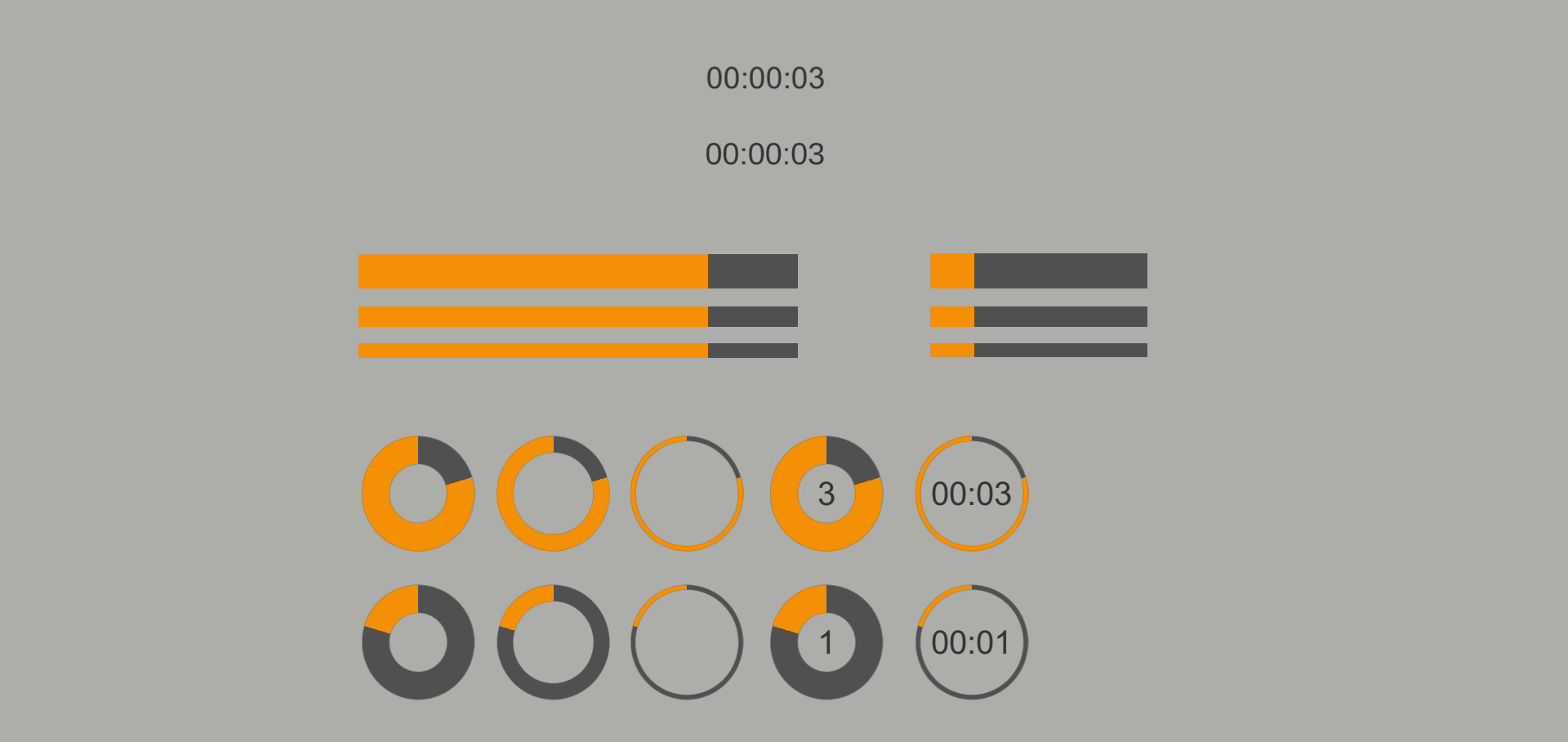
Timers Made Easy Lite is a quick and easy way to set up customised timers with a few clicks. It has a lot of customisation to get the look of the timer you really want, set up with some ready-made prefabs ready to drop into your project. This project has been set up to work in the canvas with GUI elements.
Free Features:
1. Ability to count up or down from 23 hours, 59 minutes and 59 seconds
2. Setup functions on timer end straight in the unity editor with unity's built-in event system
3. Choose any combination of what to display from hours, minutes and seconds
4. Output a visual display to either standard text, text mesh pro, sliders or image dial
5. Start the timer at runtime or choose to start the timer whenever you like with a method call
6. 13 ready to use prefabs including text, circular timers and horizontal timers
7. Built-in functions to start and stop the timer and other useful functions to return the remaining time
Paid Version Features:
1. Days timer, go up to a maximum of 364 days, 23 hours, 59 minutes and 59 seconds
2. Display Milliseconds
3. Remove leading zero's
4. Percentage display
5. Clock display
6. Adjust timer speed
7. Separator type adjustment, use / or . instead of the default ;
8. Pause and resume time functions
9. Add and remove time functions
10. Run a function at timer start as well as timer end
Paid Version can be found here on the store
Check out the new website for more content GolemiteGames
From the publisher's Asset Store listing.
Compatibility
| Unity version | Built-in | URP | HDRP | Custom |
|---|---|---|---|---|
| 2020.3.25f1 | Compatible | Compatible | Compatible | Compatible |
As listed on the Asset Store.