
 View on Asset Store (opens in new tab)
Package details
- Latest version
- 1.2
- Last updated
- First released
- Unity version
- 2020.3.24 or later
- Package size
- 854 KB
- Files
- 21
- Favorites
- 31
- Views in the past week
- 10
Price tracking
- Last checked
- Tracked since
- Lowest recorded
- $15.00 on
Keywords
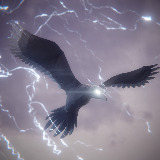
Low Poly Legend: Thunderbird
- Price drop
High quality rigged low poly thunderbird with 14 different animations!
Lowest recorded price
Get 21% off on Asset Store (opens in new tab)Affiliate link · Purchases support this site
Price history
Last 6 months
USDAsset preview
1 / 8

Low Poly Legend: Thunderbird screenshot 1


About this asset
This pack contains a stylized low poly thunderbird fully rigged & animated!
The thunderbird originated from ancient Native American legends. The thunderbird's name comes from the common belief that the beating of its enormous wings causes thunder and stirs the wind.
The character is already set up with simple scripts so you can start prototyping right away!
High quality animations included in this package will ensure a realistic and enjoyable feel when controlling the character.
With the Low Poly Legend: Thunderbird you will be able to create a high quality and fun to play low poly game!
If you like this package you should also check out Low Poly Legend: Phoenix.
For questions or requests please send your email to:
Website
From the publisher's Asset Store listing.
Technical details
Texture: 32 x 32 pixel (Albedo)
Vertex count: 2019
Rigged: Yes
Animations (14):
• Flight straight
• Flight turn right
• Flight turn left
• Glide straight
• Glide turn right
• Glide turn left
• Hover flight
• Idle 1
• Idle 2
• Touch down
• Take off
• Hop
• Attack
• Receive damage
Compatibility
| Unity version | Built-in | URP | HDRP |
|---|---|---|---|
| 2021.3.4f1 | Compatible | Compatible | Not listed |
| 2020.3.24f1 | Compatible | Compatible | Not listed |
For UPR convert the shaders:
- Open your Project in Unity, and go to Edit > Render Pipeline > Universal Render Pipeline.
- According to your needs, select either Upgrade Project Materials to URP Materials or Upgrade Selected Materials to URP Materials.
Documentation: https://docs.unity3d.com/Packages/[email protected]/manual/upgrading-your-shaders.html
As listed on the Asset Store.