
 View on Asset Store (opens in new tab)
Package details
- Latest version
- 1.4.0
- Last updated
- First released
- Unity version
- 2022.3.62 or later
- Package size
- 1.3 MB
- Files
- 7
- Favorites
- 55
- Views in the past week
- 7
Price tracking
- Last checked
- Tracked since
- Lowest recorded
- $5.00 on
Keywords
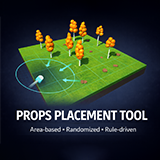
Props Placement Tool
- Price drop
This tool helps you place objects along a pattern.
Lowest recorded price
Get 67% off on Asset Store (opens in new tab)Affiliate link · Purchases support this site
Price history
Last 6 months
USDAsset preview
1 / 13

Props Placement Tool screenshot 1


About this asset
The Props Placement Tool is a powerful editor extention that allows you to place larger amount of objects on your scene. Define a control pattern with a few clicks, and then set the wide range of randomness. This tool will definitely speed up your workflow and won't mess up your project thanks to its lightweight design.
Useful for place trees, fences, cars in a parking place or randomized rocks on the terrain.
Features
- Object placement along line/circle/curve/grid pattern
- Object placement individually
- Set quantity with count or per distance
- Random or sequential placement order
- Keep empty the first/last position, or use only thats
- Customizable fill rate
- Seed based randomization
- Place multiple objects
- Drag&Drop inspector design
- Set objects' parent
- Place on surface with raycast adjustment
- Add offset position/rotation/scale
- Add random position/rotation/scale
- Dockable window
- Undo / Redo support
- Save / Load configuration
- Lightweight
This package does NOT include the sample assets shown in the screenshots.
| Documentation | Other Assets | Official Site |
From the publisher's Asset Store listing.
Technical details
Limitations
- Need Collider to place control points
- Works only in editor
| Documentation | Other Assets | Official Site |
Compatibility
| Unity version | Built-in | URP | HDRP | Custom |
|---|---|---|---|---|
| 2022.3.62f3 | Compatible | Compatible | Compatible | Compatible |
As listed on the Asset Store.