
 View on Asset Store (opens in new tab)
Package details
- Latest version
- 1.3
- Last updated
- First released
- Unity version
- 2020.3.0 or later
- Package size
- 636 KB
- Files
- 5
- Favorites
- 872
- Views in the past week
- 123
Price tracking
- Last checked
- Tracked since
- Lowest recorded
- Free on
Keywords

Colorful Hierarchy Category GameObject
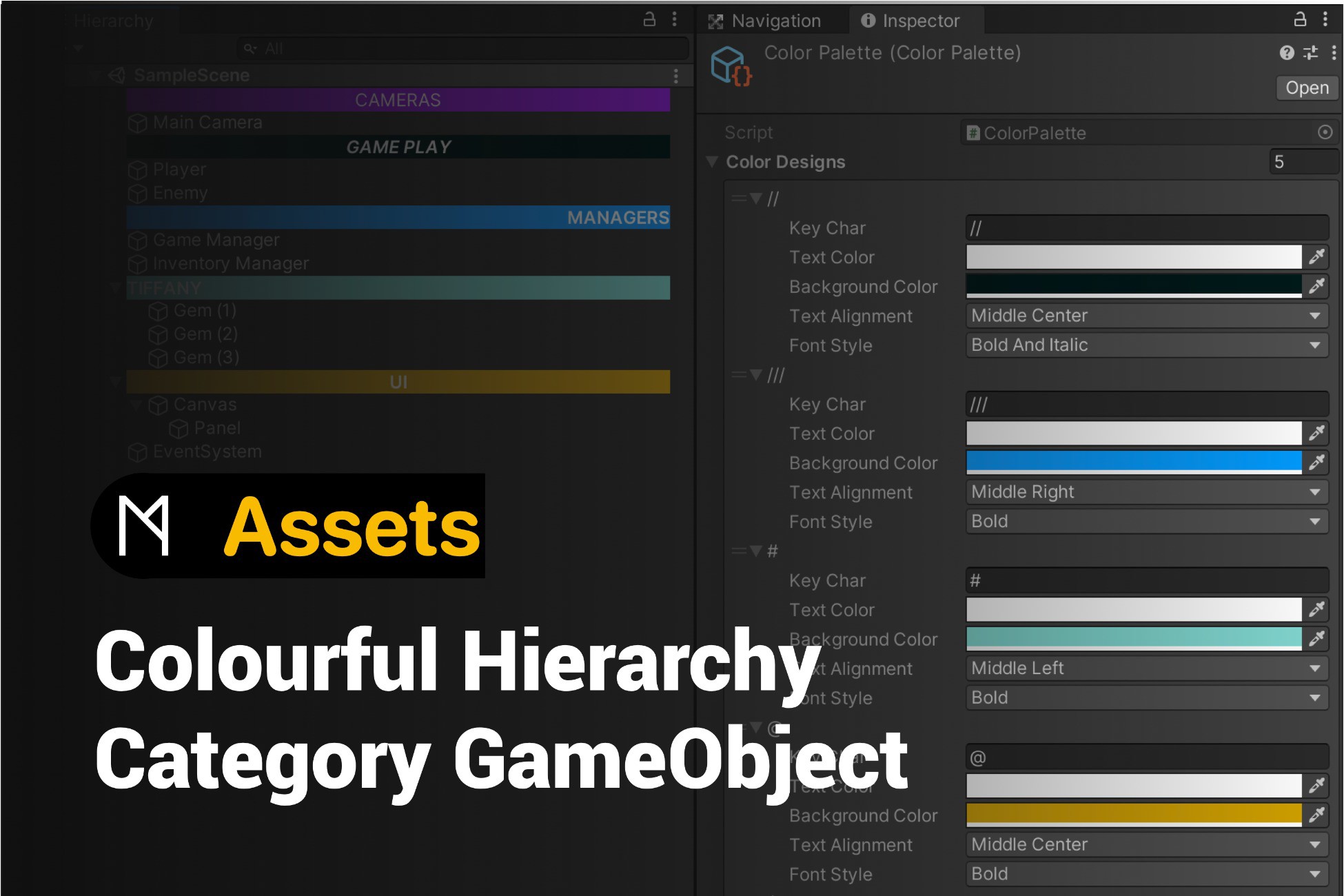
Help you create a Colorful split bar in the hierarchy window with GameObject to make your hierarchy window look cleaner and more beautiful.
Affiliate link · Purchases support this site
Price history
Last 6 months
USDAsset preview
1 / 2

Colorful Hierarchy Category GameObject screenshot 1

About this asset
All Unity Versions supported
What's New in This Update:
- Full Unity 6.6+ & New Hierarchy Window Support: Added native integration with Unity's new UI Toolkit Hierarchy window (HierarchyWindow.BindViewItem & HierarchyViewItem) introduced in Unity 6.5 and made default in Unity 6.6.
- EntityId API Migration: Replaced obsolete InstanceID calls with Unity's new EntityId APIs to resolve CS0619 compilation errors on Unity 6.6 and newer.
- Cross-Version Backward Compatibility: Maintained conditional compilation support for Unity 2019, 2020, 2021, 2022, and Unity 6.0–6.6+, working seamlessly in both the new UI Toolkit Hierarchy window and the legacy IMGUI Hierarchy window.
- Live Inspector Preview: Added automatic Hierarchy repainting via OnValidate in ColorPalette, allowing changes to colors, font styles, and text alignments to appear immediately in the Hierarchy window.
Keep Editor folder in your project.
How to customise your own style:
1. M Studio - Colourful Hierarchy Category GameObject
2. Chose Color Palette
3. There are some preset style in it. You can add new ones or modify any one
4. Go to your Hierarchy window, rename any gameObject begin with your symbol ( keyChar in Color Palette ) and save your project.
5. For more informations, please take a look at the code in StyleHierarchy.cs file
From the publisher's Asset Store listing.
Technical details
Using ScriptableObject file to set the bar style.
Compatibility
| Unity version | Built-in | URP | HDRP | Custom |
|---|---|---|---|---|
| 6000.6.5f1 | Compatible | Compatible | Compatible | Compatible |
| 2020.3.0f1c1 | Compatible | Compatible | Compatible | Compatible |
It works for all versions of Unity.
If you're using the version before 2019.4. You can download with new package manager and find the package file import to your project.
Unity 5.x and Unity 2017.x worked well.
As listed on the Asset Store.