
 View on Asset Store (opens in new tab)
Package details
- Latest version
- 0.5.0
- Last updated
- First released
- Unity version
- 2021.1.0 or later
- Package size
- 453 KB
- Files
- 53
- Favorites
- 130
- Views in the past week
- 41
Price tracking
- Last checked
- Tracked since
- Lowest recorded
- Free on
Keywords

Node finder for unity visual scripting (Free)
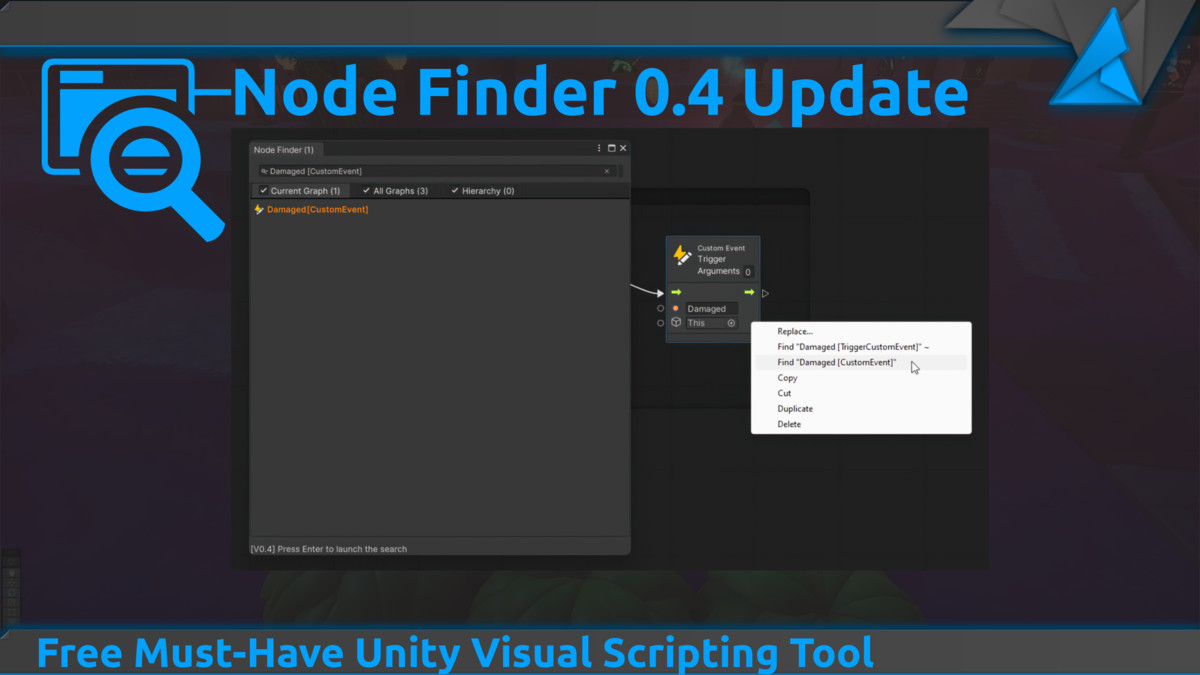
Node Finder is a tool that let you find nodes within the Unity Visual Scripting environment. It can help you find, events, variables, groups, or any type of nodes in your project or opened graph.
Affiliate link · Purchases support this site
Price history
Last 6 months
USDAsset preview
1 / 6
Node finder for unity visual scripting (Free) screenshot 1



About this asset
This package adds searching functionalities to Visual Scripting, by letting you simply press Alt+F and start to browse for nodes in graphs, so you always know where your events are used in the project, or where your variables or subgraphs are used in your super huge graph.
Source Code: https://github.com/myanko/uvs-finder
Donation: https://ko-fi.com/sokatoa
From the publisher's Asset Store listing.
Technical details
Features:
- Right click search options on selected nodes. (Depands on Harmony)
- Find nodes in current graph.
- Find nodes in all project graphs.
- Find nodes in states graphs.
- Find nodes in embed graphs.
- Find nodes in State transition condition nodes.
- Find nodes in objects from scene hierarchy.
- Easily find variables, events, events trigger and more.
Missing Features
- Find nodes in embeded graphs(Multi Scenes)
Bugs
See https://github.com/myanko/uvs-finder/issues
Dependencies
Work with Unity visual scripting packages
Supported OS:
- Windows
Updating
Make sure you delete the folder with the node finder before updating.
Documentation:
Source Code: https://github.com/myanko/uvs-finder
Compatibility
| Unity version | Built-in | URP | HDRP | Custom |
|---|---|---|---|---|
| 2021.1.0f1 | Compatible | Compatible | Compatible | Compatible |
Delete the previous version before upgrading by removing the folder Assets/com.sokatoa.uvs.finder/
You may need to remove the folder Assets/com.sokatoa.uvs.finder/editorPatching, if you get errors from Harmony.
As listed on the Asset Store.