
 View on Asset Store (opens in new tab)
Package details
- Latest version
- 1.5.0
- Last updated
- First released
- Unity version
- 2020.3.21 or later
- Package size
- 1.3 MB
- Files
- 58
- Favorites
- 8
- Views in the past week
- 6
Price tracking
- Last checked
- Tracked since
- Lowest recorded
- $10.00 on
Keywords

Simple Sensors - FOV, Distance, Range
- Price drop
Simple Sensors: A one stop shop for your tracking, FoV, and Ground checks. Keep it simple, keep it clean.
Lowest recorded price
Get 33% off on Asset Store (opens in new tab)Affiliate link · Purchases support this site
Price history
Last 6 months
USDAsset preview
1 / 7

Simple Sensors - FOV, Distance, Range screenshot 1



About this asset
✨✨ NEW PRICE DROP! NOW ONLY $10 ✨✨
Simple Sensors is a tool that will help check for the general game actions and can be used for ANY Genre of game that requires movement or object tracking.
It is quick to integrate and use. There are no dependencies and can easily be extended to accomodate for any other actions you need.
🔥🔥 NEW UPDATE: v1.5 🔥🔥:
- New FOV addition with simple setup and settings
- Easier Tracking option, by Game object or Tag
- More efficient tracking with less garbage waste
- The Editor has been updated to provide a quick visual representation of what is happening, along with the ability to easily change settings.
📝NOTE:
- When updating please remove old plugin and install the new version.
- You will need to setup the Layers to your liking (ground, enemy, etc)
Add some easy Ground and Tracking sensor to your enemies or player! Just by drag and drop!
🎊🎊 NEW FOV (Field of View): 🎊🎊
- Super simple setup - with parent GO or on its own GO
- Collision - Setup options to collide with layers
- FoV Material -Use existing material OR your own custom material!
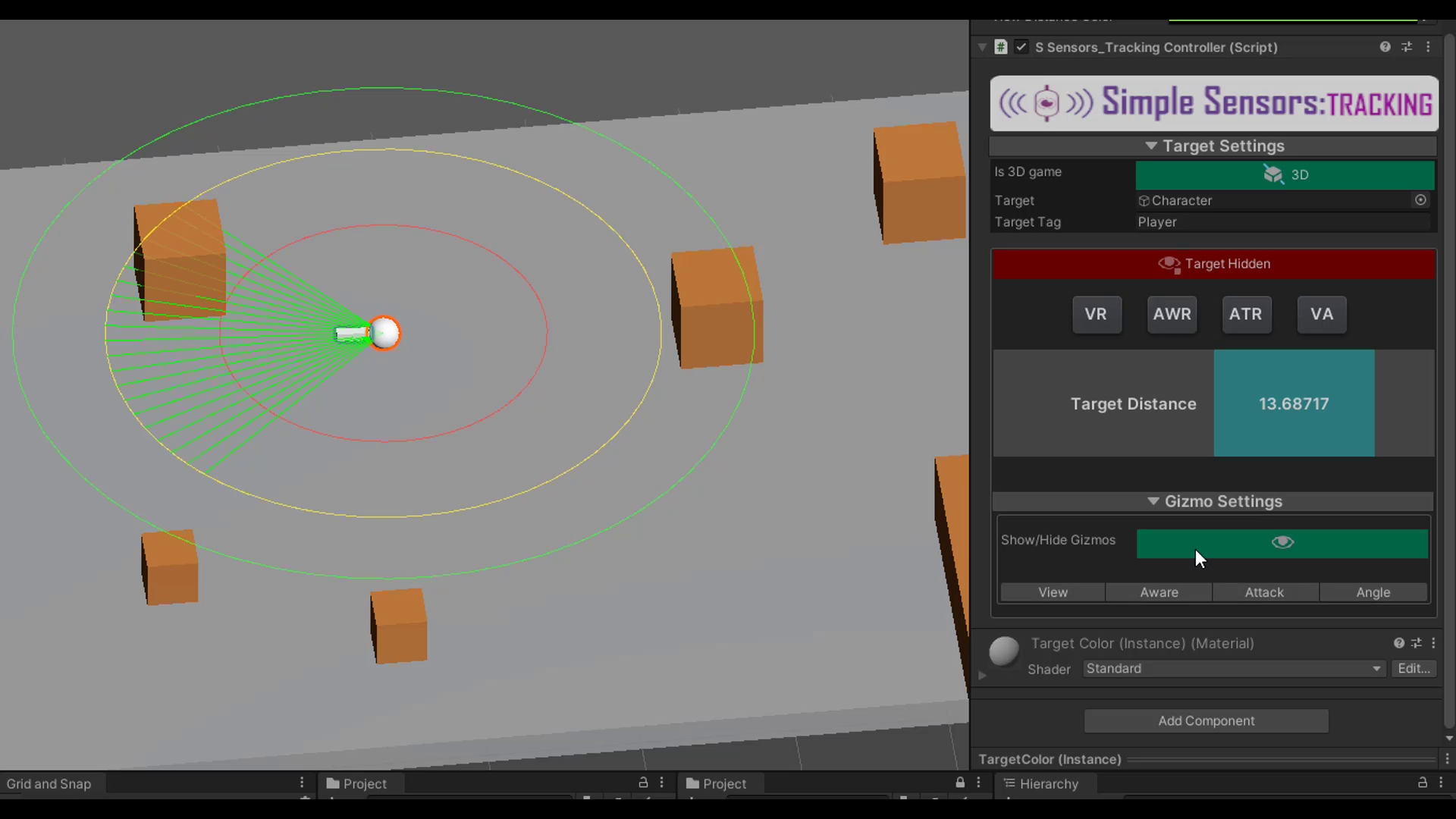
- Color visual - Setup different colors when target is in different ranges (View, Aware, Attack)
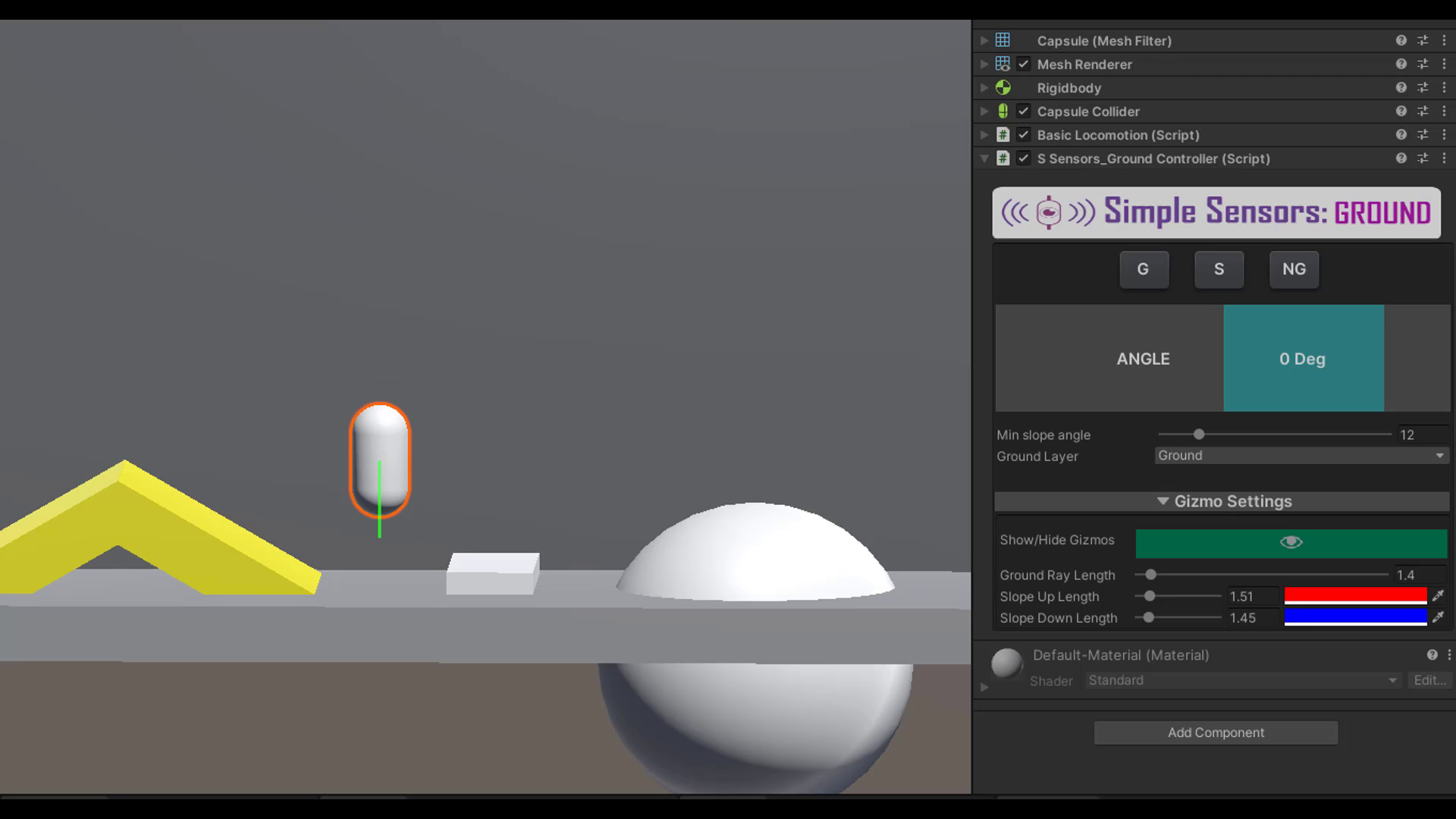
✨GROUND FEATURES:
- Slope Angle - Know that angle brah! ( ex: 30deg, 90deg, etc),
- should the character slide? MAYBE!
- IsGrounded - Know when your character is grounded.
- Should they jump? Okay!
- IsOntopOfObjNotGround -Know if your character is on another terrain
- IsOnSlope - Know if your character is on a slope.
- Is this even a slope? should I ignore it?
- SlopeUpDir - Know what direction is up on the slope.
- Good for pushing objects on that direction and not "outwards" to ...nowhere
- SlopeDownDir - Same as above but doooooooooown
✨TRACKING FEATURES:
- TargetDistance - Provides the distance between the character and its target.
- Is that player too close? should I chase hide?
- TargetIsHidden - Informs whether the target is hidden behind an object and is not "vissible" by the character (or game object with the script).
- InRange - Informs whether the target is in the view range.
- I see something..
- inAwareRange - Informs whether the target is in the aware/alert range.
- I know you're there..
- inAttackRange - Informs whether the target is in the attack range.
- To BATTLE!
⭐⭐⭐EXTRA⭐⭐⭐:
Simple Sensors also includes a small LocomotionActions script that will help with general locomotion actions such as:
- TargetWithinViewAngle
- TurnBySetAngle
- MoveByPos2D
- MoveByVelocity
- TurnLeftRight2D (as 90 deg)
- TurnWithLerp2D
- JumpPhysics
- JumpByVelocity
- AddGravity
Checkout my FREE Simple Pooling Sysyem: HERE
*** Have sugestions?? Feel free to reach out and let me know how I can improve things or features you can benefit from.
From the publisher's Asset Store listing.
Compatibility
| Unity version | Built-in | URP | HDRP |
|---|---|---|---|
| 2020.3.21f1 | Compatible | Compatible | Compatible |
As listed on the Asset Store.