
 View on Asset Store (opens in new tab)
Package details
- Latest version
- 1.0
- Last updated
- First released
- Unity version
- 2019.4.28 or later
- Package size
- 546.5 MB
- Files
- 331
- Favorites
- 63
- Views in the past week
- 9
Price tracking
- Last checked
- Tracked since
- Lowest recorded
- $2.49 on
Keywords

Transformable Temple
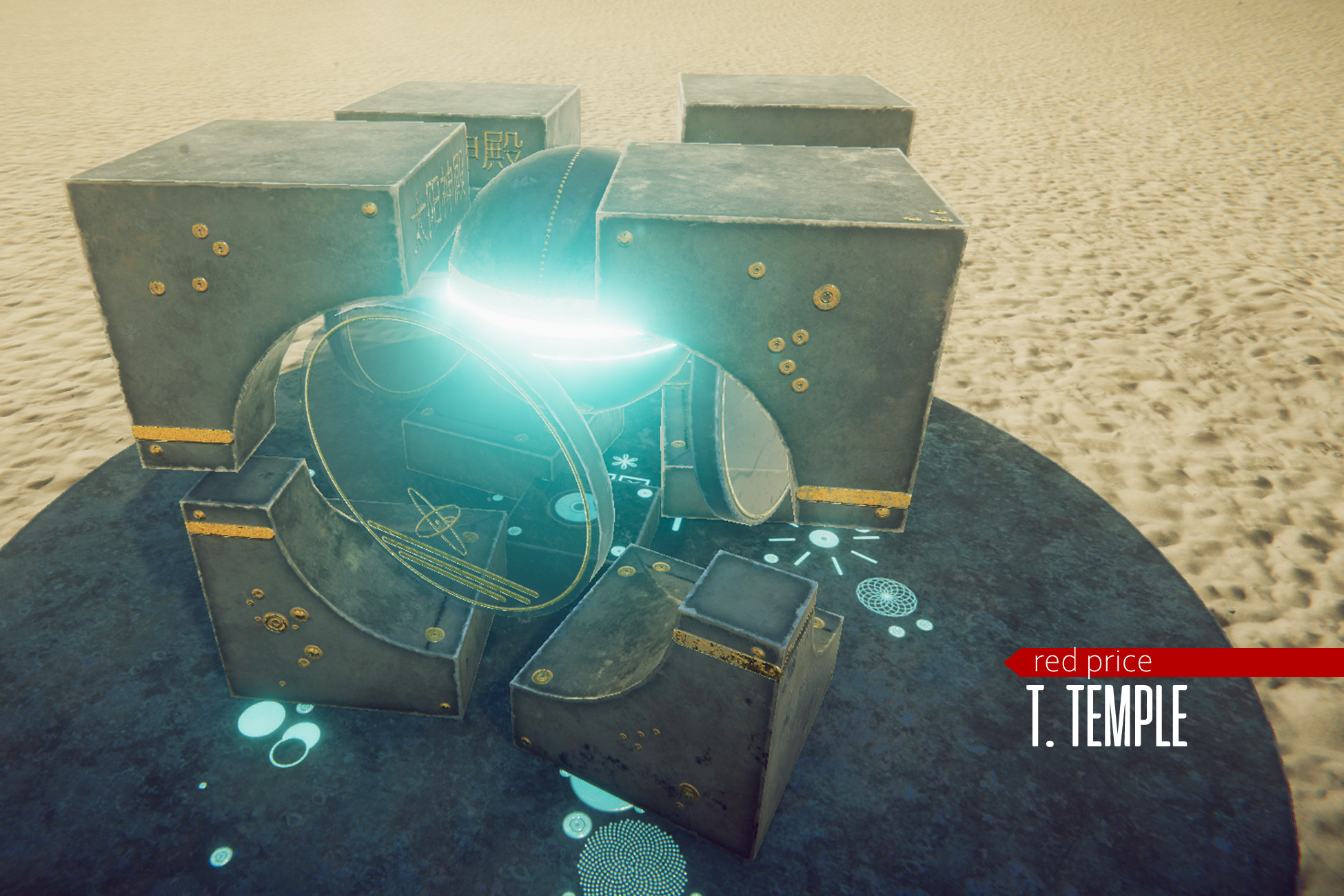
This pack includes transformable temple: transformation 1: cube; transformation 2: temple.
Affiliate link · Purchases support this site
Price history
Last 6 months
USDAsset preview
1 / 5

Transformable Temple screenshot 1



About this asset
!LIST OF MY ASSETS - CHECK IT OUT (multipage)
HDRP, URP, BIP compatible.
-=PBR Transformable Temple=-
This pack includes transformable temple:
- transformation 1: cube;
- transformation 2: temple.
- Suitable for unique game places, fantasy temples, squares. Also suitable for showcase your stuff, game lobby, VR spaces etc.;
- temple-cube prefab;
- Textures 4K for PBR materials;
- Desert skybox 8192x4096;
- average tris count: ~500.
- Demoscene transformation works by 'Space' button;
- There is primary script: TTTransform.cs attached on TempleController prefab;
- Use LaunchTransform public bool for start transformation process. This bool doesn't hold state; it's just a trigger. Use this bool for your own launchers: trigger enter, keyhit etc.;
- Use StartState enum for start state (play mode) of temple: folded/unfolded.
From the publisher's Asset Store listing.
Technical details
- Demoscene transformation works by 'Space' button;
- There is primary script: TTTransform.cs attached on TempleController prefab;
- Use LaunchTransform public bool for start transformation process. This bool doesn't hold state; it's just a trigger. Use this bool for your own launchers: trigger enter, keyhit etc.;
- Use StartState enum for start state (play mode) of temple: folded/unfolded.
- textures 4K;
- average tris count: ~500.
Compatibility
| Unity version | Built-in | URP | HDRP |
|---|---|---|---|
| 2019.4.28f1 | Compatible | Compatible | Compatible |
HDRP/URP setup, first of all:
- Ctrl+A in Materials folder;
- Edit > Render Pipeline > upgrade Selected materials to your SRP.
- Delete whole folder - PostProcessing;
- Play with HDRP ('Volume' component) postprocessing settings.
As listed on the Asset Store.