
 View on Asset Store (opens in new tab)
Package details
- Latest version
- 1.1.1
- Last updated
- First released
- Unity version
- 2019.4.0 or later
- Package size
- 865 KB
- Files
- 108
- Favorites
- 49
- Views in the past week
- 12
Price tracking
- Last checked
- Tracked since
- Lowest recorded
- Free on
Keywords
Text Color Buttons
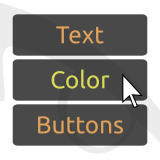
`TextColorButtons` extends the Unity `Button` to handle an additional set of colors that get applied to the text label (depending on the button state).
Affiliate link · Purchases support this site
Price history
Last 6 months
USDAsset preview
1 / 4

Text Color Buttons screenshot 1


About this asset
The default Unity buttons allow to specify colors that are applied to the target graphics depending on the button state.
Most buttons have text labels, and sometimes you also want to change the text color depending on the button state (or change only the text color and keep the background graphics unaltered).
This is what `TextColorButtons` allows you to do, by extending the Unity `Button` class to handle an additional set of colors for the text label.
Optional dependency: TextMeshPro
Supported integrations: BinaryCharm.SemanticColorPalette
From the publisher's Asset Store listing.
Technical details
This asset installs as a set of packages you can handle with the Unity Package Manager.
Warning: if you are updating from version 1.0.x, you must you must delete the previous version from `Assets\BinaryCharm` before importing!
The provided scripts extend the default Unity buttons ergonomically.
The fade logic is replicated from the Unity implementation, so the text color fading behaviour should match the target graphics fading behaviour.
All the core logic is in the `ATextColorButton` generic abstract class, and the two derived classes `TextColorButton` and `TMP_TextColorButton` implement the
`setTextColor()`/`getTextColor()` methods for, respectively, buttons having a `UnityEngine.UI.Text` label or a `TMPro.TMP_Text` label.
`Text Color Buttons` optionally integrates with `Semantic Color Palette`, another product
we published on the asset store. This integration mainly consists of `Colorers` for `Text Color Buttons` components:
- `TextColorButtonColorer`, for `TextColorButton`
- `TMP_TextColorButtonColorer`, for `TMP_TextColorButton`
Compatibility
| Unity version | Built-in | URP | HDRP | Custom |
|---|---|---|---|---|
| 2019.4.0f1 | Compatible | Compatible | Compatible | Compatible |
As listed on the Asset Store.