
 View on Asset Store (opens in new tab)
Package details
- Latest version
- 1.4.1
- Last updated
- First released
- Unity version
- 2021.3.8 or later
- Package size
- 713.9 MB
- Files
- 1,123
- Favorites
- 1,028
- Views in the past week
- 250
Price tracking
- Last checked
- Tracked since
- Lowest recorded
- Free on
Keywords
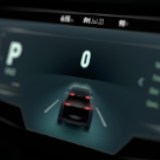
Automotive HMI | Industry Sample Project
The Automotive HMI Template demonstrates a human-machine interface for an automotive infotainment system built with Unity.
Affiliate link · Purchases support this site
Price history
Last 6 months
USDAsset preview
1 / 10

Automotive HMI | Industry Sample Project screenshot 1


About this asset
The Automotive HMI Template demonstrates how Unity can be used to create interactive Human-Machine Interfaces (HMI) for automotive and other embedded systems.
Explore a fictional vehicle with three displays, custom UI/UX, simulated vehicle signals, animations, themes, and tools for testing the complete HMI experience.
Core Features:
- Three-display HMI covering cluster, infotainment, and HVAC
- Custom UI layouts and shaders
- Simulated backend and vehicle signals
- Keyboard controls for testing buttons and switches
- Animated UI transitions using Animators and Timeline
- Multi-display support and build options
- Theme management
- Custom Editor tools and simulation dashboard
- Universal Render Pipeline (URP)
Learn More:
The vehicle design was inspired by work from Tianze Yu and Lukas Chesla as part of Unity's collaboration with the College for Creative Studies (CCS) in Detroit.
Installation:
- Create a new Unity 6 URP project
- Open Window > Package Manager
- Select My Assets
- Download and import Automotive HMI Template
- Select Install/Upgrade if prompted to update dependencies
- Complete the asset import
Licensing:
All the assets can be repurposed and added to your own projects. Review the full licence for usage and redistribution terms: Unity Companion License
From the publisher's Asset Store listing.
Compatibility
| Unity version | Built-in | URP | HDRP |
|---|---|---|---|
| 6000.3.12f1 | Not listed | Compatible | Not listed |
| 6000.0.56f1 | Not listed | Compatible | Not listed |
| 6000.0.36f1 | Not listed | Compatible | Not listed |
| 2022.3.16f1 | Not listed | Compatible | Not listed |
| 2021.3.19f1 | Not listed | Compatible | Not listed |
| 2021.3.8f1 | Not listed | Compatible | Not listed |
As listed on the Asset Store.