
 View on Asset Store (opens in new tab)
Package details
- Latest version
- 1.0.4
- Last updated
- First released
- Unity version
- 6000.0.22 or later
- Package size
- 10.3 MB
- Files
- 87
- Favorites
- 22
- Views in the past week
- 16
Price tracking
- Last checked
- Tracked since
- Lowest recorded
- Free on
Keywords
Native Android Debugger MT - Wireless Debug, ADB Manager & More
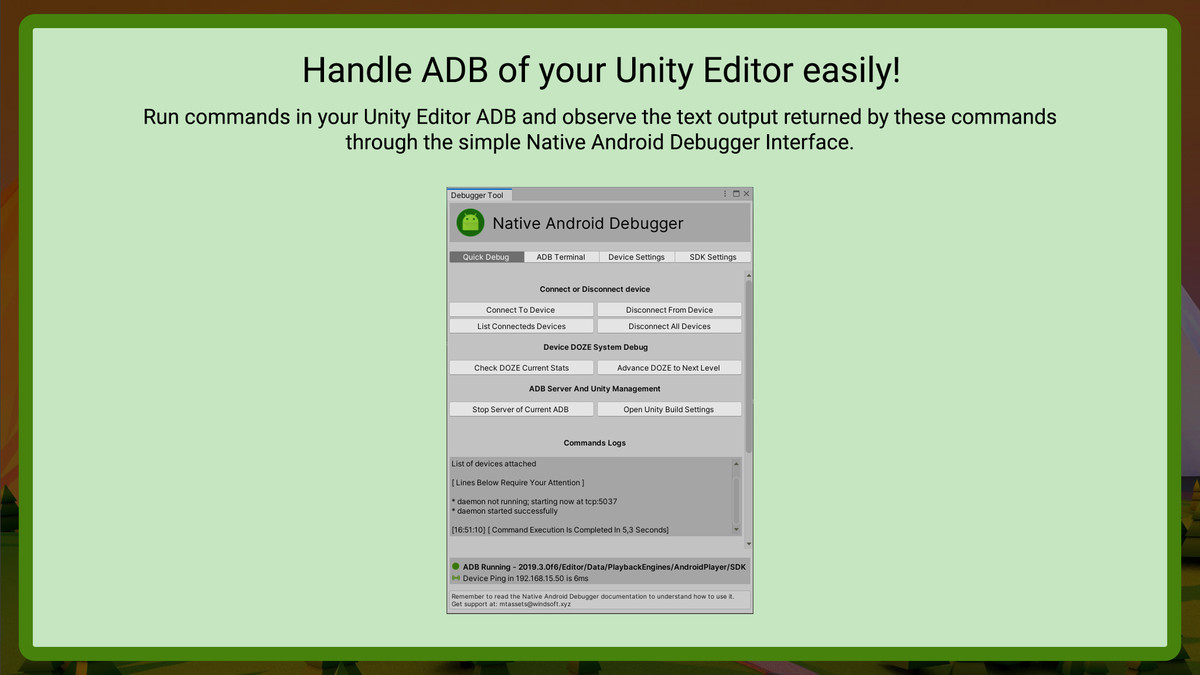
Native Android Debugger is a tool that runs in your Unity Editor and will help you to connect or debug your Android device over Wi-Fi, send your Builds to your device without a USB Cable and more!
Affiliate link · Purchases support this site
Price history
Last 6 months
USDAsset preview
1 / 5
Native Android Debugger MT - Wireless Debug, ADB Manager & More screenshot 1
About this asset
Since the creation of Unity Hub, newer versions of Unity Editor may have an Android SDK built in. ADB is always included in this Android SDK and is meant to be the communication bridge between your computer and an Android device. ADB makes it possible for Unity to send your APKs directly to your device, do tests, checks and send commands for example.
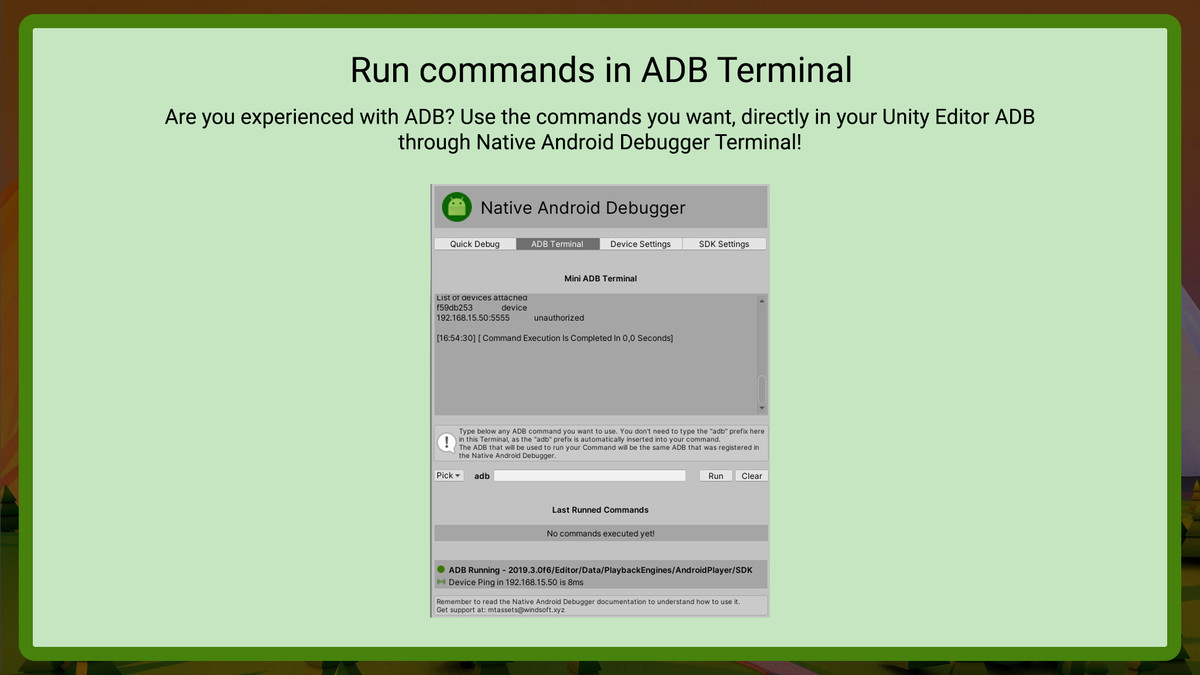
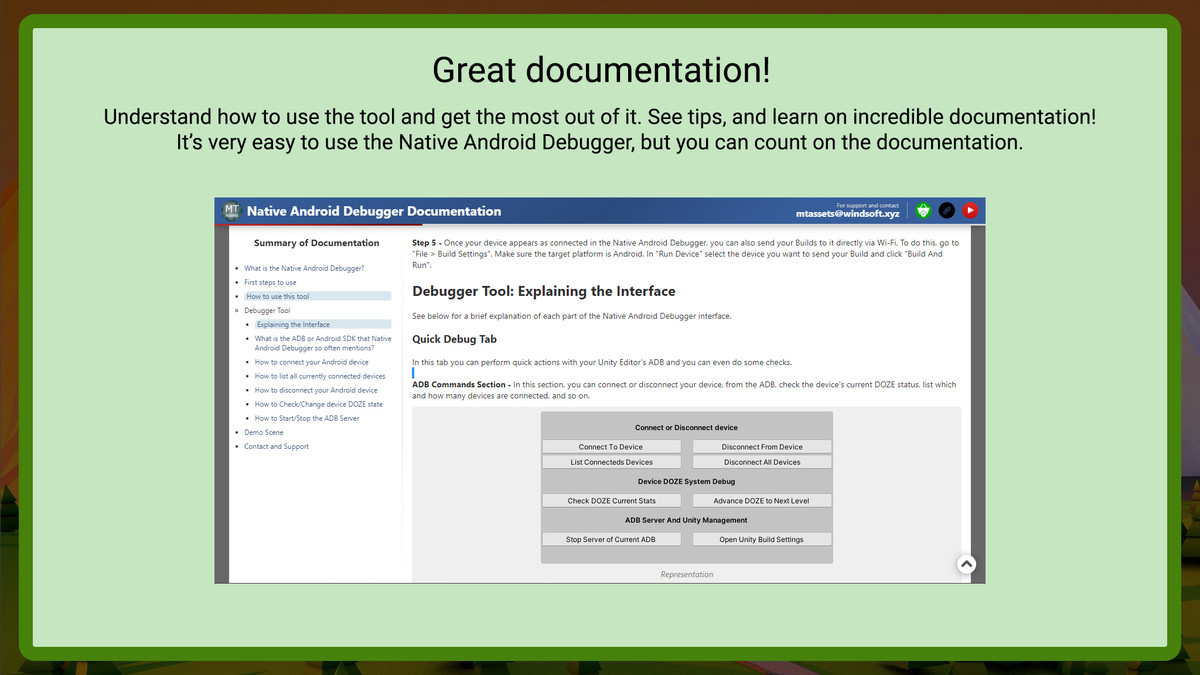
Native Android Debugger has the objective of making it easy for you to manage the ADB of your Unity Editor. With Native Android Debugger you can connect your device to Unity Editor over Wi-Fi (and upload your Builds without needing a USB cable), send ADB commands through a Terminal, check and control the device's DOZE and much more!
Need to access Android native functions?
Some Features of This Tool
● Connect your Android device via ADB over Wi-Fi.
● Upload your Builds to your device over Wi-Fi once it is connected to the ADB.
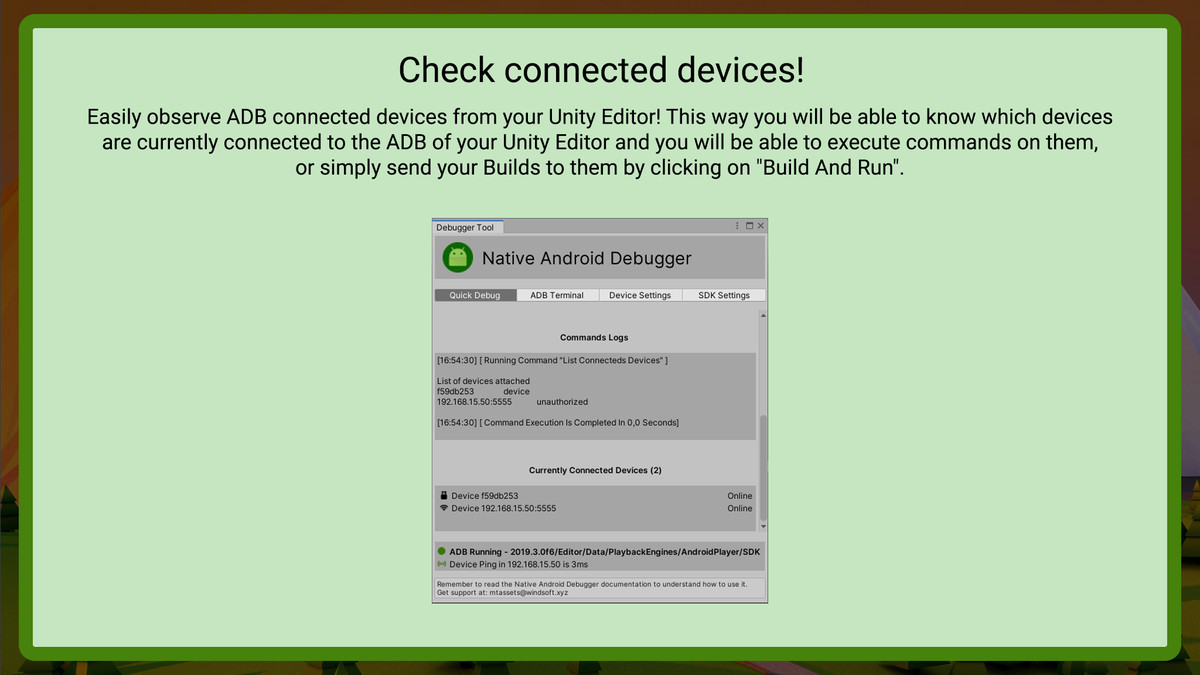
● Check connected devices easily.
● Disconnect the devices you want.
● Very easy to use. It has a simple and intuitive interface.
● Great documentation.
● It has several explanations and help topics to guide you very well.
● The tool only runs in the Editor (without affecting your Editor's performance).
● Check, debug and test with your device's DOZE (sleep mode or deep sleep).
● Execute commands directly in your Unity Editor ADB through a Terminal.
● And more…
☆ I will always be working to provide support and updates for all my tools!
◆ Email for contact, support, feedback and questions: [email protected]
◆ Website of MT Assets: https://windsoft.xyz/mtassets
◆ MT Assets Community on Discord: https://discord.gg/44aGAt4Sv4
Created with ❤ by MT Assets!
From the publisher's Asset Store listing.
Technical details
NOTE: This tool is designed to work on Windows OS/Unity Editors.
Compatibility
| Unity version | Built-in | URP | HDRP | Custom |
|---|---|---|---|---|
| 6000.0.22f1 | Compatible | Compatible | Compatible | Compatible |
Compatible with Unity 2018.1.0 and ANY newer version.
As listed on the Asset Store.