
 View on Asset Store (opens in new tab)
Package details
- Latest version
- 1.1
- Last updated
- First released
- Unity version
- 2020.3.17 or later
- Package size
- 5.1 MB
- Files
- 897
- Favorites
- 44
- Views in the past week
- 1
Price tracking
- Last checked
- Tracked since
- Lowest recorded
- $7.99 on
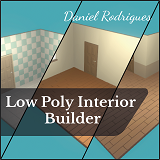
Low Poly Interior Builder
Price $7.99
Buy on Asset Store (opens in new tab)
Affiliate link · Purchases support this site
Price history
Last 6 months
USDAsset preview
1 / 7

Low Poly Interior Builder screenshot 1


About this asset
Build your own interior scenes with this Low Poly Interior Pack!
With this pack, you get access to 443 different assets that are essential to every interior:
- 329 Walls
- 53 Grounds
- 52 Doors
- 9 Windows
A scene is included in this pack, which contains a few interior samples built with the 3d assets.
Performance:
Every 3D asset is made as lowpoly as possible. In fact, the most highpoly asset has 388 polygons while the most lowpoly asset has 6.
Every asset also shares 1 material: a texture atlas with a size of 64x64 pixels. Besides that, the windows also have another material made for the window glass.
This pack works well both with isometric views or perspective views.
Important!
This pack is using Unity Post Processing stack.
In order to install it, follow the next few steps in your Unity Editor:
Window --> Package Manager. Search for "Post Processing" and install it.
If you have any questions, you can send an email to: [email protected]
With this pack, you get access to 443 different assets that are essential to every interior:
- 329 Walls
- 53 Grounds
- 52 Doors
- 9 Windows
A scene is included in this pack, which contains a few interior samples built with the 3d assets.
Performance:
Every 3D asset is made as lowpoly as possible. In fact, the most highpoly asset has 388 polygons while the most lowpoly asset has 6.
Every asset also shares 1 material: a texture atlas with a size of 64x64 pixels. Besides that, the windows also have another material made for the window glass.
This pack works well both with isometric views or perspective views.
Important!
This pack is using Unity Post Processing stack.
In order to install it, follow the next few steps in your Unity Editor:
Window --> Package Manager. Search for "Post Processing" and install it.
If you have any questions, you can send an email to: [email protected]
From the publisher's Asset Store listing.
Compatibility
| Unity version | Built-in | URP | HDRP |
|---|---|---|---|
| 2020.3.17f1 | Compatible | Not listed | Not listed |
As listed on the Asset Store.