
 View on Asset Store (opens in new tab)
Package details
- Latest version
- 1.2.0
- Last updated
- First released
- Unity version
- 2019.4.40 or later
- Package size
- 12.6 MB
- Files
- 129
- Favorites
- 5
- Views in the past week
- 2
Price tracking
- Last checked
- Tracked since
- Lowest recorded
- $15.00 on
Keywords

Simple Dialogue Manager
Create professional dialogues easily in few steps with Simple Dialogue Manager. Dialogue Text and Conversations Audio support. Right To Left Support. Forward and backward time-based messages display.
Affiliate link · Purchases support this site
Price history
Last 6 months
USDAsset preview
1 / 14

Simple Dialogue Manager screenshot 1


About this asset
=========================================================
Note : It is always recommended to take a backup of your project before upgrading to the package version.
=========================================================
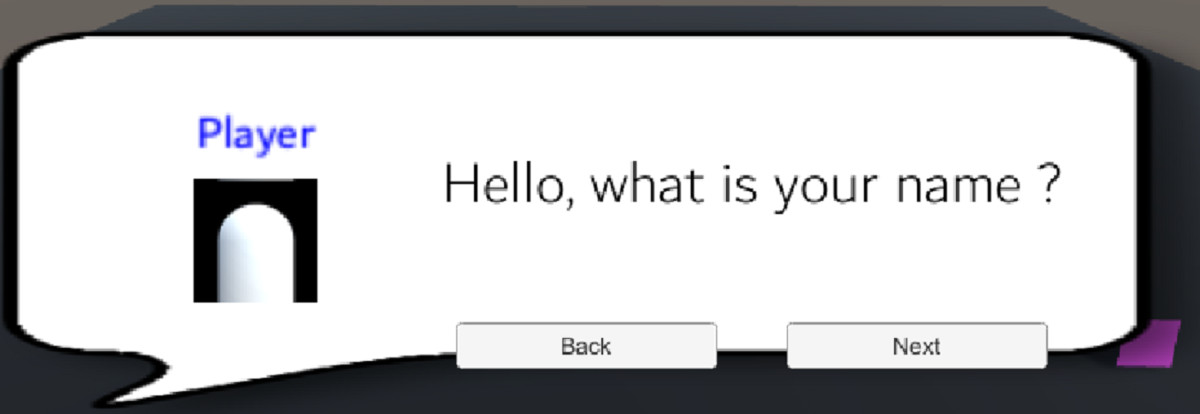
Simple Dialogue Manager is a very easy tool to create simple in-game dialogues and conversations. You can create simple conversations with or without audio background voices. You either use the ready made prefabs by dragging them directly into your scene or just add the appropriate scripts to your objects.
Below, you can find a list of features of this asset:
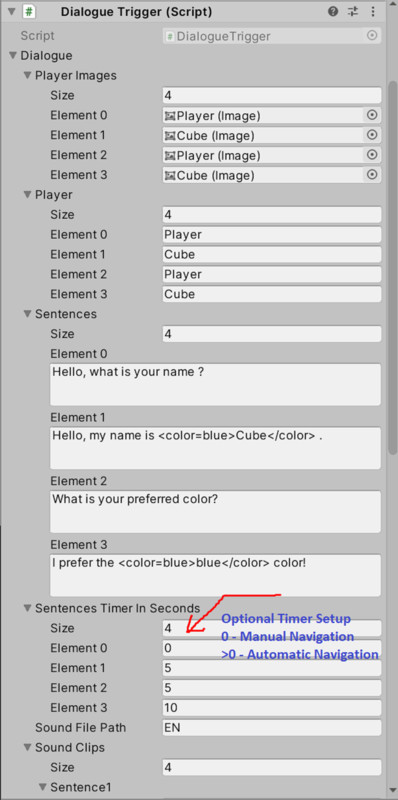
- Create simple dialogues for one or more characters. (Narrators, Player and/or NPC)
- Display your custom dialog Canvas UIs.
- Bundled with two custom Callout PNG files.
- Support multilingual dialogues (Supports all Left-to-Right orientation languages) (Automatic Right-to-Left orientation languages) The current actual languages are (Arabic, English, French, German, Italian and Spanish) by Default. You can easily add extra languages. [Detailed steps available in scripts]
- Add Audio files for each line of dialogue or leave it just leave it as a text message.
- Assign specific action before launching dialogues and or after dialogues end up.
- Perform specific action in relation to each line of dialogues.
- Capture characters avatar logo dynamically.
- Customized “Exit Game” script.
- Launch dialogues by attaching appropriate script to each character.
- Attach UpdateButtonLanguage Script and change the UI in your game when the game language is changed.
You can use TextMeshPro Canvas UI as well as Unity Standard Text Canvas UI.
You can integrate this tool easily with Invector 3rd Person Controllers.
From the publisher's Asset Store listing.
Compatibility
| Unity version | Built-in | URP | HDRP |
|---|---|---|---|
| 2019.4.40f1 | Compatible | Compatible | Compatible |
As listed on the Asset Store.