
 View on Asset Store (opens in new tab)
Package details
- Latest version
- 1.01
- Last updated
- First released
- Unity version
- 2018.4.9 or later
- Package size
- 9.7 MB
- Files
- 254
- Favorites
- 37
- Views in the past week
- 11
Price tracking
- Last checked
- Tracked since
- Lowest recorded
- $18.00 on
Keywords
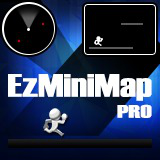
EzMiniMap Pro
- Price drop
This tool generates and display an image based Mini Map
Affiliate link · Purchases support this site
Price history
Last 6 months
USDAsset preview
1 / 3

EzMiniMap Pro screenshot 1


About this asset
MiniMap is automatically generated using a fully customizable algorithm that renders the scene content.
From the publisher's Asset Store listing.
Technical details
- Supports any game axis:
2D (Back), Front, Top, Bottom, Right, Left (or custom, through code)
- Fast GPU operations (optimal Mobile performance)
- DrawMesh() is used to discover the Explore mask
- Standard Canvas or Sprite mask component used to mask map content (shader stencil in Mesh rendering mode)
- Works on any pipeline (SRP, URP, HDRP)
- Three rendering modes
- Canvas (Unity UI, best performance with RectMask2D)
- Sprite
- Mesh
- Both editor and runtime map generation, totally customizable
Editor generation creates an asset (ScriptableObject) that can be assigned to any Map renderer.
Runtime generation might be executed just before game level starts (it takes some milliseconds), leading to two advantages:
- Reduced Build size (very useful on Mobile)
- Perfect for random procedural generated game levels
- Radar system
Disabling map texture generation will make it work as a simple radar system
- Explore Mask
- Cover/Discover using any transparent brush texture
- Cover/Discover operations can be done even while Map is hidden
- Camera frustrum discovering (discover what Camera sees, with some 2D limitations)
- Store / Restore (usually for runtime generation)
- Map Pointer supports breadcrumbs so you can keep track of player’s recent path
- Map custom overlay elements (markers) can be linked to scene entities and updated at runtime (moving enemies , checkpoints etc..). They can be drawn above or below explore mask.
- Automatic/Manual Pan and Zoom with smoothing and bound limits
- Supports map textures split to increase map detail (more DrawCalls)
Limitations
- While map texture can be split to improve detail, Explore Mask is limited to hardware maximum texture resolution cap (even tough 4096x4096 should be enough in most cases)