
 View on Asset Store (opens in new tab)
Package details
- Latest version
- 1.2
- Last updated
- First released
- Unity version
- 2022.3.62 or later
- Package size
- 3.8 MB
- Files
- 55
- Favorites
- 7
- Views in the past week
- 5
Price tracking
- Last checked
- Tracked since
- Lowest recorded
- $5.99 on
Keywords
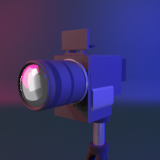
Simple Camera Toolkit
20 preset cameras for simple game development.
Affiliate link · Purchases support this site
Price history
Last 6 months
USDAsset preview
1 / 10

Simple Camera Toolkit screenshot 1


About this asset
20 preset cameras for simple game development. We put together this set of scripts to solve an issue we all face: setting up a camera for a specific use case and ending up spending hours fighting with settings.
Whether you need a vehicle chase camera which follows a drifting car with spring-arm physics, a tracking camera which smoothly follows a target, or a city builder camera with edge scroll and rotation support, we have you covered.
All modules are provided in readable C# with example scenes, making them easy to modify if you need something more custom for your project.
Focus on your game and leave the camera systems in our hands. We have something for everyone.
Tracking and Follow Cameras
- ThirdPersonCamera: shoulder follow with collision avoidance, right-click mouse orbit, and scroll zoom. The standard third-person camera used in most action games.
- VehicleChaseCamera: Chase camera with 6 camera presets (Close, Medium, Far, Bumper, Cockpit, DriftOrbit). Uses spring-arm physics for weighty smooth movement, drift-angle orbit when the vehicle slides, and speed-based FOV widening.
- FollowTarget: smooth tracking with dampened movement behind a target. Great for vehicles and players.
- LookatTracking: rotates the camera to always face a target without moving position.
TopDownCamera: isometric or orthographic follow from above with zoom and angle control.
- SideScrollCamera: 2D side-scroller camera with deadzone-based follow and look-ahead.
- DollyTrack: path-based camera that moves along waypoints with speed curves and looping.
- AutoFrameTracker: automatically moves the camera to fit multiple targets in frame at specified screen positions.
Orbital Cameras
- MouseOrbit: orbit a target with mouse input. Choose always-on, left click, or right click trigger. Set distance and angle limits.
- FreeLookCamera: three-rig orbital camera similar to Cinemachine. Mouse moves between top, middle, and bottom rigs with independent heights and radii.
- ObjectInspector: drag to rotate around an object with scroll zoom and optional auto-rotate. Great for menus and inspection views.
- AutoOrbit: automatically rotates around a target at a set speed.
Free and FPS Cameras
- FlyCam: WASD free-fly camera with mouse look and configurable key bindings.
- MouseLook: simple mouse look rotation for first-person views.
- FirstPersonController: full FPS controller with CharacterController movement, sprint, crouch, jump, and head bob.
- RTSCamera: real-time strategy camera with edge scrolling, scroll zoom, and rotation. Supports WASD and middle mouse.
Utility and Cinematic
- FOVController: change field of view on a trigger. Supports hold or toggle modes with left or right click.
- CameraShake: perlin noise shake with configurable amplitude, frequency, duration, and decay curve. Trigger from any script or press K to test.
- WaypointFollow: move a camera along a set route with Forward, PingPong, and Loop modes. Fire events when waypoints are reached.
- WobbleCamera: apply a wobble effect to your camera projection matrix for handheld camera feel.
- CameraCollisionHandler: wall avoidance module that spherecasts from a target to the camera and pushes it forward when obstructed.
- ConfinerCamera: keep your camera inside box or sphere bounds with smooth return.
- ProximityHide: hide objects that get too close to the camera to prevent clipping.
System
- CameraManager: singleton for switching between cameras with cut or smooth lerp transitions. Register cameras by name and blend between them.
Composition
- CompositionTools: frame your shots with action safe, title safe, center mark, and placement grids from thirds to ninths. All drawn as gizmos in the game view.
All 25 modules are included with example scenes so you can see each one working immediately. If you have any questions please get in touch.
From the publisher's Asset Store listing.
Technical details
Compatibility
| Unity version | Built-in | URP | HDRP |
|---|---|---|---|
| 2022.3.62f3 | Compatible | Compatible | Compatible |
All scripts are developed with pipeline agnostic code, but demos are provided in built-in
As listed on the Asset Store.