
 View on Asset Store (opens in new tab)
Package details
- Latest version
- 1.0.1
- Last updated
- First released
- Unity version
- 2019.4.0 or later
- Package size
- 996 KB
- Files
- 51
- Favorites
- 22
- Views in the past week
- 5
Price tracking
- Last checked
- Tracked since
- Lowest recorded
- $10.49 on
Keywords
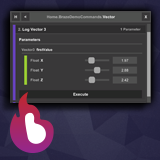
Braze Visual Commands
Are you looking for an easy way to add cheats or commands to your game? Do you get annoyed with having to type commands into a console? Braze Visual Commands is here for you!
Affiliate link · Purchases support this site
Price history
Last 6 months
USDAsset preview
1 / 6

Braze Visual Commands screenshot 1


About this asset
Overview
Braze Visual Commands is a tool which allows you to simply and easily expose functions within your application which can then be executed at a press of a button (or a touch of a finger). These functions don't have to be static, the system will automatically search for and execute any instance of the function that has been created.
Braze Visual Commands has been built from the ground up to support both Mobile and PC. It has a wide range of customisation options to give you full control of how you intergrate it into your application.
Customisation
- Over 120 different settings to tweak, defaults have been setup so you don't have to change anything if you don't want to
- Options to change anchoring and positioning of the Visual Command window on PC, Mobile Landscape, and Mobile Portrait independently
- Choose between two sizes of UI elements and even modify those sizes if you so choose
- Customise all accent colors, even specify a color per parameter type
- Tweak the default minimum and maximum values for parameters
- Change all keyboard keys used for secondary input to suit your needs
Usage
- Install the plugin
- Add the SC_VC_Controller script to a GameObject in your scene
- Find a function you want to make into a Visual Command
- Add "Using BrazeVisualCommands;" to the top of your C# file
- Add [VisualCommand()] above your function
- Run your game and see your function in the Visual Command window
For more usage information check out the user guide.
Feedback
We are more than happy to get feedback and improvment suggestions for Braze Visual Commands. Please contact us through our email or through social media.
Social Links
YouTube
From the publisher's Asset Store listing.
Technical details
Features
- Support for static and non-static functions
- Full visual control of your commands
- Category driven tree hierarchy means easy organization of your commands
- Full customisation of size and position of both the Visual Command window, and the Visual Command open button
- Over 120 different customisation options to tweak, displayed within project settings
- Support for a 18 different parameter types to display within the Visual Command window
- Default values for parameters supported
- Specify custom ranges for parameters with the corresponding [VCRange(min, mix)] parameter attribute
- Automatically disables itself on release builds (settings also exposed)
- Secondary keyboard input support to execute commands
- Ability to scale the UI to your liking with a exposed settings
- Cross platform support (Windows, Android, IOS)
For more information check out the user guide.
Notes
- Braze Visual Commands uses the Unity UI system