
 View on Asset Store (opens in new tab)
Package details
- Latest version
- 1.0
- Last updated
- First released
- Unity version
- 2019.4.4 or later
- Package size
- 472 KB
- Files
- 16
- Favorites
- 5
- Views in the past week
- 6
Price tracking
- Last checked
- Tracked since
- Lowest recorded
- $4.99 on
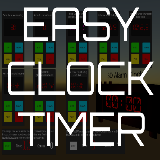
Easy Clock And Timer Script
Price $4.99
Buy on Asset Store (opens in new tab)
Affiliate link · Purchases support this site
Price history
Last 6 months
USDAsset preview
1 / 4

Easy Clock And Timer Script screenshot 1


About this asset
This asset is a clock or a timer script that can be programmed to you need.
The EasyClockTimerBehaviour script allow you to do all the following things:
Easy to use. All you have to do is add your Text component to the script and configure the component to your needs.
- Ascending or descending timer with floating point number or not.
- All sorts of display method (int, HH:MM:SS, MM:SS, HH:MM).
- Custom text when timer is pause or timer has ended.
- Possibility to add a starting time and/or ending time. But it's also possible to make the clock never end.
- The time is 24 hours based. So when the time's has reached 24 hours it reset to 0.
- Trigger your own function on end, pause, reset, resume or start events of the timer.
- A step by step documentation with examples on how to use the it.
- A scene with 11 different use case of the component.
Examples of Use:
You have a round based game and you need a timer for your game.
You need a timer to see how much time it will takes for your player to do something like in a puzzle game.
You need to display the time in hours minutes on a 3d or 2d clock.
It really can be use for anything.
If you have any suggestions don't hesitate!
Thank you.
The EasyClockTimerBehaviour script allow you to do all the following things:
Easy to use. All you have to do is add your Text component to the script and configure the component to your needs.
- Ascending or descending timer with floating point number or not.
- All sorts of display method (int, HH:MM:SS, MM:SS, HH:MM).
- Custom text when timer is pause or timer has ended.
- Possibility to add a starting time and/or ending time. But it's also possible to make the clock never end.
- The time is 24 hours based. So when the time's has reached 24 hours it reset to 0.
- Trigger your own function on end, pause, reset, resume or start events of the timer.
- A step by step documentation with examples on how to use the it.
- A scene with 11 different use case of the component.
Examples of Use:
You have a round based game and you need a timer for your game.
You need a timer to see how much time it will takes for your player to do something like in a puzzle game.
You need to display the time in hours minutes on a 3d or 2d clock.
It really can be use for anything.
If you have any suggestions don't hesitate!
Thank you.
From the publisher's Asset Store listing.