
 View on Asset Store (opens in new tab)
Package details
- Latest version
- 1.3
- Last updated
- First released
- Unity version
- 2017.3.0 or later
- Package size
- 1.9 MB
- Files
- 23
- Favorites
- 7
- Views in the past week
- 3
Price tracking
- Last checked
- Tracked since
- Lowest recorded
- $10.00 on
Symbolic links tool
Price $10.00
Buy on Asset Store (opens in new tab)
Affiliate link · Purchases support this site
Price history
Last 6 months
USDAsset preview
1 / 2

Symbolic links tool screenshot 1

About this asset
Share external data between multiple projects!
This asset solves 2 major problems:
- Sometimes, you really need to have a folder shared between multiple Unity projects. It may be a shared graph folder, or libraries of generic scripts, or even a Framework. But there is no native solution in Unity to do so.
The common solution is to create symbolic links via a bash or Python script. But by doing so, you can't push your external file to a git repository! You have to create multiple git and do complicated stuff to add them together.
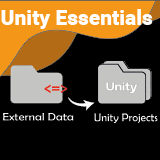
With this tool, I offer you an easly way to create jonction between an external folder and your Unity project. These jonctions can be pushed in a git, or in unity collab. These files are processed as normal folders, and are labelled with a small indicator to know exactly what is, and what is not inside an external folder.
- When you have an external framework shared between multiple projects, the biggest problem you will encounter is the difficulty to differentiate between the files coming from the framework, and those from Unity.
This often leads to big structure problems, like if you unfortunately delete a picture from the framework inside one project, and 2 weeks later on the other project, you discover that the picture you were using is gone !
This tool allows you to always know in what type of external framework a file is. In the project panel, or even on a gameObject, the little indicator <=> or * tells if the object you seek is inside an external folder.
- C# scripts avaible
- Clean code using nameSpace
From the publisher's Asset Store listing.
Compatibility
| Unity version | Built-in | URP | HDRP | Custom |
|---|---|---|---|---|
| 2021.3.0f1 | Compatible | Compatible | Compatible | Compatible |
As listed on the Asset Store.