
 View on Asset Store (opens in new tab)
Package details
- Latest version
- 1.0
- Last updated
- First released
- Unity version
- 2020.1.3 or later
- Package size
- 36.3 MB
- Files
- 45
- Favorites
- 36
- Views in the past week
- 6
Price tracking
- Last checked
- Tracked since
- Lowest recorded
- $15.00 on

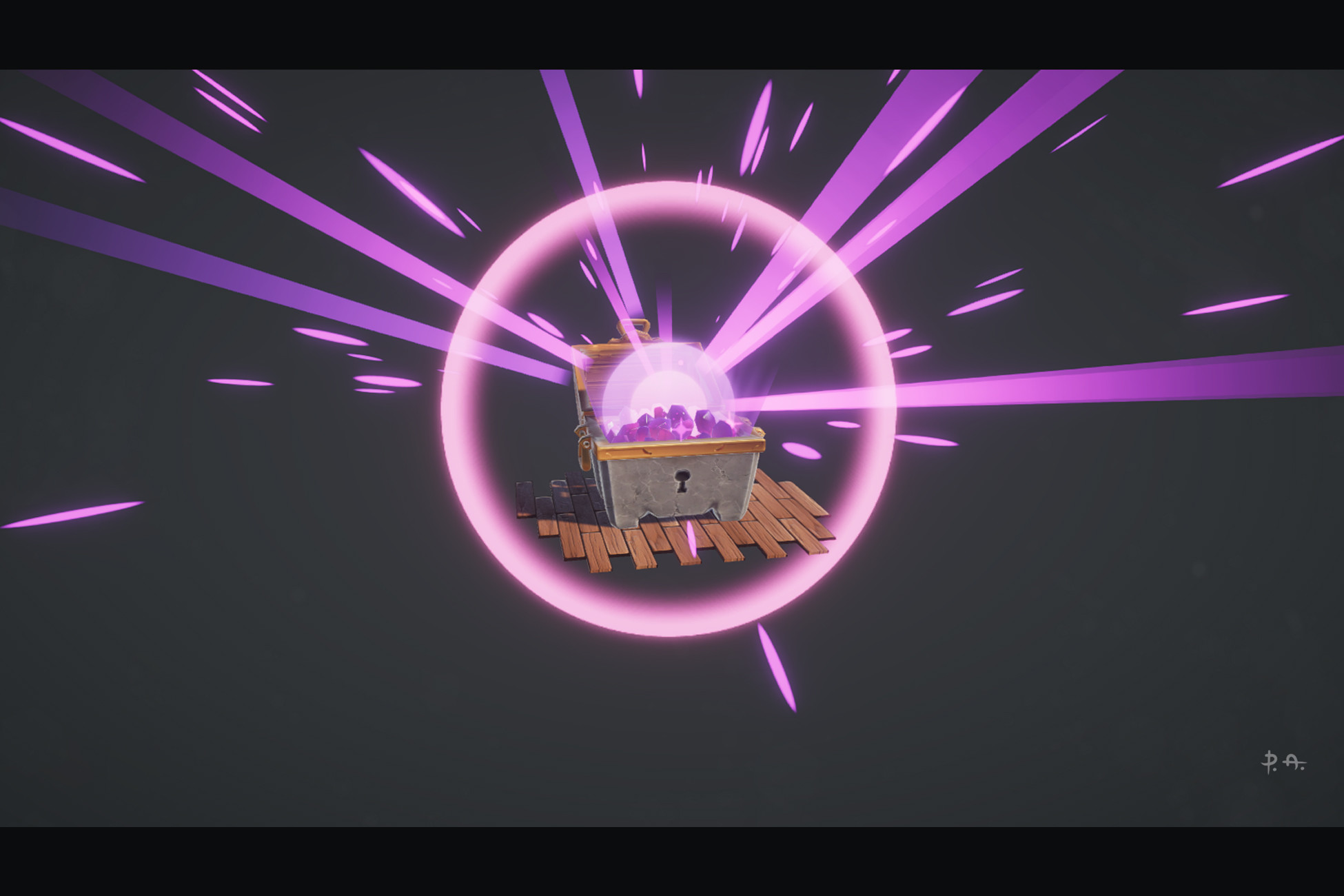
Treasure Chest Loot Box FX
Price $30.00
Buy on Asset Store (opens in new tab)
Affiliate link · Purchases support this site
Price history
Last 6 months
USDAsset preview
1 / 7

Treasure Chest Loot Box FX screenshot 1


About this asset
How to install:
1. Start new or use already exist Universal Render Pipeline project.
2. Download Bolt: https://assetstore.unity.com/packages/tools/visual-scripting/bolt-163802
3. Download Treasure Chest package.
4. Go to Window > Package Manager > My Assets > Import Bolt package.
5. Go to Project panel and run Bolt_*_*_**_Net3 or Bolt_*_*_**_Net4 to install Bolt at Assets > Install Bolt.
6. Go to Window > Package Manager > Unity Registry > Install Alembic.
7. Go to Window > Package Manager > My Assets > Import Treasure Chest package.
8. Go to Project panel and run scene_01 at Assets > Treasure_chest > Scenes.
Very interesting technologies like Unity Bolt visual scripting, Unity Shader Graph, and Alembic animations are fun and easy. This package is a simple example of how to use these coolest technologies in your games. In this package you will have a simple loot box system with a low poly mesh of treasure chest with open and idle animations, opening explosion fx, and crystals glowing, with custom shaders, scripts to start idle animation on mouseover and mouse click to open loot box.
- perfect for high definition games.
- Idle and Open animations of Treasure Chest.
- Bolt State Macro of on mouse actions like mouseover to start Idle animation and mouse click to Open animation.
- low poly meshes of Treasure Chest, Crystals, and Floor.
- ready to use prefabs.
- 3 custom shaders for different effects.
- stylized PBR textures.
- customizable visual effects of the open explosion and crystals glowing.
- bonus: tileable floor material of wood planks.
From the publisher's Asset Store listing.