
 View on Asset Store (opens in new tab)
Package details
- Latest version
- 2.0.0
- Last updated
- First released
- Unity version
- 2021.3.45 or later
- Package size
- 57 KB
- Files
- 47
- Favorites
- 107
- Views in the past week
- 14
Price tracking
- Last checked
- Tracked since
- Lowest recorded
- $4.99 on
Keywords

Selection Utility
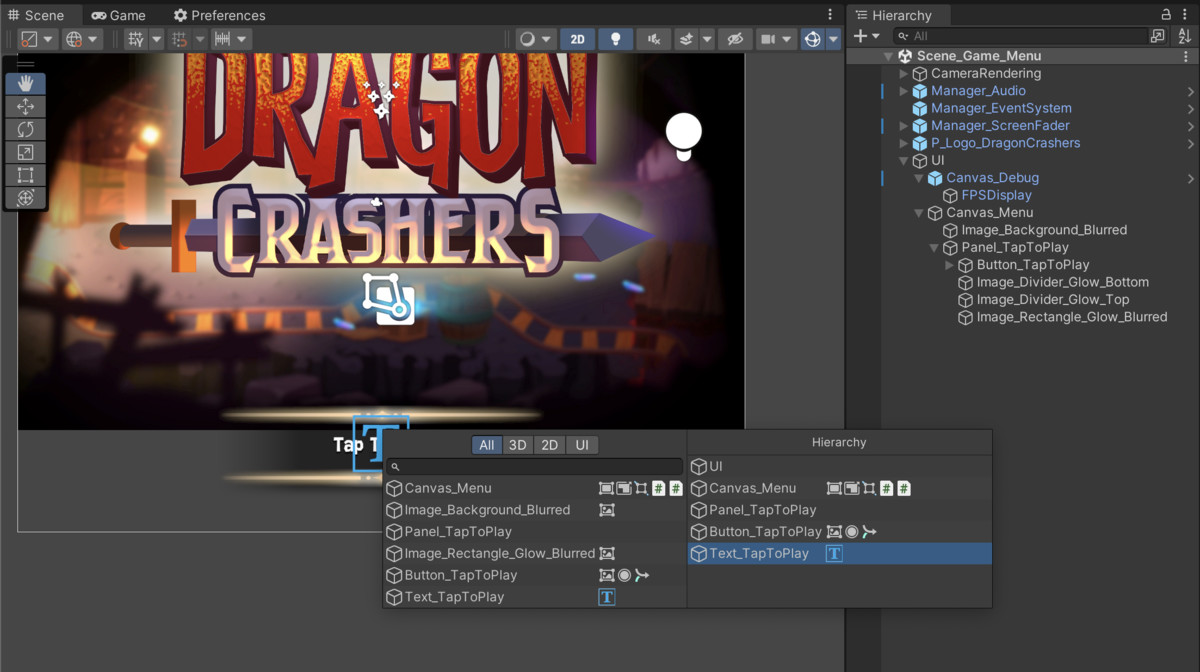
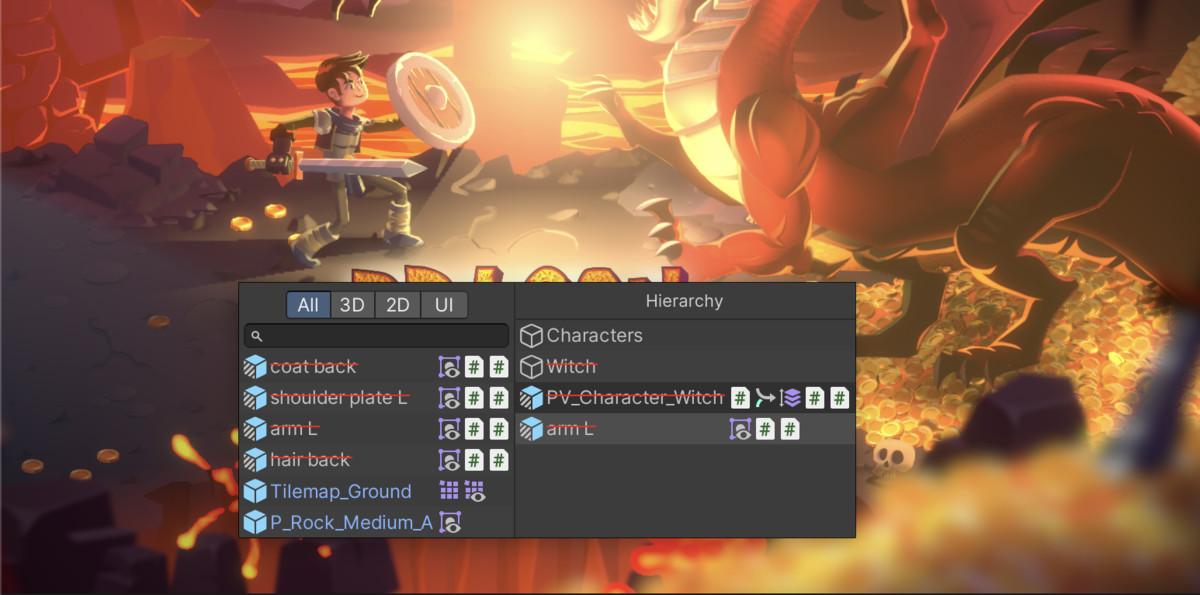
A lightweight scene view tool that facilitates selecting GameObjects by displaying a context menu with all objects currently under the mouse cursor as a popup list.
Affiliate link · Purchases support this site
Price history
Last 6 months
USDAsset preview
1 / 12

Selection Utility screenshot 1




About this asset
Have you ever struggled to select objects, especially UI, in the scene view because they overlap? By default, Unity will cycle through all objects under the mouse cursor, but this can become extremly tedious in larger projects. Selection Utility solves this problem by showing a list of all objects under the mouse cursor on context-click.
The new version now also includes an option to display the parents of a hovered GameObjects to better identify it, e.g. in a UI hierarchy.
Features
• Works with 3D, 2D, and UI objects
• Highlights hovered 3D and 2D objects with a colored outline (only the builtin render pipeline is supported for now).
• Scrollable list, can handle hundreds of entries
• Does not interfere with regular scene controls (camera pan, zoom, etc)
• Respects Unity's builtin selection features (e.g. locked layers)
• Search by name or component type
• Filter toggles to show only 3D, 2D, or UI objects
• Component icons to identify objects easily
• Prefabs are indicated in blue
• Source code included
• Customize the filter tabs: add, remove or replace the filtering with a simple API call
• Press 'delete/backspace' while hovering an item to delete it
• Press the 'p' key to enter prefab mode for a hovered item
• Customize hotkey actions via the API
User Preferences
• Hide icons by their type (e.g. Transform)
• Global enabled flag
• Click dead zone (e.g. touchpad & accessibility)
• Search field toggle
• Toggle filter toolbar
• Configure outline color
• Sort mode (by hierarchy or depth from camera)
Why do I need this?
This tool improves the default selection methods in Unity. Trying to find a GameObject in a long list within the Hierarchy window can be difficult, since names may not be perfectly descriptive for all use-cases (e.g. props are named Rock_00, Rock_01, etc). Often, it is easier to find objects by their position and context in the Scene view. However, since Unity also considers invisible and overlapping objects, it can require many clicks until the desired target is selected. With Selection Utility the same can be accomplished in typically two clicks, but it also supports a search within the spatial context of the mouse pointer.
Version Support
Supported from Unity Version 2021.3 onward.
Contact and support: [email protected]
From the publisher's Asset Store listing.
Technical details
- Show a list of GameObjects under the mouse via context-click
- Everything Unity normally can select (or has locked) is respected
- Use a search field and category toggles to filter the result
- See the parents of a hovered item
- Customize a colored outline for hovered items (2D/3D)
Compatibility
| Unity version | Built-in | URP | HDRP | Custom |
|---|---|---|---|---|
| 2021.3.45f1 | Compatible | Compatible | Compatible | Compatible |
The selection outline is currently only supported in the Built-In render pipeline.
As listed on the Asset Store.