
 View on Asset Store (opens in new tab)
Package details
- Latest version
- 1.1
- Last updated
- First released
- Unity version
- 2018.4.27 or later
- Package size
- 480 KB
- Files
- 17
- Favorites
- 10
- Views in the past week
- 4
Price tracking
- Last checked
- Tracked since
- Lowest recorded
- $4.99 on
Keywords
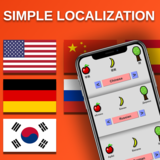
Localization for All Platforms
- Price drop
Discount -38%
Previous price
$7.99
Price $4.99
Lowest recorded price
Get 38% off on Asset Store (opens in new tab)Affiliate link · Purchases support this site
Price history
Last 6 months
USDAsset preview
1 / 7

Localization for All Platforms screenshot 1


About this asset
You can quickly add a localization system to your game without typing any code!
✔ Supports All Platforms!
It's mainly designed for Android & IOS, but it supports every platforms.
✔ Easy To Use!
It's designed to be as flexible and easy as possible. Without typing any code, you can localize all of your game.
✔ Convenient for all kind of games!
Simple Localization is completely seperated from the core logic of your game, so you can easily use it for any kind of game.
✔ Supports Every Languages!
Simple Localization supports every languages in the world. You only need to select the ones you want to localize.
✔ Supports Every Text Types
Basic UI Text, TextMeshPro, TextMeshProUGUI and more! You can use the system for any text type you want.
✔ Long Term Support!
You can use the Simple Localization System with any Unity version you want without any error.
___________________________________
Basic Setup
It's highly recommended to read the documentation inside of the asset.
1- Drag and drop StreamingAssets folder to the Assets folder.
2- Open up Resources/Active Languages object and select the languages you want to localize.
3- To assign the Scripts/Language/LanguageConfiguration.cs script, create an empty gameobject, then select the default language. This will only configure the default language when the game first starts, so only put it to your mainmenu scene.
4- To edit keys and values, go to Window/Simple Localization/Localizer. You can add or remove keys from here.
5- Go to your UI Text gameobject, and assign the LocalizedText.cs script to it. After that, type the relevant key to the field.
❗ If you're using TMPro. Go to LocalizedTextMeshProUGUI.cs script and uncomment all the lines after you've import the TMPro.
❤️ That's it!
multilanguage translation multi-language localization language android ios simple android localizer translation multi-language mobile localize
✔ Supports All Platforms!
It's mainly designed for Android & IOS, but it supports every platforms.
✔ Easy To Use!
It's designed to be as flexible and easy as possible. Without typing any code, you can localize all of your game.
✔ Convenient for all kind of games!
Simple Localization is completely seperated from the core logic of your game, so you can easily use it for any kind of game.
✔ Supports Every Languages!
Simple Localization supports every languages in the world. You only need to select the ones you want to localize.
✔ Supports Every Text Types
Basic UI Text, TextMeshPro, TextMeshProUGUI and more! You can use the system for any text type you want.
✔ Long Term Support!
You can use the Simple Localization System with any Unity version you want without any error.
___________________________________
Basic Setup
It's highly recommended to read the documentation inside of the asset.
1- Drag and drop StreamingAssets folder to the Assets folder.
2- Open up Resources/Active Languages object and select the languages you want to localize.
3- To assign the Scripts/Language/LanguageConfiguration.cs script, create an empty gameobject, then select the default language. This will only configure the default language when the game first starts, so only put it to your mainmenu scene.
4- To edit keys and values, go to Window/Simple Localization/Localizer. You can add or remove keys from here.
5- Go to your UI Text gameobject, and assign the LocalizedText.cs script to it. After that, type the relevant key to the field.
❗ If you're using TMPro. Go to LocalizedTextMeshProUGUI.cs script and uncomment all the lines after you've import the TMPro.
❤️ That's it!
multilanguage translation multi-language localization language android ios simple android localizer translation multi-language mobile localize
From the publisher's Asset Store listing.