
 View on Asset Store (opens in new tab)
Package details
- Latest version
- 1.0.02
- Last updated
- First released
- Unity version
- 2019.2.10 or later
- Package size
- 110 KB
- Files
- 7
- Favorites
- 67
- Views in the past week
- 15
Price tracking
- Last checked
- Tracked since
- Lowest recorded
- Free on
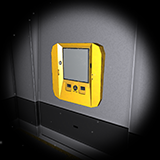
Fake Terminal - An in-game MS-DOS style PC
Price Free
Get it free on Asset Store (opens in new tab)
Affiliate link · Purchases support this site
Price history
Last 6 months
USDAsset preview
1 / 5

Fake Terminal - An in-game MS-DOS style PC screenshot 1


About this asset
Fake Terminal is a script that you can add to a Text object to simulate an MS-DOS style PC.
There is a vast degree of personalization:
- Change the font and its color and size.
- RichText support.
- Choose your favorite cursor.
- Display a text when the terminal starts.
- Create your custom error and help messages.
- Set a password to log in.
- Add new functions by the inspector.
You can use this script with a 1st or 3rd person camera. The camera will move to the desired position when the terminal starts and it'll return to its original position when you shut down the terminal.
You can easily add your custom function by the inspector or modifying the script. You have to set an input command and implement the function that you need, like open a door or turn off or on the lights when the command is called.
From the publisher's Asset Store listing.